Compare commits
582
Commits
| Author | SHA1 | Date | |
|---|---|---|---|
 parshvadaftari parshvadaftari
|
aa3206cafd | ||
|
parshvadaftari
|
f98cd925a6 | ||
|
Andy KwokandGitHub
|
6b5582f474 | ||
|
parshvadaftari
|
86a2b00c65 | ||
|
parshvadaftari
|
c1ee71ad3f | ||
|
parshvadaftari
|
a93a7ea6cf | ||
|
parshvadaftari
|
2dd4e93af4 | ||
|
parshvadaftari
|
15fe2b978f | ||
|
parshvadaftari
|
c1b9da45aa | ||
|
parshvadaftari
|
78ea40c291 | ||
|
Parshva DaftariandGitHub
|
d38e3f1962 | ||
|
◢ 徇 ◤andGitHub
|
a0685f3e8c | ||
|
Parshva DaftariandGitHub
|
d48b1832c7 | ||
|
Saket AryanandGitHub
|
21d69307dc | ||
|
Andrew CarbonettoandGitHub
|
9e5810dfb7 | ||
|
parshvadaftari
|
f0d98ec4cb | ||
|
Swarnaprakash UdayakumarandGitHub
|
e3f0277cb9 | ||
|
Prateek ChhikaraandGitHub
|
e64488b598 | ||
|
Parshva DaftariandGitHub
|
f5e0fb9e4b | ||
|
Ranjith kumarandGitHub
|
77b4b6a2b9 | ||
|
Josh HayesandGitHub
|
9477184582 | ||
|
Gabe GoodhartandGitHub
|
b27879bfd4 | ||
|
Saket AryanandGitHub
|
f0e8c3f760 | ||
|
Parshva DaftariandGitHub
|
5e8d5e4664 | ||
|
Shili CaoandGitHub
|
c8d864c1b6 | ||
|
Prateek ChhikaraandGitHub
|
617aabe5b3 | ||
|
Prateek ChhikaraandGitHub
|
163dafb216 | ||
|
Srishti GurejaandGitHub
|
cc15a22bf9 | ||
|
Parshva DaftariandGitHub
|
64cbe84089 | ||
|
Parshva DaftariandGitHub
|
c8f9f20dff | ||
|
parshvadaftari
|
5182c8f311 | ||
|
parshvadaftari
|
61e8668584 | ||
|
parshvadaftari
|
a9a1d57dfa | ||
|
John LockwoodandGitHub
|
97fd320bbf | ||
|
Saket AryanandGitHub
|
748620f29b | ||
|
Srishti GurejaandGitHub
|
0b2aa36e98 | ||
|
Sheharyar AhmadandGitHub
|
3d0ece1bcf | ||
|
Rupam JanaandGitHub
|
458d7ab8a3 | ||
|
Tushar ChandraandGitHub
|
84af5ad265 | ||
|
parshvadaftari
|
0cc26fdabf | ||
|
|
6237a6acb9 | ||
|
|
8c8368781d | ||
|
Padarn WilsonandGitHub
|
3b2d0ad0eb | ||
|
Andy KwokandGitHub
|
9337a873ec | ||
|
Srishti GurejaandGitHub
|
76411e2591 | ||
|
Andy KwokandGitHub
|
d523070cbc | ||
|
Enzo BiondoandGitHub
|
c72bfc3285 | ||
|
Parshva DaftariandGitHub
|
ee00bd5731 | ||
|
|
f914dca659 | ||
|
|
b64792590e | ||
|
Parshva DaftariandGitHub
|
a7ac8bf13b | ||
|
David A. TorresandGitHub
|
4487785cec | ||
|
|
e4c5582808 | ||
|
Vương Hữu Hưng (Hans)andGitHub
|
ff399e5528 | ||
|
Parshva DaftariandGitHub
|
e7013764f7 | ||
|
Parshva DaftariandGitHub
|
c8ee17b884 | ||
|
AkisAyaandGitHub
|
346b913ace | ||
|
Parshva DaftariandGitHub
|
49ad64708b | ||
|
Josh HayesandGitHub
|
3a1eff425b | ||
|
Parshva DaftariandGitHub
|
ebb411b11a | ||
|
|
8e8f13a48e | ||
|
Siddhartha SahuandGitHub
|
a6a3928091 | ||
|
Ankush MalakerandGitHub
|
a883b56aa8 | ||
|
Deshraj YadavandGitHub
|
246d9e8f69 | ||
|
Deshraj YadavandGitHub
|
192db1844c | ||
|
Saket AryanandGitHub
|
5e895c240a | ||
|
Parshva DaftariandGitHub
|
b4bd7b48df | ||
|
Parshva DaftariandGitHub
|
1bc31b6ae3 | ||
|
Parshva DaftariandGitHub
|
7159221d2e | ||
|
Parshva DaftariandGitHub
|
c89dc72f79 | ||
|
Parshva DaftariandGitHub
|
2145ffdb1c | ||
|
Parshva DaftariandGitHub
|
23d31a830b | ||
|
Andrew CarbonettoandGitHub
|
ab099312d5 | ||
|
|
8557533b8f | ||
|
AymenandGitHub
|
72e5a4fcc4 | ||
|
Bruce WangandGitHub
|
b199186163 | ||
|
Anirudh SandGitHub
|
9e9dcd70e1 | ||
|
Stefan GajanovicandGitHub
|
dbe909c352 | ||
|
YuriyTWandGitHub
|
d65a39c125 | ||
|
Parshva DaftariandGitHub
|
b60a208c2f | ||
|
cnScarbandGitHub
|
c2792c6558 | ||
|
Parshva DaftariandGitHub
|
2307dc8613 | ||
|
John LockwoodandGitHub
|
4c748423fc | ||
|
|
26732771eb | ||
|
Parshva DaftariandGitHub
|
148bbf0a5c | ||
|
Parshva DaftariandGitHub
|
6e8c6c1cb7 | ||
|
Parshva DaftariandGitHub
|
f59ef3f2e2 | ||
|
VimpasandGitHub
|
7a0dc7391e | ||
|
Saket AryanandGitHub
|
7fac6311f4 | ||
|
|
0e18f54d36 | ||
|
Parshva DaftariandGitHub
|
42e60d6724 | ||
|
Parshva DaftariandGitHub
|
57a16aeb4b | ||
|
|
5ea2d56d88 | ||
|
Parshva DaftariandGitHub
|
7d1d0ca806 | ||
|
Parshva DaftariandGitHub
|
89b67e0834 | ||
|
Parshva DaftariandGitHub
|
fbe8a2e90f | ||
|
Enam BiswasandGitHub
|
907328aafe | ||
|
Antaripa SahaandGitHub
|
0e03d69ed1 | ||
|
Prateek ChhikaraandGitHub
|
0412e62cb1 | ||
|
Antaripa SahaandGitHub
|
724c553a2e | ||
|
Saket AryanandGitHub
|
08e7ae02de | ||
|
ColsrchandGitHub
|
d0f61d5995 | ||
|
Parshva DaftariandGitHub
|
4433666117 | ||
|
Saket AryanandGitHub
|
37ee3c5eb2 | ||
|
Dev KhantandGitHub
|
c8892bb1fe | ||
|
Antaripa SahaandGitHub
|
1a8d175570 | ||
|
Antaripa SahaandGitHub
|
0560d87160 | ||
|
Antaripa SahaandGitHub
|
9f3fd06334 | ||
|
Antaripa SahaandGitHub
|
c1ca366edd | ||
|
askdevai-botandGitHub
|
cba3217280 | ||
|
Parshva DaftariandGitHub
|
77ea103b5d | ||
|
Saket AryanandGitHub
|
bcc5f42941 | ||
|
Saket AryanandGitHub
|
3bc5090371 | ||
|
Antaripa SahaandGitHub
|
de0513fc9f | ||
|
Saket AryanandGitHub
|
ec9b0688d8 | ||
|
Saket AryanandGitHub
|
0f5612b96d | ||
|
Saket AryanandGitHub
|
842903b1b1 | ||
|
Dev KhantandGitHub
|
70d6f9231b | ||
|
Varun MohantaandGitHub
|
aae5989e78 | ||
|
Saket AryanandGitHub
|
6866e56d7a | ||
|
Antaripa SahaandGitHub
|
2992c298cb | ||
|
Akshat JainandGitHub
|
4491e7f9f4 | ||
|
Deshraj YadavandGitHub
|
c0a930a7d3 | ||
|
Andrew CarbonettoandGitHub
|
05c404d8d3 | ||
|
Deshraj YadavandGitHub
|
7484eed4b2 | ||
|
MingxiangyuandGitHub
|
2c496e6376 | ||
|
JainishandGitHub
|
a20b68fcec | ||
|
Sakshi SrivastavaandGitHub
|
eb7c712aa6 | ||
|
Saket AryanandGitHub
|
7476c39257 | ||
|
Saket AryanandGitHub
|
5b0f1a7cf8 | ||
|
Antaripa SahaandGitHub
|
b336cdf018 | ||
|
Antaripa SahaandGitHub
|
60e4e8a662 | ||
|
Chaithanya KumarandGitHub
|
6d4a78b7c7 | ||
|
Antaripa SahaandGitHub
|
d39a1d5541 | ||
|
Parshva DaftariandGitHub
|
044ad4f131 | ||
|
Antaripa SahaandGitHub
|
75482fdb29 | ||
|
Antaripa SahaandGitHub
|
6c69599db9 | ||
|
Kade ShockeyandGitHub
|
b79bfb7c1e | ||
|
Dev KhantandGitHub
|
5a1083b709 | ||
|
Dev KhantandGitHub
|
ac085db500 | ||
|
Dev KhantandGitHub
|
2cc253341c | ||
|
Dev KhantandGitHub
|
e3e2da6d45 | ||
|
Dev KhantandGitHub
|
acf7a30d32 | ||
|
Saket AryanandGitHub
|
a4f6751741 | ||
|
|
6f3fbd087d | ||
|
Antaripa SahaandGitHub
|
a98842422b | ||
|
Antaripa SahaandGitHub
|
aaf879322c | ||
|
Laith Al-SaadoonandGitHub
|
8139b5887f | ||
|
Saket AryanandGitHub
|
b4b27f099e | ||
|
Dev KhantandGitHub
|
dc877fd3ba | ||
|
Akshat JainandGitHub
|
2bb0653e67 | ||
|
|
eb24b92227 | ||
|
Akshat JainandGitHub
|
a5ec286fd4 | ||
|
NiLAyandGitHub
|
89499aedbe | ||
|
|
386d8b87ae | ||
|
Akshat JainandGitHub
|
c173ec32d0 | ||
|
Akshat JainandGitHub
|
dd6f6f7a2e | ||
|
Dev KhantandGitHub
|
b6684b96f7 | ||
|
Akarsha SehwagandGitHub
|
1fa0f0a157 | ||
|
Saket AryanandGitHub
|
2754f45387 | ||
|
Parshva DaftariandGitHub
|
ecd4d91046 | ||
|
Prateek ChhikaraandGitHub
|
a5a247b161 | ||
|
Dev KhantandGitHub
|
d47cb8d284 | ||
|
Dev KhantandGitHub
|
fa15db089d | ||
|
Shili CaoandGitHub
|
d35065c887 | ||
|
Prateek ChhikaraandGitHub
|
cdee6a4ff0 | ||
|
Dev KhantandGitHub
|
9eb4e77c75 | ||
|
Akshat JainandGitHub
|
c700d790db | ||
|
Antaripa SahaandGitHub
|
a90b572389 | ||
|
i-sunandGitHub
|
62c330e5b3 | ||
|
Akshat JainandGitHub
|
c70dc7614b | ||
|
Fenil FalduandGitHub
|
e0003247c3 | ||
|
Saket AryanandGitHub
|
888ee766c5 | ||
|
Saket AryanandGitHub
|
c7e91171a0 | ||
|
Dev KhantandGitHub
|
18c870ec79 | ||
|
Dev KhantandGitHub
|
3e5f68ee90 | ||
|
|
a0cd4065d9 | ||
|
John LockwoodandGitHub
|
7c0c4a03c4 | ||
|
John LockwoodandGitHub
|
a8ace18607 | ||
|
Dev KhantandGitHub
|
df43f904d1 | ||
|
Prateek ChhikaraandGitHub
|
a5a07d711b | ||
|
Dev KhantandGitHub
|
a40268dd51 | ||
|
|
c59752c6d6 | ||
|
Saket AryanandGitHub
|
aa334fb569 | ||
|
Antaripa SahaandGitHub
|
40a5e87022 | ||
|
Akshat JainandGitHub
|
4dec9ace88 | ||
|
Dev KhantandGitHub
|
e1dc27276b | ||
|
Saket AryanandGitHub
|
9a12ea7b3c | ||
|
Mrinank BhowmickandGitHub
|
e10a509645 | ||
|
Prateek ChhikaraandGitHub
|
fe3f10adb8 | ||
|
Akshat JainandGitHub
|
53c91fb107 | ||
|
Prateek ChhikaraandGitHub
|
ecc596b11f | ||
|
Prateek ChhikaraandGitHub
|
be37fca1bb | ||
|
Dev KhantandGitHub
|
849452cc93 | ||
|
Dev KhantandGitHub
|
1f2df450bb | ||
|
Dev KhantandGitHub
|
06d86996f2 | ||
|
Dev KhantandGitHub
|
bb14cc42a0 | ||
|
Saket AryanandGitHub
|
fbee8d5c20 | ||
|
Saket AryanandGitHub
|
855c322da6 | ||
|
Prateek ChhikaraandGitHub
|
240acca3de | ||
|
Saket AryanandGitHub
|
7ef1378304 | ||
|
|
9622ac7dff | ||
|
Dev KhantandGitHub
|
8a280b4a54 | ||
|
Antaripa SahaandGitHub
|
1ba9c71f54 | ||
|
Saket AryanandGitHub
|
5c6fbcaab0 | ||
|
Olivier BlinandGitHub
|
b339cab3c1 | ||
|
Dev KhantandGitHub
|
a952df0953 | ||
|
Dev KhantandGitHub
|
6cebddebbe | ||
|
|
b3d340f59c | ||
|
Dev KhantandGitHub
|
78e2efc0f2 | ||
|
Saket AryanandGitHub
|
d21970efcc | ||
|
Prateek ChhikaraandGitHub
|
816039036d | ||
|
Dev KhantandGitHub
|
faf1a34f70 | ||
|
Prateek ChhikaraandGitHub
|
6986153c90 | ||
|
Saket AryanandGitHub
|
8048e0b32f | ||
|
Dev KhantandGitHub
|
af1cfd8139 | ||
|
Dev KhantandGitHub
|
f5c3804f79 | ||
|
Dev KhantandGitHub
|
443816365a | ||
|
Dev KhantandGitHub
|
097959d5cc | ||
|
Tomaz BratanicandGitHub
|
bad6e12972 | ||
|
Dev KhantandGitHub
|
d85fcda037 | ||
|
Dev KhantandGitHub
|
dff91154a7 | ||
|
Dev KhantandGitHub
|
c3f3f82a3e | ||
|
Saket AryanandGitHub
|
70af43c08c | ||
|
Tomaz BratanicandGitHub
|
1786d907f7 | ||
|
Prateek ChhikaraandGitHub
|
12a268da30 | ||
|
Chaithanya KumarandGitHub
|
0aefdf5251 | ||
|
Antaripa SahaandGitHub
|
df72245b6b | ||
|
Dev KhantandGitHub
|
fe872d0776 | ||
|
Dev KhantandGitHub
|
052d31939d | ||
|
Antaripa SahaandGitHub
|
1c44b675d9 | ||
|
Chaithanya KumarandGitHub
|
a1c9a63074 | ||
|
|
931df14e25 | ||
|
hengandGitHub
|
1b0d8bdd2e | ||
|
|
5c67a5e6bc | ||
|
GongRzheandGitHub
|
267e5b13ea | ||
|
|
a22287a3ba | ||
|
Saket AryanandGitHub
|
da59412150 | ||
|
Saket AryanandGitHub
|
c41719ff9a | ||
|
|
f51b39db91 | ||
|
Saket AryanandGitHub
|
8d61d73d2f | ||
|
Saket AryanandGitHub
|
10acf78618 | ||
|
Tomaz BratanicandGitHub
|
caeae60dda | ||
|
Dev KhantandGitHub
|
d7b8497b24 | ||
|
Dev KhantandGitHub
|
a96e1d58f7 | ||
|
Tomaz BratanicandGitHub
|
0d895b28ae | ||
|
Saket AryanandGitHub
|
84910b40da | ||
|
Prateek ChhikaraandGitHub
|
0e7c34f541 | ||
|
Prateek ChhikaraandGitHub
|
2b58775c17 | ||
|
Dev KhantandGitHub
|
326f33757b | ||
|
Tomaz BratanicandGitHub
|
c01221d4aa | ||
|
Tomaz BratanicandGitHub
|
73d9ccac69 | ||
|
Wonbin KimandGitHub
|
5bbd0d9ca9 | ||
|
John LockwoodandGitHub
|
641be2878d | ||
|
Prateek ChhikaraandGitHub
|
eb7f5a774c | ||
|
Saket AryanandGitHub
|
6e9f8cf218 | ||
|
Dev KhantandGitHub
|
02a2b59555 | ||
|
Dev KhantandGitHub
|
ec1d7a45d3 | ||
|
Saket AryanandGitHub
|
725a1aa114 | ||
|
Dev KhantandGitHub
|
d41f19b9ce | ||
|
Saket AryanandGitHub
|
a0fe9ca5b2 | ||
|
Dev KhantandGitHub
|
c81e2efbb0 | ||
|
Dev KhantandGitHub
|
e9f5a882f5 | ||
|
Deshraj YadavandGitHub
|
7117a94fbf | ||
|
Saket AryanandGitHub
|
63e22382de | ||
|
Prateek ChhikaraandGitHub
|
7b3abd06d0 | ||
|
Prateek ChhikaraandGitHub
|
e056acb6a8 | ||
|
|
c09dfc3646 | ||
|
Dev KhantandGitHub
|
6a1ece13dc | ||
|
Dev KhantandGitHub
|
b74cd9162f | ||
|
Saket AryanandGitHub
|
42c98e5717 | ||
|
Dev KhantandGitHub
|
ad98f542f8 | ||
|
Saket AryanandGitHub
|
0fce700e65 | ||
|
Prateek ChhikaraandGitHub
|
393a4fd5a6 | ||
|
Saket AryanandGitHub
|
6d13e83001 | ||
|
Dev KhantandGitHub
|
1d916c9dd1 | ||
|
Dev KhantandGitHub
|
07ddd7cb4b | ||
|
darkhaniopandGitHub
|
f412f8bb0d | ||
|
Dev KhantandGitHub
|
64c3d34deb | ||
|
Dev KhantandGitHub
|
ff6ae478f1 | ||
|
Saket AryanandGitHub
|
cc5686bd0d | ||
|
|
c958664185 | ||
|
Dev KhantandGitHub
|
d43ca06992 | ||
|
Katarina SupeandGitHub
|
ba2e479902 | ||
|
Dev KhantandGitHub
|
cd5c3035ab | ||
|
Dev KhantandGitHub
|
09ac3618a8 | ||
|
Dev KhantandGitHub
|
3ee4768c14 | ||
|
Prateek ChhikaraandGitHub
|
78912928bc | ||
|
Dev KhantandGitHub
|
8bd0d2dc24 | ||
|
Saket AryanandGitHub
|
f0bdd2c341 | ||
|
Antaripa SahaandGitHub
|
bf0c4adc0c | ||
|
Dev KhantandGitHub
|
2cca50db80 | ||
|
Dev KhantandGitHub
|
b8e4d0980a | ||
|
Dev KhantandGitHub
|
3613e2f14a | ||
|
Dev KhantandGitHub
|
541030d69c | ||
|
Dev KhantandGitHub
|
f77a084d1b | ||
|
Saket AryanandGitHub
|
33abf772ce | ||
|
Saket AryanandGitHub
|
c3c9205ffa | ||
|
Gábor TóthandGitHub
|
9f204dc557 | ||
|
Antaripa SahaandGitHub
|
0e98773efb | ||
|
Dev KhantandGitHub
|
4431bd7d51 | ||
|
Dev KhantandGitHub
|
0354ab0d6b | ||
|
Antaripa SahaandGitHub
|
6dfc193296 | ||
|
Dev KhantandGitHub
|
9be6850b9d | ||
|
Deshraj YadavandGitHub
|
d33547a77a | ||
|
Vir KothariandGitHub
|
d77bed2d5d | ||
|
Dev KhantandGitHub
|
9c89e0ec95 | ||
|
Saket AryanandGitHub
|
ca1ee2d2d7 | ||
|
Saket AryanandGitHub
|
05f9607282 | ||
|
|
d9236de4ed | ||
|
Dev KhantandGitHub
|
942727fec6 | ||
|
Manthan GuptaandGitHub
|
72396e307d | ||
|
Dev KhantandGitHub
|
881cf5b5a6 | ||
|
Dev KhantandGitHub
|
5327d6e50d | ||
|
Dev KhantandGitHub
|
15a3e20371 | ||
|
Dev KhantandGitHub
|
19d7beef43 | ||
|
Vir KothariandGitHub
|
8b789adb15 | ||
|
Antaripa SahaandGitHub
|
fd065fe9cc | ||
|
Antaripa SahaandGitHub
|
b5127f7c62 | ||
|
Dev-Khant
|
37d9fed690 | ||
|
Dev KhantandGitHub
|
31861e9acb | ||
|
Dev KhantandGitHub
|
07462adc9a | ||
|
|
616313b8b5 | ||
|
Dev KhantandGitHub
|
44f2490667 | ||
|
Dev KhantandGitHub
|
3cc794fb98 | ||
|
Dev KhantandGitHub
|
ff6b251c66 | ||
|
Sergio ToroandGitHub
|
55df395fd6 | ||
|
Dev KhantandGitHub
|
244e60cea6 | ||
|
Dev KhantandGitHub
|
b480c71f0f | ||
|
Saket AryanandGitHub
|
309c8c18a6 | ||
|
Dev KhantandGitHub
|
f4d8647264 | ||
|
Dev KhantandGitHub
|
f95c4cbbe5 | ||
|
Dev KhantandGitHub
|
00c7cc432c | ||
|
ytkimirtiandGitHub
|
91abc03880 | ||
|
Saket AryanandGitHub
|
9100e95175 | ||
|
Dev KhantandGitHub
|
cdb8dcdb9e | ||
|
Dev-Khant
|
2a79add7a5 | ||
|
Dev KhantandGitHub
|
9dfa9b4412 | ||
|
Dev KhantandGitHub
|
5509066925 | ||
|
Dev KhantandGitHub
|
3712522b14 | ||
|
Dev KhantandGitHub
|
93f34e4116 | ||
|
Dev KhantandGitHub
|
39e5cbfacc | ||
|
Dev KhantandGitHub
|
d30c78c5eb | ||
|
Dev KhantandGitHub
|
039756abbe | ||
|
|
cb38c2dae7 | ||
|
Pranav PuranikandGitHub
|
4dc9f6fad6 | ||
|
Anusha YellaandGitHub
|
1b1f02eb57 | ||
|
Dev KhantandGitHub
|
1db1105cad | ||
|
Saket AryanandGitHub
|
91a28c7f04 | ||
|
Dev KhantandGitHub
|
a78e1894b1 | ||
|
Sergio ToroandGitHub
|
83338295d8 | ||
|
Dev KhantandGitHub
|
aff70807c6 | ||
|
Dev KhantandGitHub
|
648c86b53d | ||
|
Dev KhantandGitHub
|
de0b2de9c2 | ||
|
Saket AryanandGitHub
|
e3f460fba4 | ||
|
Saket AryanandGitHub
|
fe7b336922 | ||
|
Saket AryanandGitHub
|
1033ab227c | ||
|
Saket AryanandGitHub
|
5ed15c3bcd | ||
|
Deshraj YadavandGitHub
|
c1f5a655ba | ||
|
Deshraj YadavandGitHub
|
72bb631bb5 | ||
|
Dev KhantandGitHub
|
2bf9286071 | ||
|
Dev KhantandGitHub
|
884b597312 | ||
|
Dev KhantandGitHub
|
f1471bcc55 | ||
|
Dev KhantandGitHub
|
9ae23f9c88 | ||
|
Dev KhantandGitHub
|
cbecbb7b64 | ||
|
Dev KhantandGitHub
|
f8ad0c2b2c | ||
|
Dev KhantandGitHub
|
d0da9a1ae0 | ||
|
Saket AryanandGitHub
|
bc4ab3db77 | ||
|
Dev KhantandGitHub
|
0eb53b9f27 | ||
|
Prateek ChhikaraandGitHub
|
3cef3ed95e | ||
|
Dev KhantandGitHub
|
45e5f2af93 | ||
|
Prateek ChhikaraandGitHub
|
32ba13b3ea | ||
|
Parshva DaftariandGitHub
|
69a91d5cbb | ||
|
Dev KhantandGitHub
|
2004427acd | ||
|
Saket AryanandGitHub
|
2517ccd489 | ||
|
Saket AryanandGitHub
|
9d0300f774 | ||
|
Saket AryanandGitHub
|
366d263e0b | ||
|
Pranav PuranikandGitHub
|
4321d24284 | ||
|
Dev KhantandGitHub
|
9cb2a13f3b | ||
|
Dev KhantandGitHub
|
5ec7889d9a | ||
|
Dev KhantandGitHub
|
b54845bcc9 | ||
|
Saket AryanandGitHub
|
1ae2747ff8 | ||
|
Parshva DaftariandGitHub
|
953a5a4a2d | ||
|
Saket AryanandGitHub
|
2b49c9eedd | ||
|
Anusha YellaandGitHub
|
9db5f62262 | ||
|
Dev KhantandGitHub
|
a1bd4285db | ||
|
Dev KhantandGitHub
|
e77a10a8da | ||
|
|
e4307ae420 | ||
|
Saket AryanandGitHub
|
7c89d00079 | ||
|
Dev KhantandGitHub
|
563eaae5ee | ||
|
Dev KhantandGitHub
|
6733f78f81 | ||
|
Saket AryanandGitHub
|
c11637bd2f | ||
|
Dev-Khant
|
ff30cb8ddd | ||
|
Parshva DaftariandGitHub
|
2e853c3d22 | ||
|
Dev KhantandGitHub
|
3cc7013fde | ||
|
|
8e6a08aa83 | ||
|
Wonbin KimandGitHub
|
8b9a8e5825 | ||
|
Dev KhantandGitHub
|
afc630272d | ||
|
Parshva DaftariandGitHub
|
e33008e3a4 | ||
|
Mauricio AandGitHub
|
7b516328a8 | ||
|
Dev KhantandGitHub
|
6d5889d98f | ||
|
Parshva DaftariandGitHub
|
ee66e0c954 | ||
|
Prateek ChhikaraandGitHub
|
1aed611539 | ||
|
Saket AryanandGitHub
|
6c2b131d6e | ||
|
|
2ffe9922f3 | ||
|
Dev KhantandGitHub
|
540ada489b | ||
|
Dev KhantandGitHub
|
65cffa0369 | ||
|
Dev KhantandGitHub
|
9f937943ba | ||
|
Dev-Khant
|
51a68bf7c5 | ||
|
Dev-Khant
|
92541d8955 | ||
|
Dev KhantandGitHub
|
0e0be18ecc | ||
|
Wonbin KimandGitHub
|
66d3f9b93c | ||
|
Wonbin KimandGitHub
|
b8f40f728f | ||
|
Prateek ChhikaraandGitHub
|
00a2ea9ff0 | ||
|
Prateek ChhikaraandGitHub
|
9545836469 | ||
|
Saket AryanandGitHub
|
3acd9e20da | ||
|
Dev KhantandGitHub
|
d48ecd52ef | ||
|
Saket AryanandGitHub
|
2fbea7705b | ||
|
|
d7a26bd0c3 | ||
|
Farzad SunavalaandGitHub
|
e25dc4b504 | ||
|
Parshva DaftariandGitHub
|
dab3349990 | ||
|
Saket AryanandGitHub
|
6db87e8d07 | ||
|
Saket AryanandGitHub
|
faf811ee2d | ||
|
Anusha YellaandGitHub
|
ee80a43810 | ||
|
Dev KhantandGitHub
|
4be426f762 | ||
|
Farzad SunavalaandGitHub
|
ba9c61938b | ||
|
Parshva DaftariandGitHub
|
65f826e064 | ||
|
Saket AryanandGitHub
|
b43363cdf3 | ||
|
Prateek ChhikaraandGitHub
|
89e786a88e | ||
|
Saket AryanandGitHub
|
2d5062bd40 | ||
|
Parshva DaftariandGitHub
|
b89628322d | ||
|
Dev KhantandGitHub
|
6e4fb22a7c | ||
|
Dev KhantandGitHub
|
9c0954133f | ||
|
Dev KhantandGitHub
|
e9a0be66d8 | ||
|
Dev KhantandGitHub
|
192c33f190 | ||
|
Dev KhantandGitHub
|
75ca528666 | ||
|
Saket AryanandGitHub
|
e30e4967ae | ||
|
Prateek ChhikaraandGitHub
|
d3911b92cf | ||
|
Dev KhantandGitHub
|
92cfc1c8ef | ||
|
Dev KhantandGitHub
|
33fcc53e4b | ||
|
Dev KhantandGitHub
|
e761a1e865 | ||
|
Dev KhantandGitHub
|
f2ce92ebcc | ||
|
Dev KhantandGitHub
|
bbb812e0a0 | ||
|
Parshva DaftariandGitHub
|
9a302cef30 | ||
|
Dev KhantandGitHub
|
ae729da4d1 | ||
|
Dev KhantandGitHub
|
655ae794b6 | ||
|
Dev KhantandGitHub
|
1aef468ebe | ||
|
Dev KhantandGitHub
|
78baf7495d | ||
|
Dev KhantandGitHub
|
6cf7ac3e30 | ||
|
Dev KhantandGitHub
|
07d2f11081 | ||
|
Prateek ChhikaraandGitHub
|
c6fbba6a4d | ||
|
Dev KhantandGitHub
|
b701a50b51 | ||
|
Dev KhantandGitHub
|
5865d79de7 | ||
|
Dev KhantandGitHub
|
41a42da774 | ||
|
Saket AryanandGitHub
|
6d7ef3ae45 | ||
|
yanzzandGitHub
|
2c31a930a3 | ||
|
Dev KhantandGitHub
|
c7e2a71cd5 | ||
|
Dev KhantandGitHub
|
4237b9220b | ||
|
Dev-Khant
|
cabe29c7c7 | ||
|
Mini256andGitHub
|
80b7202db6 | ||
|
Rafael Nico T. ManiquizandGitHub
|
8c6d16a6f0 | ||
|
Dev KhantandGitHub
|
dd1f2989bc | ||
|
Dev KhantandGitHub
|
540ec1b816 | ||
|
Dev KhantandGitHub
|
728ef98d6e | ||
|
Dev KhantandGitHub
|
329d0cc945 | ||
|
Dev KhantandGitHub
|
0234c85be5 | ||
|
Dev KhantandGitHub
|
eca1e06711 | ||
|
Saket AryanandGitHub
|
2611343cbe | ||
|
Dev KhantandGitHub
|
8bde881e2c | ||
|
Saket AryanandGitHub
|
6fdc63504a | ||
|
anchit-nishantandGitHub
|
23dbce4f59 | ||
|
Deshraj YadavandGitHub
|
7c8628eadc | ||
|
Deshraj YadavandGitHub
|
20c03eaa92 | ||
|
Saket AryanandGitHub
|
aa7ab9736d | ||
|
Dev KhantandGitHub
|
f7500c925e | ||
|
Dev KhantandGitHub
|
8b53b1473a | ||
|
Dev KhantandGitHub
|
c611e3e0e7 | ||
|
Taranjeet SinghandGitHub
|
bc4c15962a | ||
|
Dev-Khant
|
6e65730b0e | ||
|
Dev KhantandGitHub
|
8452dd598f | ||
|
Dev KhantandGitHub
|
2556c5fe88 | ||
|
Dev KhantandGitHub
|
a4340b2336 | ||
|
Dev KhantandGitHub
|
f4dc5f6c71 | ||
|
Deshraj YadavandGitHub
|
32ebdaef2f | ||
|
|
4318663697 | ||
|
Saket AryanandGitHub
|
5606c3ffb8 | ||
|
Saket AryanandGitHub
|
c1aba35884 | ||
|
Dev KhantandGitHub
|
d9b48191de | ||
|
Dev KhantandGitHub
|
e06f95cea4 | ||
|
Dev KhantandGitHub
|
b131c4bfc4 | ||
|
Wonbin KimandGitHub
|
6acb00731d | ||
|
Dev KhantandGitHub
|
8143f86be6 | ||
|
Dev-Khant
|
8d07469ba7 | ||
|
Saket AryanandGitHub
|
434b555a29 | ||
|
Saket AryanandGitHub
|
f8071a753b | ||
|
Saket AryanandGitHub
|
d200691e9b | ||
|
Dev KhantandGitHub
|
ecff6315e7 | ||
|
Dev KhantandGitHub
|
ff4510f83d | ||
|
Dev KhantandGitHub
|
308e79bb68 | ||
|
Dev-Khant
|
48176bd194 | ||
|
Dev KhantandGitHub
|
5cebe9ab52 | ||
|
Dev KhantandGitHub
|
371848cfbc | ||
|
Dev KhantandGitHub
|
8e3ed634d1 | ||
|
Dev KhantandGitHub
|
e9bc4cdc95 | ||
|
Dev KhantandGitHub
|
a236aa2315 | ||
|
Dev KhantandGitHub
|
5660fffa96 | ||
|
Dev KhantandGitHub
|
eba6f77330 | ||
|
Dev KhantandGitHub
|
b5d00e9b6c | ||
|
Dev KhantandGitHub
|
1be0d70d02 | ||
|
Taranjeet SinghandGitHub
|
edb53209ef | ||
|
Taranjeet SinghandGitHub
|
7443e58a9d | ||
|
Dev KhantandGitHub
|
7f25caba47 | ||
|
Dev KhantandGitHub
|
c42934b7fb | ||
|
Dev KhantandGitHub
|
17887b5959 | ||
|
Dev KhantandGitHub
|
5d47f4f060 | ||
|
Dev-Khant
|
600c9fae63 | ||
|
Dev KhantandGitHub
|
2d0c8fe94e | ||
|
Dev KhantandGitHub
|
369d5325f9 | ||
|
Dev KhantandGitHub
|
29d63306a4 | ||
|
Deshraj YadavandGitHub
|
96628d7791 | ||
|
Deshraj YadavandGitHub
|
244fd2231d | ||
|
Dev KhantandGitHub
|
3db028c719 | ||
|
Dev KhantandGitHub
|
c86b1e4d4c | ||
|
Dev KhantandGitHub
|
5f5b738745 | ||
|
|
acaf47ed54 | ||
|
colaandGitHub
|
9734b2db7e | ||
|
Saket AryanandGitHub
|
3fe31e1c31 | ||
|
Seetha Rama GupthaandGitHub
|
f4c0f98fde | ||
|
Dev KhantandGitHub
|
6e781f616c | ||
|
Prateek ChhikaraandGitHub
|
dcba83186a | ||
|
Saket AryanandGitHub
|
a6d305f8d0 | ||
|
Lennex ZinyandoandGitHub
|
db512950b9 | ||
|
Dev-Khant
|
d4df9f6dfe | ||
|
Dev KhantandGitHub
|
0e6b20982a | ||
|
Dev KhantandGitHub
|
92e1a9b433 | ||
|
Dev-Khant
|
3be356a0e9 | ||
|
Dev KhantandGitHub
|
760cd54ddf | ||
|
Deshraj YadavandGitHub
|
1436da18b1 | ||
|
Prateek ChhikaraandGitHub
|
cc9acb7493 | ||
|
Dev KhantandGitHub
|
cbee71a63e | ||
|
Dev KhantandGitHub
|
b052a86424 | ||
|
|
95f5fb3ab4 | ||
|
Dev KhantandGitHub
|
04d7f2e48c | ||
|
Lennex ZinyandoandGitHub
|
be46f4eb40 | ||
|
Dev KhantandGitHub
|
f16a580ef6 | ||
|
Dev KhantandGitHub
|
095189d39a | ||
|
Dev KhantandGitHub
|
064d28626b | ||
|
Dev KhantandGitHub
|
cd31c5897a | ||
|
Prateek ChhikaraandGitHub
|
0bb6137877 | ||
|
Saket AryanandGitHub
|
2c63f4d866 | ||
|
Prateek ChhikaraandGitHub
|
3984b90f62 | ||
|
Prateek ChhikaraandGitHub
|
b08b50cbc6 | ||
|
Dev KhantandGitHub
|
90096d6954 | ||
|
Prateek ChhikaraandGitHub
|
7581974805 | ||
|
Prateek ChhikaraandGitHub
|
a8fafb9368 | ||
|
Dev KhantandGitHub
|
75a4a253f7 | ||
|
Dev KhantandGitHub
|
f9995d144f | ||
|
junmo1215andGitHub
|
8d3c8c695d | ||
|
Dev KhantandGitHub
|
9f27b88843 | ||
|
Dev KhantandGitHub
|
d2f0e23dc8 | ||
|
Dev KhantandGitHub
|
6e23a6f00e | ||
|
Dev KhantandGitHub
|
a06c9a99ae | ||
|
Dev KhantandGitHub
|
63fbd2dc2c | ||
|
Dev KhantandGitHub
|
203943919b | ||
|
Dev KhantandGitHub
|
04bbad67ac | ||
|
Dev KhantandGitHub
|
e1b527b73f | ||
|
Dev KhantandGitHub
|
625846caf8 | ||
|
Dev KhantandGitHub
|
c1bd4e19fe | ||
|
Dev KhantandGitHub
|
8d172d6139 | ||
|
Dev KhantandGitHub
|
a5355f7488 | ||
|
Yunsung LeeandGitHub
|
f13f3b9283 | ||
|
Deshraj YadavandGitHub
|
56351d1f8d | ||
|
Dev KhantandGitHub
|
a9d1383909 | ||
|
Dev KhantandGitHub
|
80c9c6a577 | ||
|
Dev KhantandGitHub
|
e4e5511642 | ||
|
Dev KhantandGitHub
|
a4b085553a | ||
|
Prateek ChhikaraandGitHub
|
e12273c7cb | ||
|
Saket AryanandGitHub
|
ee2b5adfc0 | ||
|
Dev KhantandGitHub
|
205a03a5f2 | ||
|
Dev KhantandGitHub
|
7be029a26f | ||
|
Dev-Khant
|
0bd177b30c | ||
|
|
82359774b7 |
+11
-13
@@ -18,29 +18,27 @@ jobs:
|
||||
with:
|
||||
python-version: '3.11'
|
||||
|
||||
- name: Install Poetry
|
||||
- name: Install Hatch
|
||||
run: |
|
||||
curl -sSL https://install.python-poetry.org | python3 -
|
||||
echo "$HOME/.local/bin" >> $GITHUB_PATH
|
||||
pip install hatch
|
||||
|
||||
- name: Install dependencies
|
||||
run: |
|
||||
cd embedchain
|
||||
poetry install
|
||||
hatch env create
|
||||
|
||||
- name: Build a binary wheel and a source tarball
|
||||
run: |
|
||||
cd embedchain
|
||||
poetry build
|
||||
hatch build --clean
|
||||
|
||||
- name: Publish distribution 📦 to Test PyPI
|
||||
uses: pypa/gh-action-pypi-publish@release/v1
|
||||
with:
|
||||
repository_url: https://test.pypi.org/legacy/
|
||||
packages_dir: embedchain/dist/
|
||||
# TODO: Needs to setup mem0 repo on Test PyPI
|
||||
# - name: Publish distribution 📦 to Test PyPI
|
||||
# uses: pypa/gh-action-pypi-publish@release/v1
|
||||
# with:
|
||||
# repository_url: https://test.pypi.org/legacy/
|
||||
# packages_dir: dist/
|
||||
|
||||
- name: Publish distribution 📦 to PyPI
|
||||
if: startsWith(github.ref, 'refs/tags')
|
||||
uses: pypa/gh-action-pypi-publish@release/v1
|
||||
with:
|
||||
packages_dir: embedchain/dist/
|
||||
packages_dir: dist/
|
||||
|
||||
+27
-24
@@ -37,28 +37,31 @@ jobs:
|
||||
runs-on: ubuntu-latest
|
||||
strategy:
|
||||
matrix:
|
||||
python-version: ["3.10", "3.11"]
|
||||
python-version: ["3.10", "3.11", "3.12"]
|
||||
steps:
|
||||
- uses: actions/checkout@v3
|
||||
- name: Set up Python ${{ matrix.python-version }}
|
||||
uses: actions/setup-python@v4
|
||||
with:
|
||||
python-version: ${{ matrix.python-version }}
|
||||
- name: Install poetry
|
||||
uses: snok/install-poetry@v1
|
||||
with:
|
||||
version: 1.4.2
|
||||
virtualenvs-create: true
|
||||
virtualenvs-in-project: true
|
||||
- name: Install Hatch
|
||||
run: pip install hatch
|
||||
- name: Load cached venv
|
||||
id: cached-poetry-dependencies
|
||||
uses: actions/cache@v2
|
||||
id: cached-hatch-dependencies
|
||||
uses: actions/cache@v3
|
||||
with:
|
||||
path: .venv
|
||||
key: venv-mem0-${{ runner.os }}-${{ hashFiles('**/poetry.lock') }}
|
||||
key: venv-mem0-${{ runner.os }}-${{ hashFiles('**/pyproject.toml') }}
|
||||
- name: Install GEOS Libraries
|
||||
run: sudo apt-get update && sudo apt-get install -y libgeos-dev
|
||||
- name: Install dependencies
|
||||
run: make install_all
|
||||
if: steps.cached-poetry-dependencies.outputs.cache-hit != 'true'
|
||||
run: |
|
||||
pip install --upgrade pip
|
||||
pip install -e ".[test,graph,vector_stores,llms,extras]"
|
||||
pip install ruff
|
||||
if: steps.cached-hatch-dependencies.outputs.cache-hit != 'true'
|
||||
- name: Run Linting
|
||||
run: make lint
|
||||
- name: Run tests and generate coverage report
|
||||
run: make test
|
||||
|
||||
@@ -68,28 +71,28 @@ jobs:
|
||||
runs-on: ubuntu-latest
|
||||
strategy:
|
||||
matrix:
|
||||
python-version: ["3.9", "3.10", "3.11"]
|
||||
python-version: ["3.9", "3.10", "3.11", "3.12"]
|
||||
steps:
|
||||
- uses: actions/checkout@v3
|
||||
- name: Set up Python ${{ matrix.python-version }}
|
||||
uses: actions/setup-python@v4
|
||||
with:
|
||||
python-version: ${{ matrix.python-version }}
|
||||
- name: Install poetry
|
||||
uses: snok/install-poetry@v1
|
||||
with:
|
||||
version: 1.4.2
|
||||
virtualenvs-create: true
|
||||
virtualenvs-in-project: true
|
||||
- name: Install Hatch
|
||||
run: pip install hatch
|
||||
- name: Load cached venv
|
||||
id: cached-poetry-dependencies
|
||||
uses: actions/cache@v2
|
||||
id: cached-hatch-dependencies
|
||||
uses: actions/cache@v3
|
||||
with:
|
||||
path: .venv
|
||||
key: venv-embedchain-${{ runner.os }}-${{ hashFiles('**/poetry.lock') }}
|
||||
key: venv-embedchain-${{ runner.os }}-${{ hashFiles('**/pyproject.toml') }}
|
||||
- name: Install dependencies
|
||||
run: cd embedchain && make install_all
|
||||
if: steps.cached-poetry-dependencies.outputs.cache-hit != 'true'
|
||||
if: steps.cached-hatch-dependencies.outputs.cache-hit != 'true'
|
||||
- name: Run Formatting
|
||||
run: |
|
||||
mkdir -p embedchain/.ruff_cache && chmod -R 777 embedchain/.ruff_cache
|
||||
cd embedchain && hatch run format
|
||||
- name: Lint with ruff
|
||||
run: cd embedchain && make lint
|
||||
- name: Run tests and generate coverage report
|
||||
@@ -99,4 +102,4 @@ jobs:
|
||||
with:
|
||||
file: coverage.xml
|
||||
env:
|
||||
CODECOV_TOKEN: ${{ secrets.CODECOV_TOKEN }}
|
||||
CODECOV_TOKEN: ${{ secrets.CODECOV_TOKEN }}
|
||||
|
||||
@@ -2,6 +2,7 @@
|
||||
__pycache__/
|
||||
*.py[cod]
|
||||
*$py.class
|
||||
**/node_modules/
|
||||
|
||||
# C extensions
|
||||
*.so
|
||||
|
||||
+23
-15
@@ -16,18 +16,20 @@ To make a contribution, follow these steps:
|
||||
For more details about pull requests, please read [GitHub's guides](https://docs.github.com/en/pull-requests/collaborating-with-pull-requests/proposing-changes-to-your-work-with-pull-requests/creating-a-pull-request).
|
||||
|
||||
|
||||
### 📦 Package manager
|
||||
### 📦 Development Environment
|
||||
|
||||
We use `poetry` as our package manager. You can install poetry by following the instructions [here](https://python-poetry.org/docs/#installation).
|
||||
|
||||
Please DO NOT use pip or conda to install the dependencies. Instead, use poetry:
|
||||
We use `hatch` for managing development environments. To set up:
|
||||
|
||||
```bash
|
||||
make install_all
|
||||
# Activate environment for specific Python version:
|
||||
hatch shell dev_py_3_9 # Python 3.9
|
||||
hatch shell dev_py_3_10 # Python 3.10
|
||||
hatch shell dev_py_3_11 # Python 3.11
|
||||
hatch shell dev_py_3_12 # Python 3.12
|
||||
|
||||
#activate
|
||||
|
||||
poetry shell
|
||||
# The environment will automatically install all dev dependencies
|
||||
# Run tests within the activated shell:
|
||||
make test
|
||||
```
|
||||
|
||||
### 📌 Pre-commit
|
||||
@@ -40,16 +42,22 @@ pre-commit install
|
||||
|
||||
### 🧪 Testing
|
||||
|
||||
We use `pytest` to test our code. You can run the tests by running the following command:
|
||||
We use `pytest` to test our code across multiple Python versions. You can run tests using:
|
||||
|
||||
```bash
|
||||
poetry run pytest tests
|
||||
|
||||
# or
|
||||
|
||||
# Run tests with default Python version
|
||||
make test
|
||||
|
||||
# Test specific Python versions:
|
||||
make test-py-3.9 # Python 3.9 environment
|
||||
make test-py-3.10 # Python 3.10 environment
|
||||
make test-py-3.11 # Python 3.11 environment
|
||||
make test-py-3.12 # Python 3.12 environment
|
||||
|
||||
# When using hatch shells, run tests with:
|
||||
make test # After activating a shell with hatch shell test_XX
|
||||
```
|
||||
|
||||
Several packages have been removed from Poetry to make the package lighter. Therefore, it is recommended to run `make install_all` to install the remaining packages and ensure all tests pass. Make sure that all tests pass before submitting a pull request.
|
||||
Make sure that all tests pass across all supported Python versions before submitting a pull request.
|
||||
|
||||
We look forward to your pull requests and can't wait to see your contributions!
|
||||
We look forward to your pull requests and can't wait to see your contributions!
|
||||
|
||||
@@ -0,0 +1,347 @@
|
||||
# Migration Guide: Upgrading to mem0ai 1.0.0
|
||||
|
||||
This guide will help you migrate from mem0ai 0.x to the new 1.0.0 version.
|
||||
|
||||
## Breaking Changes
|
||||
|
||||
### 1. API Version Changes
|
||||
|
||||
**Before (0.x):**
|
||||
```python
|
||||
# Multiple API versions supported
|
||||
memory = Memory(config=MemoryConfig(version="v1.1"))
|
||||
|
||||
# Client with output_format parameter
|
||||
client.add(messages, output_format="v1.1")
|
||||
client.search(query, version="v1", output_format="v1.1")
|
||||
client.get_all(version="v1", output_format="v1.1")
|
||||
```
|
||||
|
||||
**After (1.0.0):**
|
||||
```python
|
||||
# v1.1 format is default (v1.0 is deprecated)
|
||||
memory = Memory() # Defaults to v1.1 format
|
||||
|
||||
# Client API with correct versioning behavior:
|
||||
client.add(messages) # Uses v1 API endpoint, returns v1.1 format
|
||||
client.search(query) # Uses v2 API endpoint, returns v1.1 format
|
||||
client.get_all() # Uses v2 API endpoint, returns v1.1 format
|
||||
```
|
||||
|
||||
### 2. API Versioning Strategy Clarification
|
||||
|
||||
**IMPORTANT: Understanding the New Versioning Strategy**
|
||||
|
||||
The API versioning strategy in mem0ai 1.0.0 has been unified and simplified:
|
||||
|
||||
#### **Endpoint vs Format Distinction**
|
||||
- **API Endpoints** (`/v1/`, `/v2/`): Control which REST API version to use
|
||||
- **Response Formats** (v1.0, v1.1): Control the structure of the returned data
|
||||
|
||||
#### **New Unified Strategy:**
|
||||
- **Add operations**: Always use `/v1/` endpoint with v1.1 response format (no more output_format parameter)
|
||||
- **Search operations**: Always use `/v2/` endpoint with v1.1 response format
|
||||
- **Get_all operations**: Always use `/v2/` endpoint with v1.1 response format
|
||||
- **Response format**: All operations now return v1.1 format (`{"results": [...]}`)
|
||||
|
||||
#### **What Changed:**
|
||||
- ✅ **Consistent response format**: Everything returns v1.1 format
|
||||
- ✅ **Simplified API**: No more `output_format` or `version` parameters to manage
|
||||
- ✅ **Endpoint optimization**: Add uses v1, Search/Get use v2 for best performance
|
||||
- ❌ **Removed v1.0 support**: v1.0 response format is no longer supported
|
||||
|
||||
### 3. Response Format Standardization
|
||||
|
||||
**Before (0.x):**
|
||||
```python
|
||||
# Inconsistent response formats based on api_version
|
||||
result = memory.add(messages)
|
||||
# Could return list or dict depending on version
|
||||
|
||||
memories = memory.get_all()
|
||||
# Could return list or dict depending on version
|
||||
```
|
||||
|
||||
**After (1.0.0):**
|
||||
```python
|
||||
# v1.1 format is now default (consistent dict format)
|
||||
result = memory.add(messages)
|
||||
# Returns: {"results": [...], "relations": [...] (if graph enabled)}
|
||||
|
||||
memories = memory.get_all()
|
||||
# Returns: {"results": [...], "relations": [...] (if graph enabled)}
|
||||
|
||||
# v1.0 format still works but shows deprecation warning
|
||||
memory_v1 = Memory(config=MemoryConfig(version="v1.0"))
|
||||
result = memory_v1.add(messages) # Returns raw list [{...}] (with warning)
|
||||
```
|
||||
|
||||
## Migration Steps
|
||||
|
||||
### Step 1: Update Dependencies
|
||||
|
||||
```bash
|
||||
pip install mem0ai==1.0.0
|
||||
```
|
||||
|
||||
### Step 2: Update Code
|
||||
|
||||
#### Memory API Changes
|
||||
|
||||
```python
|
||||
# Before
|
||||
from mem0 import Memory
|
||||
|
||||
memory = Memory(config=MemoryConfig(version="v1.1"))
|
||||
|
||||
# After - no changes needed, v1.1 is automatic
|
||||
from mem0 import Memory
|
||||
|
||||
memory = Memory() # Defaults to v1.1 format
|
||||
```
|
||||
|
||||
#### Client API Changes
|
||||
|
||||
```python
|
||||
# Before
|
||||
from mem0 import MemoryClient
|
||||
|
||||
client = MemoryClient(api_key="your-key")
|
||||
|
||||
# Remove all version and output_format parameters
|
||||
result = client.add(messages, output_format="v1.1")
|
||||
memories = client.search(query, version="v2", output_format="v1.1")
|
||||
all_memories = client.get_all(version="v2", output_format="v1.1")
|
||||
|
||||
# After
|
||||
from mem0 import MemoryClient
|
||||
|
||||
client = MemoryClient(api_key="your-key")
|
||||
|
||||
# Simplified API calls
|
||||
result = client.add(messages)
|
||||
memories = client.search(query)
|
||||
all_memories = client.get_all()
|
||||
```
|
||||
|
||||
#### Response Handling
|
||||
|
||||
```python
|
||||
# Before - inconsistent response formats
|
||||
result = memory.add(messages)
|
||||
if isinstance(result, list):
|
||||
# Handle v1.0 format
|
||||
for item in result:
|
||||
print(item)
|
||||
else:
|
||||
# Handle v1.1+ format
|
||||
for item in result["results"]:
|
||||
print(item)
|
||||
|
||||
# After - consistent response format
|
||||
result = memory.add(messages)
|
||||
for item in result["results"]:
|
||||
print(item)
|
||||
|
||||
# Access graph relations if enabled
|
||||
if "relations" in result:
|
||||
for relation in result["relations"]:
|
||||
print(relation)
|
||||
```
|
||||
|
||||
### Step 3: Remove Deprecated Code
|
||||
|
||||
Remove any code that handled multiple API versions:
|
||||
|
||||
```python
|
||||
# Remove these patterns
|
||||
if version == "v1.0":
|
||||
# handle old format
|
||||
elif version == "v1.1":
|
||||
# handle new format
|
||||
|
||||
# Remove version-specific logic
|
||||
def handle_response(response, api_version):
|
||||
if api_version == "v1.0":
|
||||
return response # list format
|
||||
else:
|
||||
return response["results"] # dict format
|
||||
```
|
||||
|
||||
### Step 4: Update Configuration
|
||||
|
||||
#### Vector Store Configuration
|
||||
|
||||
```python
|
||||
# Before - version in config
|
||||
config = MemoryConfig(
|
||||
version="v1.1",
|
||||
vector_store=VectorStoreConfig(...)
|
||||
)
|
||||
|
||||
# After - no version needed
|
||||
config = MemoryConfig(
|
||||
vector_store=VectorStoreConfig(...)
|
||||
)
|
||||
```
|
||||
|
||||
#### Enhanced GCP Support
|
||||
|
||||
```python
|
||||
# New: Enhanced Vertex AI configuration options
|
||||
from mem0.configs.vector_stores.vertex_ai_vector_search import GoogleMatchingEngineConfig
|
||||
|
||||
# Option 1: Using credentials file (existing)
|
||||
config = GoogleMatchingEngineConfig(
|
||||
project_id="your-project",
|
||||
credentials_path="/path/to/service-account.json",
|
||||
# ... other params
|
||||
)
|
||||
|
||||
# Option 2: Using credentials dict (new in v1.0.0)
|
||||
service_account_info = {
|
||||
"type": "service_account",
|
||||
"project_id": "your-project",
|
||||
# ... rest of service account JSON
|
||||
}
|
||||
|
||||
config = GoogleMatchingEngineConfig(
|
||||
project_id="your-project",
|
||||
service_account_json=service_account_info,
|
||||
# ... other params
|
||||
)
|
||||
```
|
||||
|
||||
## Testing Your Migration
|
||||
|
||||
### 1. Test Basic Functionality
|
||||
|
||||
```python
|
||||
from mem0 import Memory
|
||||
|
||||
# Test memory operations
|
||||
memory = Memory()
|
||||
|
||||
# Test adding memories
|
||||
result = memory.add("I like pizza")
|
||||
assert "results" in result
|
||||
assert len(result["results"]) > 0
|
||||
|
||||
# Test searching
|
||||
search_result = memory.search("food preferences", user_id="test_user")
|
||||
assert "results" in search_result
|
||||
|
||||
# Test listing all
|
||||
all_memories = memory.get_all(user_id="test_user")
|
||||
assert "results" in all_memories
|
||||
```
|
||||
|
||||
### 2. Test Client Operations
|
||||
|
||||
```python
|
||||
from mem0 import MemoryClient
|
||||
|
||||
client = MemoryClient(api_key="your-api-key")
|
||||
|
||||
# Test all client methods work without deprecated parameters
|
||||
messages = [{"role": "user", "content": "I love traveling"}]
|
||||
result = client.add(messages, user_id="test_user")
|
||||
assert "results" in result or isinstance(result, list) # Platform may vary
|
||||
|
||||
memories = client.search("travel", user_id="test_user")
|
||||
all_memories = client.get_all(user_id="test_user")
|
||||
```
|
||||
|
||||
## New Features in v1.0.0
|
||||
|
||||
### 1. Improved Vector Store Support
|
||||
|
||||
- Fixed OpenSearch vector store integration
|
||||
- Enhanced error handling across all vector stores
|
||||
- Better performance and reliability
|
||||
|
||||
### 2. Enhanced GCP Integration
|
||||
|
||||
- Support for service account JSON dict (in addition to file path)
|
||||
- Improved Vertex AI Vector Search configuration
|
||||
|
||||
### 3. Simplified API
|
||||
|
||||
- Default API version is now v1.1 (v1.0 deprecated)
|
||||
- Removed deprecated parameters
|
||||
- Standardized response formats
|
||||
|
||||
## Deprecation Warning for v1.0 Users
|
||||
|
||||
If you're currently using `version="v1.0"`, you'll see a deprecation warning:
|
||||
|
||||
```
|
||||
DeprecationWarning: The v1.0 API format is deprecated and will be removed in mem0ai 2.0.0.
|
||||
Please upgrade to v1.1 format which returns a dict with 'results' key.
|
||||
Set version='v1.1' in your MemoryConfig.
|
||||
```
|
||||
|
||||
**To resolve this:**
|
||||
```python
|
||||
# Before (shows warning)
|
||||
memory = Memory(config=MemoryConfig(version="v1.0"))
|
||||
|
||||
# After (no warning)
|
||||
memory = Memory() # Uses v1.1 by default
|
||||
# OR explicitly set v1.1
|
||||
memory = Memory(config=MemoryConfig(version="v1.1"))
|
||||
```
|
||||
|
||||
## Common Issues and Solutions
|
||||
|
||||
### Issue 1: "KeyError: 'results'"
|
||||
|
||||
**Problem:** Your code expects the old list format response.
|
||||
|
||||
**Solution:** Update response handling:
|
||||
```python
|
||||
# Before
|
||||
for memory in response: # Assuming response is a list
|
||||
print(memory)
|
||||
|
||||
# After
|
||||
for memory in response["results"]:
|
||||
print(memory)
|
||||
```
|
||||
|
||||
### Issue 2: "TypeError: unexpected keyword argument 'output_format'"
|
||||
|
||||
**Problem:** Code still passing deprecated parameters.
|
||||
|
||||
**Solution:** Remove all deprecated parameters:
|
||||
```python
|
||||
# Before
|
||||
client.add(messages, output_format="v1.1", async_mode=True)
|
||||
|
||||
# After
|
||||
client.add(messages)
|
||||
```
|
||||
|
||||
### Issue 3: Vector Store Connection Issues
|
||||
|
||||
**Problem:** Vector store tests failing after upgrade.
|
||||
|
||||
**Solution:** The OpenSearch integration has been fixed. Update your test configurations and retry.
|
||||
|
||||
## Support
|
||||
|
||||
If you encounter issues during migration:
|
||||
|
||||
1. Check the [GitHub Issues](https://github.com/mem0ai/mem0/issues) for similar problems
|
||||
2. Review the updated [API documentation](https://docs.mem0.ai/)
|
||||
3. Create a new issue with your specific migration problem
|
||||
|
||||
## Summary
|
||||
|
||||
mem0ai 1.0.0 provides a cleaner, more consistent API while removing deprecated features. The migration primarily involves:
|
||||
|
||||
1. Removing deprecated parameters (`output_format`, `version`, `async_mode`)
|
||||
2. Updating response handling to expect consistent `{"results": [...]}` format
|
||||
3. Updating dependencies to v1.0.0
|
||||
|
||||
Most applications will require minimal changes, mainly removing deprecated parameters and updating response parsing logic.
|
||||
@@ -8,36 +8,48 @@ PROJECT_NAME := mem0ai
|
||||
all: format sort lint
|
||||
|
||||
install:
|
||||
poetry install
|
||||
hatch env create
|
||||
|
||||
install_all:
|
||||
poetry install
|
||||
poetry run pip install groq together boto3 litellm ollama chromadb sentence_transformers vertexai \
|
||||
google-generativeai elasticsearch
|
||||
pip install ruff==0.6.9 groq together boto3 litellm ollama chromadb weaviate weaviate-client sentence_transformers vertexai \
|
||||
google-generativeai elasticsearch opensearch-py vecs "pinecone<7.0.0" pinecone-text faiss-cpu langchain-community \
|
||||
upstash-vector azure-search-documents langchain-memgraph langchain-neo4j langchain-aws rank-bm25 pymochow pymongo psycopg kuzu databricks-sdk valkey
|
||||
|
||||
# Format code with ruff
|
||||
format:
|
||||
poetry run ruff format mem0/
|
||||
hatch run format
|
||||
|
||||
# Sort imports with isort
|
||||
sort:
|
||||
poetry run isort mem0/
|
||||
hatch run isort mem0/
|
||||
|
||||
# Lint code with ruff
|
||||
lint:
|
||||
poetry run ruff check mem0/
|
||||
hatch run lint
|
||||
|
||||
docs:
|
||||
cd docs && mintlify dev
|
||||
|
||||
build:
|
||||
poetry build
|
||||
hatch build
|
||||
|
||||
publish:
|
||||
poetry publish
|
||||
hatch publish
|
||||
|
||||
clean:
|
||||
poetry run rm -rf dist
|
||||
rm -rf dist
|
||||
|
||||
test:
|
||||
poetry run pytest tests
|
||||
hatch run test
|
||||
|
||||
test-py-3.9:
|
||||
hatch run dev_py_3_9:test
|
||||
|
||||
test-py-3.10:
|
||||
hatch run dev_py_3_10:test
|
||||
|
||||
test-py-3.11:
|
||||
hatch run dev_py_3_11:test
|
||||
|
||||
test-py-3.12:
|
||||
hatch run dev_py_3_12:test
|
||||
|
||||
@@ -1,228 +1,171 @@
|
||||
<p align="center">
|
||||
<a href="https://github.com/mem0ai/mem0">
|
||||
<img src="docs/images/banner-sm.png" width="800px" alt="Mem0 - The Memory Layer for Personalized AI">
|
||||
<img src="docs/images/banner-sm.png" width="800px" alt="Mem0 - The Memory Layer for Personalized AI">
|
||||
</a>
|
||||
</p>
|
||||
<p align="center" style="display: flex; justify-content: center; gap: 20px; align-items: center;">
|
||||
<a href="https://trendshift.io/repositories/11194" target="_blank">
|
||||
<img src="https://trendshift.io/api/badge/repositories/11194" alt="mem0ai%2Fmem0 | Trendshift" style="width: 250px; height: 55px;" width="250" height="55"/>
|
||||
</a>
|
||||
<a href="https://www.ycombinator.com/launches/LpA-mem0-open-source-memory-layer-for-ai-apps" target="_blank">
|
||||
<img alt="Launch YC: Mem0 - Open Source Memory Layer for AI Apps" src="https://www.ycombinator.com/launches/LpA-mem0-open-source-memory-layer-for-ai-apps/upvote_embed.svg"/>
|
||||
<a href="https://trendshift.io/repositories/11194" target="blank">
|
||||
<img src="https://trendshift.io/api/badge/repositories/11194" alt="mem0ai%2Fmem0 | Trendshift" width="250" height="55"/>
|
||||
</a>
|
||||
</p>
|
||||
|
||||
|
||||
<p align="center">
|
||||
<a href="https://mem0.ai">Learn more</a>
|
||||
·
|
||||
<a href="https://mem0.dev/DiG">Join Discord</a>
|
||||
</p>
|
||||
<p align="center">
|
||||
<a href="https://mem0.ai">Learn more</a>
|
||||
·
|
||||
<a href="https://mem0.dev/DiG">Join Discord</a>
|
||||
·
|
||||
<a href="https://mem0.dev/demo">Demo</a>
|
||||
·
|
||||
<a href="https://mem0.dev/openmemory">OpenMemory</a>
|
||||
</p>
|
||||
|
||||
<p align="center">
|
||||
<a href="https://mem0.dev/DiG">
|
||||
<img src="https://dcbadge.vercel.app/api/server/6PzXDgEjG5?style=flat" alt="Mem0 Discord">
|
||||
<img src="https://img.shields.io/badge/Discord-%235865F2.svg?&logo=discord&logoColor=white" alt="Mem0 Discord">
|
||||
</a>
|
||||
<a href="https://pepy.tech/project/mem0ai">
|
||||
<img src="https://img.shields.io/pypi/dm/mem0ai" alt="Mem0 PyPI - Downloads" >
|
||||
<img src="https://img.shields.io/pypi/dm/mem0ai" alt="Mem0 PyPI - Downloads">
|
||||
</a>
|
||||
<a href="https://github.com/mem0ai/mem0">
|
||||
<img src="https://img.shields.io/github/commit-activity/m/mem0ai/mem0?style=flat-square" alt="GitHub commit activity">
|
||||
</a>
|
||||
<a href="https://pypi.org/project/mem0ai" target="_blank">
|
||||
<img src="https://img.shields.io/pypi/v/mem0ai?color=%2334D058&label=pypi%20package" alt="Package version">
|
||||
</a>
|
||||
<a href="https://www.npmjs.com/package/mem0ai" target="_blank">
|
||||
<img src="https://img.shields.io/npm/v/mem0ai" alt="Npm package">
|
||||
</a>
|
||||
<a href="https://pypi.org/project/mem0ai" target="blank">
|
||||
<img src="https://img.shields.io/pypi/v/mem0ai?color=%2334D058&label=pypi%20package" alt="Package version">
|
||||
</a>
|
||||
<a href="https://www.npmjs.com/package/mem0ai" target="blank">
|
||||
<img src="https://img.shields.io/npm/v/mem0ai" alt="Npm package">
|
||||
</a>
|
||||
<a href="https://www.ycombinator.com/companies/mem0">
|
||||
<img src="https://img.shields.io/badge/Y%20Combinator-S24-orange?style=flat-square" alt="Y Combinator S24">
|
||||
</a>
|
||||
</p>
|
||||
|
||||
<p align="center">
|
||||
<a href="https://mem0.ai/research"><strong>📄 Building Production-Ready AI Agents with Scalable Long-Term Memory →</strong></a>
|
||||
</p>
|
||||
<p align="center">
|
||||
<strong>⚡ +26% Accuracy vs. OpenAI Memory • 🚀 91% Faster • 💰 90% Fewer Tokens</strong>
|
||||
</p>
|
||||
|
||||
> **🎉 mem0ai v1.0.0 is now available!** This major release includes API modernization, improved vector store support, and enhanced GCP integration. [See migration guide →](MIGRATION_GUIDE_v1.0.md)
|
||||
|
||||
## 🔥 Research Highlights
|
||||
- **+26% Accuracy** over OpenAI Memory on the LOCOMO benchmark
|
||||
- **91% Faster Responses** than full-context, ensuring low-latency at scale
|
||||
- **90% Lower Token Usage** than full-context, cutting costs without compromise
|
||||
- [Read the full paper](https://mem0.ai/research)
|
||||
|
||||
# Introduction
|
||||
|
||||
[Mem0](https://mem0.ai) (pronounced as "mem-zero") enhances AI assistants and agents with an intelligent memory layer, enabling personalized AI interactions. Mem0 remembers user preferences, adapts to individual needs, and continuously improves over time, making it ideal for customer support chatbots, AI assistants, and autonomous systems.
|
||||
[Mem0](https://mem0.ai) ("mem-zero") enhances AI assistants and agents with an intelligent memory layer, enabling personalized AI interactions. It remembers user preferences, adapts to individual needs, and continuously learns over time—ideal for customer support chatbots, AI assistants, and autonomous systems.
|
||||
|
||||
<!-- Start of Selection -->
|
||||
<p style="display: flex;">
|
||||
<span style="font-size: 1.2em;">New Feature: Introducing Graph Memory. Check out our <a href="https://docs.mem0.ai/open-source/graph-memory" target="_blank">documentation</a>.</span>
|
||||
</p>
|
||||
<!-- End of Selection -->
|
||||
### Key Features & Use Cases
|
||||
|
||||
**Core Capabilities:**
|
||||
- **Multi-Level Memory**: Seamlessly retains User, Session, and Agent state with adaptive personalization
|
||||
- **Developer-Friendly**: Intuitive API, cross-platform SDKs, and a fully managed service option
|
||||
|
||||
### Core Features
|
||||
**Applications:**
|
||||
- **AI Assistants**: Consistent, context-rich conversations
|
||||
- **Customer Support**: Recall past tickets and user history for tailored help
|
||||
- **Healthcare**: Track patient preferences and history for personalized care
|
||||
- **Productivity & Gaming**: Adaptive workflows and environments based on user behavior
|
||||
|
||||
- **Multi-Level Memory**: User, Session, and AI Agent memory retention
|
||||
- **Adaptive Personalization**: Continuous improvement based on interactions
|
||||
- **Developer-Friendly API**: Simple integration into various applications
|
||||
- **Cross-Platform Consistency**: Uniform behavior across devices
|
||||
- **Managed Service**: Hassle-free hosted solution
|
||||
## 🚀 Quickstart Guide <a name="quickstart"></a>
|
||||
|
||||
### How Mem0 works?
|
||||
Choose between our hosted platform or self-hosted package:
|
||||
|
||||
Mem0 leverages a hybrid database approach to manage and retrieve long-term memories for AI agents and assistants. Each memory is associated with a unique identifier, such as a user ID or agent ID, allowing Mem0 to organize and access memories specific to an individual or context.
|
||||
### Hosted Platform
|
||||
|
||||
When a message is added to the Mem0 using add() method, the system extracts relevant facts and preferences and stores it across data stores: a vector database, a key-value database, and a graph database. This hybrid approach ensures that different types of information are stored in the most efficient manner, making subsequent searches quick and effective.
|
||||
Get up and running in minutes with automatic updates, analytics, and enterprise security.
|
||||
|
||||
When an AI agent or LLM needs to recall memories, it uses the search() method. Mem0 then performs search across these data stores, retrieving relevant information from each source. This information is then passed through a scoring layer, which evaluates their importance based on relevance, importance, and recency. This ensures that only the most personalized and useful context is surfaced.
|
||||
1. Sign up on [Mem0 Platform](https://app.mem0.ai)
|
||||
2. Embed the memory layer via SDK or API keys
|
||||
|
||||
The retrieved memories can then be appended to the LLM's prompt as needed, enhancing the personalization and relevance of its responses.
|
||||
### Self-Hosted (Open Source)
|
||||
|
||||
### Use Cases
|
||||
|
||||
Mem0 empowers organizations and individuals to enhance:
|
||||
|
||||
- **AI Assistants and agents**: Seamless conversations with a touch of déjà vu
|
||||
- **Personalized Learning**: Tailored content recommendations and progress tracking
|
||||
- **Customer Support**: Context-aware assistance with user preference memory
|
||||
- **Healthcare**: Patient history and treatment plan management
|
||||
- **Virtual Companions**: Deeper user relationships through conversation memory
|
||||
- **Productivity**: Streamlined workflows based on user habits and task history
|
||||
- **Gaming**: Adaptive environments reflecting player choices and progress
|
||||
|
||||
## Get Started
|
||||
|
||||
The easiest way to set up Mem0 is through the managed [Mem0 Platform](https://app.mem0.ai). This hosted solution offers automatic updates, advanced analytics, and dedicated support. [Sign up](https://app.mem0.ai) to get started.
|
||||
|
||||
If you prefer to self-host, use the open-source Mem0 package. Follow the [installation instructions](#install) to get started.
|
||||
|
||||
## Installation Instructions <a name="install"></a>
|
||||
|
||||
Install the Mem0 package via pip:
|
||||
Install the sdk via pip:
|
||||
|
||||
```bash
|
||||
pip install mem0ai
|
||||
```
|
||||
|
||||
Alternatively, you can use Mem0 with one click on the hosted platform [here](https://app.mem0.ai/).
|
||||
Install sdk via npm:
|
||||
```bash
|
||||
npm install mem0ai
|
||||
```
|
||||
|
||||
### Basic Usage
|
||||
|
||||
Mem0 requires an LLM to function, with `gpt-4o` from OpenAI as the default. However, it supports a variety of LLMs; for details, refer to our [Supported LLMs documentation](https://docs.mem0.ai/llms).
|
||||
Mem0 requires an LLM to function, with `gpt-4o-mini` from OpenAI as the default. However, it supports a variety of LLMs; for details, refer to our [Supported LLMs documentation](https://docs.mem0.ai/components/llms/overview).
|
||||
|
||||
First step is to instantiate the memory:
|
||||
|
||||
```python
|
||||
from openai import OpenAI
|
||||
from mem0 import Memory
|
||||
|
||||
m = Memory()
|
||||
openai_client = OpenAI()
|
||||
memory = Memory()
|
||||
|
||||
def chat_with_memories(message: str, user_id: str = "default_user") -> str:
|
||||
# Retrieve relevant memories
|
||||
relevant_memories = memory.search(query=message, user_id=user_id, limit=3)
|
||||
memories_str = "\n".join(f"- {entry['memory']}" for entry in relevant_memories["results"])
|
||||
|
||||
# Generate Assistant response
|
||||
system_prompt = f"You are a helpful AI. Answer the question based on query and memories.\nUser Memories:\n{memories_str}"
|
||||
messages = [{"role": "system", "content": system_prompt}, {"role": "user", "content": message}]
|
||||
response = openai_client.chat.completions.create(model="gpt-4o-mini", messages=messages)
|
||||
assistant_response = response.choices[0].message.content
|
||||
|
||||
# Create new memories from the conversation
|
||||
messages.append({"role": "assistant", "content": assistant_response})
|
||||
memory.add(messages, user_id=user_id)
|
||||
|
||||
return assistant_response
|
||||
|
||||
def main():
|
||||
print("Chat with AI (type 'exit' to quit)")
|
||||
while True:
|
||||
user_input = input("You: ").strip()
|
||||
if user_input.lower() == 'exit':
|
||||
print("Goodbye!")
|
||||
break
|
||||
print(f"AI: {chat_with_memories(user_input)}")
|
||||
|
||||
if __name__ == "__main__":
|
||||
main()
|
||||
```
|
||||
|
||||
<details>
|
||||
<summary>How to set OPENAI_API_KEY</summary>
|
||||
For detailed integration steps, see the [Quickstart](https://docs.mem0.ai/quickstart) and [API Reference](https://docs.mem0.ai/api-reference).
|
||||
|
||||
```python
|
||||
import os
|
||||
os.environ["OPENAI_API_KEY"] = "sk-xxx"
|
||||
```
|
||||
</details>
|
||||
## 🔗 Integrations & Demos
|
||||
|
||||
- **ChatGPT with Memory**: Personalized chat powered by Mem0 ([Live Demo](https://mem0.dev/demo))
|
||||
- **Browser Extension**: Store memories across ChatGPT, Perplexity, and Claude ([Chrome Extension](https://chromewebstore.google.com/detail/onihkkbipkfeijkadecaafbgagkhglop?utm_source=item-share-cb))
|
||||
- **Langgraph Support**: Build a customer bot with Langgraph + Mem0 ([Guide](https://docs.mem0.ai/integrations/langgraph))
|
||||
- **CrewAI Integration**: Tailor CrewAI outputs with Mem0 ([Example](https://docs.mem0.ai/integrations/crewai))
|
||||
|
||||
You can perform the following task on the memory:
|
||||
## 📚 Documentation & Support
|
||||
|
||||
1. Add: Store a memory from any unstructured text
|
||||
2. Update: Update memory of a given memory_id
|
||||
3. Search: Fetch memories based on a query
|
||||
4. Get: Return memories for a certain user/agent/session
|
||||
5. History: Describe how a memory has changed over time for a specific memory ID
|
||||
- Full docs: https://docs.mem0.ai
|
||||
- Community: [Discord](https://mem0.dev/DiG) · [Twitter](https://x.com/mem0ai)
|
||||
- Contact: founders@mem0.ai
|
||||
|
||||
```python
|
||||
# 1. Add: Store a memory from any unstructured text
|
||||
result = m.add("I am working on improving my tennis skills. Suggest some online courses.", user_id="alice", metadata={"category": "hobbies"})
|
||||
## Citation
|
||||
|
||||
# Created memory --> 'Improving her tennis skills.' and 'Looking for online suggestions.'
|
||||
```
|
||||
We now have a paper you can cite:
|
||||
|
||||
```python
|
||||
# 2. Update: update the memory
|
||||
result = m.update(memory_id=<memory_id_1>, data="Likes to play tennis on weekends")
|
||||
|
||||
# Updated memory --> 'Likes to play tennis on weekends.' and 'Looking for online suggestions.'
|
||||
```
|
||||
|
||||
```python
|
||||
# 3. Search: search related memories
|
||||
related_memories = m.search(query="What are Alice's hobbies?", user_id="alice")
|
||||
|
||||
# Retrieved memory --> 'Likes to play tennis on weekends'
|
||||
```
|
||||
|
||||
```python
|
||||
# 4. Get all memories
|
||||
all_memories = m.get_all()
|
||||
memory_id = all_memories["memories"][0] ["id"] # get a memory_id
|
||||
|
||||
# All memory items --> 'Likes to play tennis on weekends.' and 'Looking for online suggestions.'
|
||||
```
|
||||
|
||||
```python
|
||||
# 5. Get memory history for a particular memory_id
|
||||
history = m.history(memory_id=<memory_id_1>)
|
||||
|
||||
# Logs corresponding to memory_id_1 --> {'prev_value': 'Working on improving tennis skills and interested in online courses for tennis.', 'new_value': 'Likes to play tennis on weekends' }
|
||||
```
|
||||
|
||||
> [!TIP]
|
||||
> If you prefer a hosted version without the need to set up infrastructure yourself, check out the [Mem0 Platform](https://app.mem0.ai/) to get started in minutes.
|
||||
|
||||
|
||||
### Graph Memory
|
||||
To initialize Graph Memory you'll need to set up your configuration with graph store providers.
|
||||
Currently, we support Neo4j as a graph store provider. You can setup [Neo4j](https://neo4j.com/) locally or use the hosted [Neo4j AuraDB](https://neo4j.com/product/auradb/).
|
||||
Moreover, you also need to set the version to `v1.1` (*prior versions are not supported*).
|
||||
Here's how you can do it:
|
||||
|
||||
```python
|
||||
from mem0 import Memory
|
||||
|
||||
config = {
|
||||
"graph_store": {
|
||||
"provider": "neo4j",
|
||||
"config": {
|
||||
"url": "neo4j+s://xxx",
|
||||
"username": "neo4j",
|
||||
"password": "xxx"
|
||||
}
|
||||
},
|
||||
"version": "v1.1"
|
||||
```bibtex
|
||||
@article{mem0,
|
||||
title={Mem0: Building Production-Ready AI Agents with Scalable Long-Term Memory},
|
||||
author={Chhikara, Prateek and Khant, Dev and Aryan, Saket and Singh, Taranjeet and Yadav, Deshraj},
|
||||
journal={arXiv preprint arXiv:2504.19413},
|
||||
year={2025}
|
||||
}
|
||||
|
||||
m = Memory.from_config(config_dict=config)
|
||||
|
||||
```
|
||||
|
||||
## Documentation
|
||||
## ⚖️ License
|
||||
|
||||
For detailed usage instructions and API reference, visit our documentation at [docs.mem0.ai](https://docs.mem0.ai). Here, you can find more information on both the open-source version and the hosted [Mem0 Platform](https://app.mem0.ai).
|
||||
|
||||
## Star History
|
||||
|
||||
[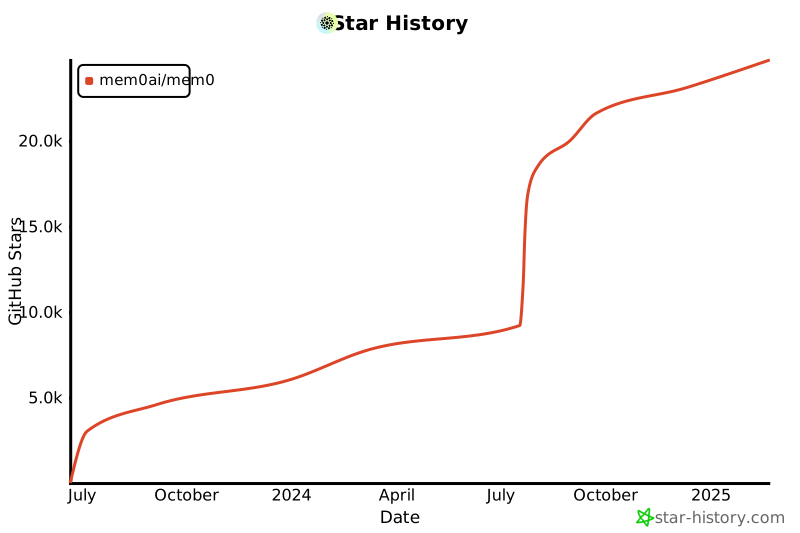](https://star-history.com/#mem0ai/mem0&Date)
|
||||
|
||||
## Support
|
||||
|
||||
Join our community for support and discussions. If you have any questions, feel free to reach out to us using one of the following methods:
|
||||
|
||||
- [Join our Discord](https://mem0.dev/DiG)
|
||||
- [Follow us on Twitter](https://x.com/mem0ai)
|
||||
- [Email founders](mailto:founders@mem0.ai)
|
||||
|
||||
## Contributors
|
||||
|
||||
Join our [Discord community](https://mem0.dev/DiG) to learn about memory management for AI agents and LLMs, and connect with Mem0 users and contributors. Share your ideas, questions, or feedback in our [GitHub Issues](https://github.com/mem0ai/mem0/issues).
|
||||
|
||||
We value and appreciate the contributions of our community. Special thanks to our contributors for helping us improve Mem0.
|
||||
|
||||
<a href="https://github.com/mem0ai/mem0/graphs/contributors">
|
||||
<img src="https://contrib.rocks/image?repo=mem0ai/mem0" />
|
||||
</a>
|
||||
|
||||
## Anonymous Telemetry
|
||||
|
||||
We collect anonymous usage metrics to enhance our package's quality and user experience. This includes data like feature usage frequency and system info, but never personal details. The data helps us prioritize improvements and ensure compatibility. If you wish to opt-out, set the environment variable MEM0_TELEMETRY=false. We prioritize data security and don't share this data externally.
|
||||
|
||||
## License
|
||||
|
||||
This project is licensed under the Apache 2.0 License - see the [LICENSE](LICENSE) file for details.
|
||||
Apache 2.0 — see the [LICENSE](LICENSE) file for details.
|
||||
@@ -13,7 +13,7 @@
|
||||
"import anthropic\n",
|
||||
"\n",
|
||||
"# Set up environment variables\n",
|
||||
"os.environ[\"OPENAI_API_KEY\"] = \"your_openai_api_key\" # needed for embedding model\n",
|
||||
"os.environ[\"OPENAI_API_KEY\"] = \"your_openai_api_key\" # needed for embedding model\n",
|
||||
"os.environ[\"ANTHROPIC_API_KEY\"] = \"your_anthropic_api_key\""
|
||||
]
|
||||
},
|
||||
@@ -33,7 +33,7 @@
|
||||
" \"model\": \"claude-3-5-sonnet-latest\",\n",
|
||||
" \"temperature\": 0.1,\n",
|
||||
" \"max_tokens\": 2000,\n",
|
||||
" }\n",
|
||||
" },\n",
|
||||
" }\n",
|
||||
" }\n",
|
||||
" self.client = anthropic.Client(api_key=os.environ[\"ANTHROPIC_API_KEY\"])\n",
|
||||
@@ -50,11 +50,7 @@
|
||||
" - Keep track of open issues and follow-ups\n",
|
||||
" \"\"\"\n",
|
||||
"\n",
|
||||
" def store_customer_interaction(self,\n",
|
||||
" user_id: str,\n",
|
||||
" message: str,\n",
|
||||
" response: str,\n",
|
||||
" metadata: Dict = None):\n",
|
||||
" def store_customer_interaction(self, user_id: str, message: str, response: str, metadata: Dict = None):\n",
|
||||
" \"\"\"Store customer interaction in memory.\"\"\"\n",
|
||||
" if metadata is None:\n",
|
||||
" metadata = {}\n",
|
||||
@@ -63,24 +59,17 @@
|
||||
" metadata[\"timestamp\"] = datetime.now().isoformat()\n",
|
||||
"\n",
|
||||
" # Format conversation for storage\n",
|
||||
" conversation = [\n",
|
||||
" {\"role\": \"user\", \"content\": message},\n",
|
||||
" {\"role\": \"assistant\", \"content\": response}\n",
|
||||
" ]\n",
|
||||
" conversation = [{\"role\": \"user\", \"content\": message}, {\"role\": \"assistant\", \"content\": response}]\n",
|
||||
"\n",
|
||||
" # Store in Mem0\n",
|
||||
" self.memory.add(\n",
|
||||
" conversation,\n",
|
||||
" user_id=user_id,\n",
|
||||
" metadata=metadata\n",
|
||||
" )\n",
|
||||
" self.memory.add(conversation, user_id=user_id, metadata=metadata)\n",
|
||||
"\n",
|
||||
" def get_relevant_history(self, user_id: str, query: str) -> List[Dict]:\n",
|
||||
" \"\"\"Retrieve relevant past interactions.\"\"\"\n",
|
||||
" return self.memory.search(\n",
|
||||
" query=query,\n",
|
||||
" user_id=user_id,\n",
|
||||
" limit=5 # Adjust based on needs\n",
|
||||
" limit=5, # Adjust based on needs\n",
|
||||
" )\n",
|
||||
"\n",
|
||||
" def handle_customer_query(self, user_id: str, query: str) -> str:\n",
|
||||
@@ -112,15 +101,12 @@
|
||||
" model=\"claude-3-5-sonnet-latest\",\n",
|
||||
" messages=[{\"role\": \"user\", \"content\": prompt}],\n",
|
||||
" max_tokens=2000,\n",
|
||||
" temperature=0.1\n",
|
||||
" temperature=0.1,\n",
|
||||
" )\n",
|
||||
"\n",
|
||||
" # Store interaction\n",
|
||||
" self.store_customer_interaction(\n",
|
||||
" user_id=user_id,\n",
|
||||
" message=query,\n",
|
||||
" response=response,\n",
|
||||
" metadata={\"type\": \"support_query\"}\n",
|
||||
" user_id=user_id, message=query, response=response, metadata={\"type\": \"support_query\"}\n",
|
||||
" )\n",
|
||||
"\n",
|
||||
" return response.content[0].text"
|
||||
@@ -203,12 +189,12 @@
|
||||
" # Get user input\n",
|
||||
" query = input()\n",
|
||||
" print(\"Customer:\", query)\n",
|
||||
" \n",
|
||||
"\n",
|
||||
" # Check if user wants to exit\n",
|
||||
" if query.lower() == 'exit':\n",
|
||||
" if query.lower() == \"exit\":\n",
|
||||
" print(\"Thank you for using our support service. Goodbye!\")\n",
|
||||
" break\n",
|
||||
" \n",
|
||||
"\n",
|
||||
" # Handle the query and print the response\n",
|
||||
" response = chatbot.handle_customer_query(user_id, query)\n",
|
||||
" print(\"Support:\", response, \"\\n\\n\")"
|
||||
|
||||
@@ -7,10 +7,12 @@
|
||||
# forked from autogen.agentchat.contrib.capabilities.teachability.Teachability
|
||||
|
||||
from typing import Dict, Optional, Union
|
||||
|
||||
from autogen.agentchat.assistant_agent import ConversableAgent
|
||||
from autogen.agentchat.contrib.capabilities.agent_capability import AgentCapability
|
||||
from autogen.agentchat.contrib.text_analyzer_agent import TextAnalyzerAgent
|
||||
from termcolor import colored
|
||||
|
||||
from mem0 import Memory
|
||||
|
||||
|
||||
|
||||
+272
-274
File diff suppressed because it is too large
Load Diff
@@ -0,0 +1,5 @@
|
||||
<Note type="info">
|
||||
📢 Heads up!
|
||||
We're moving to async memory add for a faster experience.
|
||||
If you signed up after July 1st, 2025, your add requests will work in the background and return right away.
|
||||
</Note>
|
||||
@@ -0,0 +1,3 @@
|
||||
<Note type="info">
|
||||
📢 Announcing our research paper: Mem0 achieves <strong>26%</strong> higher accuracy than OpenAI Memory, <strong>91%</strong> lower latency, and <strong>90%</strong> token savings! [Read the paper](https://mem0.ai/research) to learn how we're revolutionizing AI agent memory.
|
||||
</Note>
|
||||
@@ -0,0 +1,191 @@
|
||||
---
|
||||
title: Overview
|
||||
icon: "info"
|
||||
iconType: "solid"
|
||||
---
|
||||
|
||||
Mem0 provides a powerful set of APIs that allow you to integrate advanced memory management capabilities into your applications. Our APIs are designed to be intuitive, efficient, and scalable, enabling you to create, retrieve, update, and delete memories across various entities such as users, agents, apps, and runs.
|
||||
|
||||
## Key Features
|
||||
|
||||
- **Memory Management**: Add, retrieve, update, and delete memories with ease.
|
||||
- **Entity-based Operations**: Perform operations on memories associated with specific users, agents, apps, or runs.
|
||||
- **Advanced Search**: Utilize our search API to find relevant memories based on various criteria.
|
||||
- **History Tracking**: Access the history of memory interactions for comprehensive analysis.
|
||||
- **User Management**: Manage user entities and their associated memories.
|
||||
|
||||
## API Structure
|
||||
|
||||
Our API is organized into several main categories:
|
||||
|
||||
1. **Memory APIs**: Core operations for managing individual memories and collections.
|
||||
2. **Entities APIs**: Manage different entity types (users, agents, etc.) and their associated memories.
|
||||
3. **Search API**: Advanced search functionality to retrieve relevant memories.
|
||||
4. **History API**: Track and retrieve the history of memory interactions.
|
||||
|
||||
## Authentication
|
||||
|
||||
All API requests require authentication using HTTP Basic Auth. Ensure you include your API key in the Authorization header of each request.
|
||||
|
||||
## Organizations and projects (optional)
|
||||
|
||||
Organizations and projects provide the following capabilities:
|
||||
|
||||
- **Multi-org/project Support**: Specify organization and project when initializing the Mem0 client to attribute API usage appropriately
|
||||
- **Member Management**: Control access to data through organization and project membership
|
||||
- **Access Control**: Only members can access memories and data within their organization/project scope
|
||||
- **Team Isolation**: Maintain data separation between different teams and projects for secure collaboration
|
||||
|
||||
Example with the mem0 Python package:
|
||||
|
||||
<Tabs>
|
||||
<Tab title="Python">
|
||||
|
||||
```python
|
||||
from mem0 import MemoryClient
|
||||
client = MemoryClient(org_id='YOUR_ORG_ID', project_id='YOUR_PROJECT_ID')
|
||||
```
|
||||
|
||||
</Tab>
|
||||
|
||||
<Tab title="Node.js">
|
||||
|
||||
```javascript
|
||||
import { MemoryClient } from "mem0ai";
|
||||
const client = new MemoryClient({organizationId: "YOUR_ORG_ID", projectId: "YOUR_PROJECT_ID"});
|
||||
```
|
||||
|
||||
</Tab>
|
||||
</Tabs>
|
||||
|
||||
### Project Management Methods
|
||||
|
||||
The Mem0 client provides comprehensive project management capabilities through the `client.project` interface:
|
||||
|
||||
#### Get Project Details
|
||||
|
||||
Retrieve information about the current project:
|
||||
|
||||
```python
|
||||
# Get all project details
|
||||
project_info = client.project.get()
|
||||
|
||||
# Get specific fields only
|
||||
project_info = client.project.get(fields=["name", "description", "custom_categories"])
|
||||
```
|
||||
|
||||
#### Create a New Project
|
||||
|
||||
Create a new project within your organization:
|
||||
|
||||
```python
|
||||
# Create a project with name and description
|
||||
new_project = client.project.create(
|
||||
name="My New Project",
|
||||
description="A project for managing customer support memories"
|
||||
)
|
||||
```
|
||||
|
||||
#### Update Project Settings
|
||||
|
||||
Modify project configuration including custom instructions, categories, and graph settings:
|
||||
|
||||
```python
|
||||
# Update project with custom categories
|
||||
client.project.update(
|
||||
custom_categories=[
|
||||
{"customer_preferences": "Customer likes, dislikes, and preferences"},
|
||||
{"support_history": "Previous support interactions and resolutions"}
|
||||
]
|
||||
)
|
||||
|
||||
# Update project with custom instructions
|
||||
client.project.update(
|
||||
custom_instructions="..."
|
||||
)
|
||||
|
||||
# Enable graph memory for the project
|
||||
client.project.update(enable_graph=True)
|
||||
|
||||
# Update multiple settings at once
|
||||
client.project.update(
|
||||
custom_instructions="...",
|
||||
custom_categories=[
|
||||
{"personal_info": "User personal information and preferences"},
|
||||
{"work_context": "Professional context and work-related information"}
|
||||
],
|
||||
enable_graph=True
|
||||
)
|
||||
```
|
||||
|
||||
#### Delete Project
|
||||
|
||||
<Note>
|
||||
This action will remove all memories, messages, and other related data in the project. This operation is irreversible.
|
||||
</Note>
|
||||
|
||||
Remove a project and all its associated data:
|
||||
|
||||
```python
|
||||
# Delete the current project (irreversible)
|
||||
result = client.project.delete()
|
||||
```
|
||||
|
||||
#### Member Management
|
||||
|
||||
Manage project members and their access levels:
|
||||
|
||||
```python
|
||||
# Get all project members
|
||||
members = client.project.get_members()
|
||||
|
||||
# Add a new member as a reader
|
||||
client.project.add_member(
|
||||
email="colleague@company.com",
|
||||
role="READER" # or "OWNER"
|
||||
)
|
||||
|
||||
# Update a member's role
|
||||
client.project.update_member(
|
||||
email="colleague@company.com",
|
||||
role="OWNER"
|
||||
)
|
||||
|
||||
# Remove a member from the project
|
||||
client.project.remove_member(email="colleague@company.com")
|
||||
```
|
||||
|
||||
#### Member Roles
|
||||
|
||||
- **READER**: Can view and search memories, but cannot modify project settings or manage members
|
||||
- **OWNER**: Full access including project modification, member management, and all reader permissions
|
||||
|
||||
#### Async Support
|
||||
|
||||
All project methods are also available in async mode:
|
||||
|
||||
```python
|
||||
from mem0 import AsyncMemoryClient
|
||||
|
||||
async def manage_project():
|
||||
client = AsyncMemoryClient(org_id='YOUR_ORG_ID', project_id='YOUR_PROJECT_ID')
|
||||
|
||||
# All methods support async/await
|
||||
project_info = await client.project.get()
|
||||
await client.project.update(enable_graph=True)
|
||||
members = await client.project.get_members()
|
||||
|
||||
# To call the async function properly
|
||||
import asyncio
|
||||
asyncio.run(manage_project())
|
||||
```
|
||||
|
||||
## Getting Started
|
||||
|
||||
To begin using the Mem0 API, you'll need to:
|
||||
|
||||
1. Sign up for a [Mem0 account](https://app.mem0.ai) and obtain your API key.
|
||||
2. Familiarize yourself with the API endpoints and their functionalities.
|
||||
3. Make your first API call to add or retrieve a memory.
|
||||
|
||||
Explore the detailed documentation for each API endpoint to learn more about request/response formats, parameters, and example usage.
|
||||
@@ -0,0 +1,4 @@
|
||||
---
|
||||
title: 'Feedback'
|
||||
openapi: post /v1/feedback/
|
||||
---
|
||||
@@ -1,6 +1,6 @@
|
||||
---
|
||||
title: 'Get Memory Export'
|
||||
openapi: get /v1/exports/
|
||||
openapi: post /v1/exports/get
|
||||
---
|
||||
|
||||
Retrieve the latest structured memory export after submitting an export job. You can filter the export by `user_id`, `run_id`, `session_id`, or `app_id` to get the most recent export matching your filters.
|
||||
@@ -1,4 +1,4 @@
|
||||
---
|
||||
title: 'V1 Get Memories'
|
||||
title: 'Get Memories (v1 - Deprecated)'
|
||||
openapi: get /v1/memories/
|
||||
---
|
||||
|
||||
@@ -1,4 +1,4 @@
|
||||
---
|
||||
title: 'V1 Search Memories'
|
||||
title: 'Search Memories (v1 - Deprecated)'
|
||||
openapi: post /v1/memories/search/
|
||||
---
|
||||
---
|
||||
|
||||
@@ -1,74 +1,65 @@
|
||||
---
|
||||
title: 'V2 Get Memories'
|
||||
title: 'Get Memories (v2)'
|
||||
openapi: post /v2/memories/
|
||||
---
|
||||
|
||||
The v2 get memories API is powerful and flexible, allowing for more precise memory listing without the need for a search query. It supports complex logical operations (AND, OR, NOT) and comparison operators for advanced filtering capabilities. The comparison operators include:
|
||||
- `in`: Matches any of the values specified
|
||||
- `gte`: Greater than or equal to
|
||||
- `lte`: Less than or equal to
|
||||
- `gt`: Greater than
|
||||
- `lt`: Less than
|
||||
- `ne`: Not equal to
|
||||
- `icontains`: Case-insensitive containment check
|
||||
- `*`: Wildcard character that matches everything
|
||||
|
||||
Mem0 offers two versions of the get memories API: v1 and v2. Here's how they differ:
|
||||
<CodeGroup>
|
||||
```python Code
|
||||
memories = m.get_all(
|
||||
filters={
|
||||
"AND": [
|
||||
{
|
||||
"user_id": "alex"
|
||||
},
|
||||
{
|
||||
"created_at": {"gte": "2024-07-01", "lte": "2024-07-31"}
|
||||
}
|
||||
]
|
||||
},
|
||||
version="v2"
|
||||
)
|
||||
```
|
||||
|
||||
<Tabs>
|
||||
<Tab title="v1 Get Memories">
|
||||
<CodeGroup>
|
||||
```python Code
|
||||
memories = m.get_all(user_id="alex")
|
||||
```
|
||||
|
||||
```json Output
|
||||
[
|
||||
{
|
||||
"id":"f38b689d-6b24-45b7-bced-17fbb4d8bac7",
|
||||
"memory":"travelling to Paris",
|
||||
"user_id":"alex",
|
||||
"hash":"62bc074f56d1f909f1b4c2b639f56f6a",
|
||||
"metadata":null,
|
||||
"created_at":"2023-02-25T23:57:00.108347-07:00",
|
||||
"updated_at":"2024-07-25T23:57:00.108367-07:00"
|
||||
}
|
||||
```json Output
|
||||
[
|
||||
{
|
||||
"id":"f38b689d-6b24-45b7-bced-17fbb4d8bac7",
|
||||
"memory":"Name: Alex. Vegetarian. Allergic to nuts.",
|
||||
"user_id":"alex",
|
||||
"hash":"62bc074f56d1f909f1b4c2b639f56f6a",
|
||||
"metadata":null,
|
||||
"created_at":"2024-07-25T23:57:00.108347-07:00",
|
||||
"updated_at":"2024-07-25T23:57:00.108367-07:00"
|
||||
}
|
||||
]
|
||||
```
|
||||
</CodeGroup>
|
||||
</Tab>
|
||||
```
|
||||
</CodeGroup>
|
||||
|
||||
<Tab title="v2 Get Memories">
|
||||
<CodeGroup>
|
||||
```python Code
|
||||
memories = m.get_all(
|
||||
filters={
|
||||
"AND": [
|
||||
{
|
||||
"user_id": "alex"
|
||||
},
|
||||
{
|
||||
"created_at": {
|
||||
"gte": "2024-07-01",
|
||||
"lte": "2024-07-31"
|
||||
}
|
||||
}
|
||||
]
|
||||
},
|
||||
version="v2"
|
||||
)
|
||||
```
|
||||
|
||||
```json Output
|
||||
[
|
||||
{
|
||||
"id":"f38b689d-6b24-45b7-bced-17fbb4d8bac7",
|
||||
"memory":"Name: Alex. Vegetarian. Allergic to nuts.",
|
||||
"user_id":"alex",
|
||||
"hash":"62bc074f56d1f909f1b4c2b639f56f6a",
|
||||
"metadata":null,
|
||||
"created_at":"2024-07-25T23:57:00.108347-07:00",
|
||||
"updated_at":"2024-07-25T23:57:00.108367-07:00"
|
||||
}
|
||||
]
|
||||
```
|
||||
</CodeGroup>
|
||||
</Tab>
|
||||
</Tabs>
|
||||
|
||||
Key difference between v1 and v2 get memories:
|
||||
|
||||
• **Filters**: v2 allows you to apply filters to narrow down memory retrieval based on specific criteria. This includes support for complex logical operations (AND, OR) and comparison operators (IN, gte, lte, gt, lt, ne, icontains) for advanced filtering capabilities.
|
||||
|
||||
The v2 get memories API is more powerful and flexible, allowing for more precise memory retrieval without the need for a search query.
|
||||
<CodeGroup>
|
||||
```python Wildcard Example
|
||||
# Using wildcard to get all memories for a specific user across all run_ids
|
||||
memories = m.get_all(
|
||||
filters={
|
||||
"AND": [
|
||||
{
|
||||
"user_id": "alex"
|
||||
},
|
||||
{
|
||||
"run_id": "*"
|
||||
}
|
||||
]
|
||||
},
|
||||
version="v2"
|
||||
)
|
||||
```
|
||||
</CodeGroup>
|
||||
|
||||
@@ -1,85 +1,108 @@
|
||||
---
|
||||
title: 'V2 Search Memories'
|
||||
title: 'Search Memories (v2)'
|
||||
openapi: post /v2/memories/search/
|
||||
---
|
||||
|
||||
Mem0 offers two versions of the search API: v1 and v2. Here's how they differ:
|
||||
The v2 search API is powerful and flexible, allowing for more precise memory retrieval. It supports complex logical operations (AND, OR, NOT) and comparison operators for advanced filtering capabilities. The comparison operators include:
|
||||
- `in`: Matches any of the values specified
|
||||
- `gte`: Greater than or equal to
|
||||
- `lte`: Less than or equal to
|
||||
- `gt`: Greater than
|
||||
- `lt`: Less than
|
||||
- `ne`: Not equal to
|
||||
- `icontains`: Case-insensitive containment check
|
||||
- `*`: Wildcard character that matches everything
|
||||
|
||||
<Tabs>
|
||||
<Tab title="v1 Search">
|
||||
<CodeGroup>
|
||||
```python Code
|
||||
related_memories = m.search(query="What are Alice's hobbies?", user_id="alice")
|
||||
```
|
||||
<CodeGroup>
|
||||
```python Code
|
||||
related_memories = m.search(
|
||||
query="What are Alice's hobbies?",
|
||||
version="v2",
|
||||
filters={
|
||||
"OR": [
|
||||
{
|
||||
"user_id": "alice"
|
||||
},
|
||||
{
|
||||
"agent_id": {"in": ["travel-agent", "sports-agent"]}
|
||||
}
|
||||
]
|
||||
},
|
||||
)
|
||||
```
|
||||
|
||||
```json Output
|
||||
[
|
||||
{
|
||||
"id":"ea925981-272f-40dd-b576-be64e4871429",
|
||||
"memory":"Likes to play cricket and plays cricket on weekends.",
|
||||
"hash":"c8809002-25c1-4c97-a3a2-227ce9c20c53",
|
||||
"metadata":{
|
||||
"category":"hobbies"
|
||||
},
|
||||
"score":0.32116443111457704,
|
||||
"created_at":"2024-07-26T10:29:36.630547-07:00",
|
||||
"updated_at":"None",
|
||||
"user_id":"alice"
|
||||
}
|
||||
]
|
||||
```
|
||||
</CodeGroup>
|
||||
</Tab>
|
||||
```json Output
|
||||
{
|
||||
"memories": [
|
||||
{
|
||||
"id": "ea925981-272f-40dd-b576-be64e4871429",
|
||||
"memory": "Likes to play cricket and plays cricket on weekends.",
|
||||
"metadata": {
|
||||
"category": "hobbies"
|
||||
},
|
||||
"score": 0.32116443111457704,
|
||||
"created_at": "2024-07-26T10:29:36.630547-07:00",
|
||||
"updated_at": null,
|
||||
"user_id": "alice",
|
||||
"agent_id": "sports-agent"
|
||||
}
|
||||
],
|
||||
}
|
||||
```
|
||||
</CodeGroup>
|
||||
|
||||
<Tab title="v2 Search">
|
||||
<CodeGroup>
|
||||
```python Code
|
||||
related_memories = m.vsearch(
|
||||
query="What are Alice's hobbies?",
|
||||
filters={
|
||||
"AND":[
|
||||
{
|
||||
"user_id":"alice"
|
||||
},
|
||||
{
|
||||
"agent_id":{
|
||||
"in":[
|
||||
"travelling",
|
||||
"sports"
|
||||
]
|
||||
}
|
||||
}
|
||||
]
|
||||
},
|
||||
version="v2"
|
||||
)
|
||||
```
|
||||
<CodeGroup>
|
||||
```python Wildcard Example
|
||||
# Using wildcard to match all run_ids for a specific user
|
||||
all_memories = m.search(
|
||||
query="What are Alice's hobbies?",
|
||||
version="v2",
|
||||
filters={
|
||||
"AND": [
|
||||
{
|
||||
"user_id": "alice"
|
||||
},
|
||||
{
|
||||
"run_id": "*"
|
||||
}
|
||||
]
|
||||
},
|
||||
)
|
||||
```
|
||||
</CodeGroup>
|
||||
|
||||
```json Output
|
||||
{
|
||||
"memories": [
|
||||
{
|
||||
"id": "ea925981-272f-40dd-b576-be64e4871429",
|
||||
"memory": "Likes to play cricket and plays cricket on weekends.",
|
||||
"hash": "c8809002-25c1-4c97-a3a2-227ce9c20c53",
|
||||
"metadata": {
|
||||
"category": "hobbies"
|
||||
},
|
||||
"score": 0.32116443111457704,
|
||||
"created_at": "2024-07-26T10:29:36.630547-07:00",
|
||||
"updated_at": null,
|
||||
"user_id": "alice",
|
||||
"agent_id": "sports"
|
||||
}
|
||||
],
|
||||
}
|
||||
```
|
||||
</CodeGroup>
|
||||
</Tab>
|
||||
</Tabs>
|
||||
<CodeGroup>
|
||||
```python Categories Filter Examples
|
||||
# Example 1: Using 'contains' for partial matching
|
||||
finance_memories = m.search(
|
||||
query="What are my financial goals?",
|
||||
version="v2",
|
||||
filters={
|
||||
"AND": [
|
||||
{ "user_id": "alice" },
|
||||
{
|
||||
"categories": {
|
||||
"contains": "finance"
|
||||
}
|
||||
}
|
||||
]
|
||||
},
|
||||
)
|
||||
|
||||
Key difference between v1 and v2 search:
|
||||
|
||||
• **Filters**: v2 allows you to apply filters to narrow down search results based on specific criteria. This includes support for complex logical operations (AND, OR) and comparison operators (IN, gte, lte, gt, lt, ne, icontains) for advanced filtering capabilities.
|
||||
|
||||
The v2 search API is more powerful and flexible, allowing for more precise memory retrieval.
|
||||
# Example 2: Using 'in' for exact matching
|
||||
personal_memories = m.search(
|
||||
query="What personal information do you have?",
|
||||
version="v2",
|
||||
filters={
|
||||
"AND": [
|
||||
{ "user_id": "alice" },
|
||||
{
|
||||
"categories": {
|
||||
"in": ["personal_information"]
|
||||
}
|
||||
}
|
||||
]
|
||||
},
|
||||
)
|
||||
```
|
||||
</CodeGroup>
|
||||
|
||||
@@ -1,4 +0,0 @@
|
||||
---
|
||||
title: 'Delete Member'
|
||||
openapi: delete /api/v1/orgs/organizations/{org_id}/members/
|
||||
---
|
||||
@@ -1,9 +0,0 @@
|
||||
---
|
||||
title: 'Update Member'
|
||||
openapi: put /api/v1/orgs/organizations/{org_id}/members/
|
||||
---
|
||||
|
||||
The API provides two roles for organization members:
|
||||
|
||||
- `READER`: Allows viewing of organization resources.
|
||||
- `OWNER`: Grants full administrative access to manage the organization and its resources.
|
||||
@@ -1,69 +0,0 @@
|
||||
# Mem0 API Overview
|
||||
|
||||
Mem0 provides a powerful set of APIs that allow you to integrate advanced memory management capabilities into your applications. Our APIs are designed to be intuitive, efficient, and scalable, enabling you to create, retrieve, update, and delete memories across various entities such as users, agents, apps, and runs.
|
||||
|
||||
## Key Features
|
||||
|
||||
- **Memory Management**: Add, retrieve, update, and delete memories with ease.
|
||||
- **Entity-based Operations**: Perform operations on memories associated with specific users, agents, apps, or runs.
|
||||
- **Advanced Search**: Utilize our search API to find relevant memories based on various criteria.
|
||||
- **History Tracking**: Access the history of memory interactions for comprehensive analysis.
|
||||
- **User Management**: Manage user entities and their associated memories.
|
||||
|
||||
## API Structure
|
||||
|
||||
Our API is organized into several main categories:
|
||||
|
||||
1. **Memory APIs**: Core operations for managing individual memories and collections.
|
||||
2. **Entities APIs**: Manage different entity types (users, agents, etc.) and their associated memories.
|
||||
3. **Search API**: Advanced search functionality to retrieve relevant memories.
|
||||
4. **History API**: Track and retrieve the history of memory interactions.
|
||||
|
||||
## Authentication
|
||||
|
||||
All API requests require authentication using HTTP Basic Auth. Ensure you include your API key in the Authorization header of each request.
|
||||
|
||||
## Organizations and projects (optional)
|
||||
|
||||
Organizations and projects provide the following capabilities:
|
||||
|
||||
- **Multi-org/project Support**: Specify organization and project when initializing the Mem0 client to attribute API usage appropriately
|
||||
- **Member Management**: Control access to data through organization and project membership
|
||||
- **Access Control**: Only members can access memories and data within their organization/project scope
|
||||
- **Team Isolation**: Maintain data separation between different teams and projects for secure collaboration
|
||||
|
||||
Example with the mem0 Python package:
|
||||
|
||||
```python
|
||||
from mem0 import MemoryClient
|
||||
|
||||
# Recommended: Using organization and project IDs
|
||||
client = MemoryClient(
|
||||
org_id='YOUR_ORG_ID', # It can be found on the organization settings page in dashboard
|
||||
project_id='YOUR_PROJECT_ID',
|
||||
)
|
||||
```
|
||||
> **Note**: The use of `organization` and `project` parameters is deprecated and will be removed in version `0.1.40`. Please use `org_id` and `project_id` instead.
|
||||
|
||||
|
||||
Example with the mem0 Node.js package:
|
||||
|
||||
```javascript
|
||||
import { MemoryClient } from "mem0ai";
|
||||
|
||||
# Recommended: Using organization and project IDs
|
||||
const client = new MemoryClient({
|
||||
organizationId: "YOUR_ORG_ID",
|
||||
projectId: "YOUR_PROJECT_ID"
|
||||
});
|
||||
```
|
||||
|
||||
## Getting Started
|
||||
|
||||
To begin using the Mem0 API, you'll need to:
|
||||
|
||||
1. Sign up for a [Mem0 account](https://app.mem0.ai) and obtain your API key.
|
||||
2. Familiarize yourself with the API endpoints and their functionalities.
|
||||
3. Make your first API call to add or retrieve a memory.
|
||||
|
||||
Explore the detailed documentation for each API endpoint to learn more about request/response formats, parameters, and example usage.
|
||||
@@ -1,4 +0,0 @@
|
||||
---
|
||||
title: 'Delete Member'
|
||||
openapi: delete /api/v1/orgs/organizations/{org_id}/projects/{project_id}/members/
|
||||
---
|
||||
@@ -1,4 +0,0 @@
|
||||
---
|
||||
title: 'Get Custom Instructions and Categories'
|
||||
openapi: get /api/v1/orgs/organizations/{org_id}/projects/{project_id}/custom-instructions-and-categories/
|
||||
---
|
||||
@@ -1,6 +0,0 @@
|
||||
---
|
||||
title: 'Update Custom Instructions and Categories'
|
||||
openapi: post /api/v1/orgs/organizations/{org_id}/projects/{project_id}/custom-instructions-and-categories/
|
||||
---
|
||||
|
||||
Please refer to the [how to use custom instructions/categories](/features/custom-instructions) for more information.
|
||||
@@ -1,9 +0,0 @@
|
||||
---
|
||||
title: 'Update Member'
|
||||
openapi: put /api/v1/orgs/organizations/{org_id}/projects/{project_id}/members/
|
||||
---
|
||||
|
||||
The API provides two roles for project members:
|
||||
|
||||
- `READER`: Allows viewing of project resources.
|
||||
- `OWNER`: Grants full administrative access to manage the project and its resources.
|
||||
@@ -0,0 +1,9 @@
|
||||
---
|
||||
title: 'Create Webhook'
|
||||
openapi: post /api/v1/webhooks/projects/{project_id}/
|
||||
---
|
||||
|
||||
## Create Webhook
|
||||
|
||||
Create a webhook by providing the project ID and the webhook details.
|
||||
|
||||
@@ -0,0 +1,8 @@
|
||||
---
|
||||
title: 'Delete Webhook'
|
||||
openapi: delete /api/v1/webhooks/{webhook_id}/
|
||||
---
|
||||
|
||||
## Delete Webhook
|
||||
|
||||
Delete a webhook by providing the webhook ID.
|
||||
@@ -0,0 +1,9 @@
|
||||
---
|
||||
title: 'Get Webhook'
|
||||
openapi: get /api/v1/webhooks/projects/{project_id}/
|
||||
---
|
||||
|
||||
## Get Webhook
|
||||
|
||||
Get a webhook by providing the project ID.
|
||||
|
||||
@@ -0,0 +1,9 @@
|
||||
---
|
||||
title: 'Update Webhook'
|
||||
openapi: put /api/v1/webhooks/{webhook_id}/
|
||||
---
|
||||
|
||||
## Update Webhook
|
||||
|
||||
Update a webhook by providing the webhook ID and the fields to update.
|
||||
|
||||
+1133
File diff suppressed because it is too large
Load Diff
@@ -1,19 +1,26 @@
|
||||
## What is Config?
|
||||
---
|
||||
title: Configurations
|
||||
icon: "gear"
|
||||
iconType: "solid"
|
||||
---
|
||||
|
||||
|
||||
Config in mem0 is a dictionary that specifies the settings for your embedding models. It allows you to customize the behavior and connection details of your chosen embedder.
|
||||
|
||||
## How to Define Config
|
||||
## How to define configurations?
|
||||
|
||||
The config is defined as a Python dictionary with two main keys:
|
||||
The config is defined as an object (or dictionary) with two main keys:
|
||||
- `embedder`: Specifies the embedder provider and its configuration
|
||||
- `provider`: The name of the embedder (e.g., "openai", "ollama")
|
||||
- `config`: A nested dictionary containing provider-specific settings
|
||||
- `config`: A nested object or dictionary containing provider-specific settings
|
||||
|
||||
## How to Use Config
|
||||
|
||||
## How to use configurations?
|
||||
|
||||
Here's a general example of how to use the config with mem0:
|
||||
|
||||
```python
|
||||
<CodeGroup>
|
||||
```python Python
|
||||
import os
|
||||
from mem0 import Memory
|
||||
|
||||
@@ -32,6 +39,25 @@ m = Memory.from_config(config)
|
||||
m.add("Your text here", user_id="user", metadata={"category": "example"})
|
||||
```
|
||||
|
||||
```typescript TypeScript
|
||||
import { Memory } from 'mem0ai/oss';
|
||||
|
||||
const config = {
|
||||
embedder: {
|
||||
provider: 'openai',
|
||||
config: {
|
||||
apiKey: process.env.OPENAI_API_KEY || '',
|
||||
model: 'text-embedding-3-small',
|
||||
// Provider-specific settings go here
|
||||
},
|
||||
},
|
||||
};
|
||||
|
||||
const memory = new Memory(config);
|
||||
await memory.add("Your text here", { userId: "user", metadata: { category: "example" } });
|
||||
```
|
||||
</CodeGroup>
|
||||
|
||||
## Why is Config Needed?
|
||||
|
||||
Config is essential for:
|
||||
@@ -43,18 +69,32 @@ Config is essential for:
|
||||
|
||||
Here's a comprehensive list of all parameters that can be used across different embedders:
|
||||
|
||||
| Parameter | Description |
|
||||
|-----------|-------------|
|
||||
| `model` | Embedding model to use |
|
||||
| `api_key` | API key of the provider |
|
||||
| `embedding_dims` | Dimensions of the embedding model |
|
||||
| `http_client_proxies` | Allow proxy server settings |
|
||||
| `ollama_base_url` | Base URL for the Ollama embedding model |
|
||||
| `model_kwargs` | Key-Value arguments for the Huggingface embedding model |
|
||||
| `azure_kwargs` | Key-Value arguments for the AzureOpenAI embedding model |
|
||||
<Tabs>
|
||||
<Tab title="Python">
|
||||
| Parameter | Description | Provider |
|
||||
|-----------|-------------|----------|
|
||||
| `model` | Embedding model to use | All |
|
||||
| `api_key` | API key of the provider | All |
|
||||
| `embedding_dims` | Dimensions of the embedding model | All |
|
||||
| `http_client_proxies` | Allow proxy server settings | All |
|
||||
| `ollama_base_url` | Base URL for the Ollama embedding model | Ollama |
|
||||
| `model_kwargs` | Key-Value arguments for the Huggingface embedding model | Huggingface |
|
||||
| `azure_kwargs` | Key-Value arguments for the AzureOpenAI embedding model | Azure OpenAI |
|
||||
| `openai_base_url` | Base URL for OpenAI API | OpenAI |
|
||||
| `vertex_credentials_json` | Path to the Google Cloud credentials JSON file for VertexAI |
|
||||
|
||||
| `vertex_credentials_json` | Path to the Google Cloud credentials JSON file for VertexAI | VertexAI |
|
||||
| `memory_add_embedding_type` | The type of embedding to use for the add memory action | VertexAI |
|
||||
| `memory_update_embedding_type` | The type of embedding to use for the update memory action | VertexAI |
|
||||
| `memory_search_embedding_type` | The type of embedding to use for the search memory action | VertexAI |
|
||||
| `lmstudio_base_url` | Base URL for LM Studio API | LM Studio |
|
||||
</Tab>
|
||||
<Tab title="TypeScript">
|
||||
| Parameter | Description | Provider |
|
||||
|-----------|-------------|----------|
|
||||
| `model` | Embedding model to use | All |
|
||||
| `apiKey` | API key of the provider | All |
|
||||
| `embeddingDims` | Dimensions of the embedding model | All |
|
||||
</Tab>
|
||||
</Tabs>
|
||||
|
||||
## Supported Embedding Models
|
||||
|
||||
|
||||
@@ -0,0 +1,62 @@
|
||||
---
|
||||
title: AWS Bedrock
|
||||
---
|
||||
|
||||
To use AWS Bedrock embedding models, you need to have the appropriate AWS credentials and permissions. The embeddings implementation relies on the `boto3` library.
|
||||
|
||||
### Setup
|
||||
- Ensure you have model access from the [AWS Bedrock Console](https://us-east-1.console.aws.amazon.com/bedrock/home?region=us-east-1#/modelaccess)
|
||||
- Authenticate the boto3 client using a method described in the [AWS documentation](https://boto3.amazonaws.com/v1/documentation/api/latest/guide/credentials.html)
|
||||
- Set up environment variables for authentication:
|
||||
```bash
|
||||
export AWS_REGION=us-east-1
|
||||
export AWS_ACCESS_KEY_ID=your-access-key
|
||||
export AWS_SECRET_ACCESS_KEY=your-secret-key
|
||||
```
|
||||
|
||||
### Usage
|
||||
|
||||
<CodeGroup>
|
||||
```python Python
|
||||
import os
|
||||
from mem0 import Memory
|
||||
|
||||
# For LLM if needed
|
||||
os.environ["OPENAI_API_KEY"] = "your-openai-api-key"
|
||||
|
||||
# AWS credentials
|
||||
os.environ["AWS_REGION"] = "us-west-2"
|
||||
os.environ["AWS_ACCESS_KEY_ID"] = "your-access-key"
|
||||
os.environ["AWS_SECRET_ACCESS_KEY"] = "your-secret-key"
|
||||
|
||||
config = {
|
||||
"embedder": {
|
||||
"provider": "aws_bedrock",
|
||||
"config": {
|
||||
"model": "amazon.titan-embed-text-v2:0"
|
||||
}
|
||||
}
|
||||
}
|
||||
|
||||
m = Memory.from_config(config)
|
||||
messages = [
|
||||
{"role": "user", "content": "I'm planning to watch a movie tonight. Any recommendations?"},
|
||||
{"role": "assistant", "content": "How about a thriller movies? They can be quite engaging."},
|
||||
{"role": "user", "content": "I'm not a big fan of thriller movies but I love sci-fi movies."},
|
||||
{"role": "assistant", "content": "Got it! I'll avoid thriller recommendations and suggest sci-fi movies in the future."}
|
||||
]
|
||||
m.add(messages, user_id="alice")
|
||||
```
|
||||
</CodeGroup>
|
||||
|
||||
### Config
|
||||
|
||||
Here are the parameters available for configuring AWS Bedrock embedder:
|
||||
|
||||
<Tabs>
|
||||
<Tab title="Python">
|
||||
| Parameter | Description | Default Value |
|
||||
| --- | --- | --- |
|
||||
| `model` | The name of the embedding model to use | `amazon.titan-embed-text-v1` |
|
||||
</Tab>
|
||||
</Tabs>
|
||||
@@ -6,7 +6,8 @@ To use Azure OpenAI embedding models, set the `EMBEDDING_AZURE_OPENAI_API_KEY`,
|
||||
|
||||
### Usage
|
||||
|
||||
```python
|
||||
<CodeGroup>
|
||||
```python Python
|
||||
import os
|
||||
from mem0 import Memory
|
||||
|
||||
@@ -37,9 +38,82 @@ config = {
|
||||
}
|
||||
|
||||
m = Memory.from_config(config)
|
||||
m.add("I'm visiting Paris", user_id="john")
|
||||
messages = [
|
||||
{"role": "user", "content": "I'm planning to watch a movie tonight. Any recommendations?"},
|
||||
{"role": "assistant", "content": "How about a thriller movies? They can be quite engaging."},
|
||||
{"role": "user", "content": "I’m not a big fan of thriller movies but I love sci-fi movies."},
|
||||
{"role": "assistant", "content": "Got it! I'll avoid thriller recommendations and suggest sci-fi movies in the future."}
|
||||
]
|
||||
m.add(messages, user_id="john")
|
||||
```
|
||||
|
||||
```typescript TypeScript
|
||||
import { Memory } from 'mem0ai/oss';
|
||||
|
||||
const config = {
|
||||
embedder: {
|
||||
provider: "azure_openai",
|
||||
config: {
|
||||
model: "text-embedding-3-large",
|
||||
modelProperties: {
|
||||
endpoint: "your-api-base-url",
|
||||
deployment: "your-deployment-name",
|
||||
apiVersion: "version-to-use",
|
||||
}
|
||||
}
|
||||
}
|
||||
}
|
||||
|
||||
const memory = new Memory(config);
|
||||
|
||||
const messages = [
|
||||
{"role": "user", "content": "I'm planning to watch a movie tonight. Any recommendations?"},
|
||||
{"role": "assistant", "content": "How about a thriller movies? They can be quite engaging."},
|
||||
{"role": "user", "content": "I’m not a big fan of thriller movies but I love sci-fi movies."},
|
||||
{"role": "assistant", "content": "Got it! I'll avoid thriller recommendations and suggest sci-fi movies in the future."}
|
||||
]
|
||||
|
||||
await memory.add(messages, { userId: "john" });
|
||||
```
|
||||
</CodeGroup>
|
||||
|
||||
As an alternative to using an API key, the Azure Identity credential chain can be used to authenticate with [Azure OpenAI role-based security](https://learn.microsoft.com/en-us/azure/ai-foundry/openai/how-to/role-based-access-control).
|
||||
|
||||
<Note> If an API key is provided, it will be used for authentication over an Azure Identity </Note>
|
||||
|
||||
Below is a sample configuration for using Mem0 with Azure OpenAI and Azure Identity:
|
||||
|
||||
```python
|
||||
import os
|
||||
from mem0 import Memory
|
||||
# You can set the values directly in the config dictionary or use environment variables
|
||||
|
||||
os.environ["LLM_AZURE_DEPLOYMENT"] = "your-deployment-name"
|
||||
os.environ["LLM_AZURE_ENDPOINT"] = "your-api-base-url"
|
||||
os.environ["LLM_AZURE_API_VERSION"] = "version-to-use"
|
||||
|
||||
config = {
|
||||
"llm": {
|
||||
"provider": "azure_openai_structured",
|
||||
"config": {
|
||||
"model": "your-deployment-name",
|
||||
"temperature": 0.1,
|
||||
"max_tokens": 2000,
|
||||
"azure_kwargs": {
|
||||
"azure_deployment": "<your-deployment-name>",
|
||||
"api_version": "<version-to-use>",
|
||||
"azure_endpoint": "<your-api-base-url>",
|
||||
"default_headers": {
|
||||
"CustomHeader": "your-custom-header",
|
||||
}
|
||||
}
|
||||
}
|
||||
}
|
||||
}
|
||||
```
|
||||
|
||||
Refer to [Azure Identity troubleshooting tips](https://github.com/Azure/azure-sdk-for-python/blob/main/sdk/identity/azure-identity/TROUBLESHOOTING.md#troubleshoot-environmentcredential-authentication-issues) for setting up an Azure Identity credential.
|
||||
|
||||
### Config
|
||||
|
||||
Here are the parameters available for configuring Azure OpenAI embedder:
|
||||
|
||||
@@ -1,37 +0,0 @@
|
||||
---
|
||||
title: Gemini
|
||||
---
|
||||
|
||||
To use Gemini embedding models, set the `GOOGLE_API_KEY` environment variables. You can obtain the Gemini API key from [here](https://aistudio.google.com/app/apikey).
|
||||
|
||||
### Usage
|
||||
|
||||
```python
|
||||
import os
|
||||
from mem0 import Memory
|
||||
|
||||
os.environ["GOOGLE_API_KEY"] = "key"
|
||||
os.environ["OPENAI_API_KEY"] = "your_api_key" # For LLM
|
||||
|
||||
config = {
|
||||
"embedder": {
|
||||
"provider": "gemini",
|
||||
"config": {
|
||||
"model": "models/text-embedding-004",
|
||||
}
|
||||
}
|
||||
}
|
||||
|
||||
m = Memory.from_config(config)
|
||||
m.add("I'm visiting Paris", user_id="john")
|
||||
```
|
||||
|
||||
### Config
|
||||
|
||||
Here are the parameters available for configuring Gemini embedder:
|
||||
|
||||
| Parameter | Description | Default Value |
|
||||
| --- | --- | --- |
|
||||
| `model` | The name of the embedding model to use | `models/text-embedding-004` |
|
||||
| `embedding_dims` | Dimensions of the embedding model | `768` |
|
||||
| `api_key` | The Gemini API key | `None` |
|
||||
@@ -0,0 +1,69 @@
|
||||
---
|
||||
title: Google AI
|
||||
---
|
||||
|
||||
To use Google AI embedding models, set the `GOOGLE_API_KEY` environment variables. You can obtain the Gemini API key from [here](https://aistudio.google.com/app/apikey).
|
||||
|
||||
### Usage
|
||||
|
||||
<CodeGroup>
|
||||
```python Python
|
||||
import os
|
||||
from mem0 import Memory
|
||||
|
||||
os.environ["GOOGLE_API_KEY"] = "key"
|
||||
os.environ["OPENAI_API_KEY"] = "your_api_key" # For LLM
|
||||
|
||||
config = {
|
||||
"embedder": {
|
||||
"provider": "gemini",
|
||||
"config": {
|
||||
"model": "models/text-embedding-004",
|
||||
}
|
||||
}
|
||||
}
|
||||
|
||||
m = Memory.from_config(config)
|
||||
messages = [
|
||||
{"role": "user", "content": "I'm planning to watch a movie tonight. Any recommendations?"},
|
||||
{"role": "assistant", "content": "How about a thriller movies? They can be quite engaging."},
|
||||
{"role": "user", "content": "I'm not a big fan of thriller movies but I love sci-fi movies."},
|
||||
{"role": "assistant", "content": "Got it! I'll avoid thriller recommendations and suggest sci-fi movies in the future."}
|
||||
]
|
||||
m.add(messages, user_id="john")
|
||||
```
|
||||
|
||||
```typescript TypeScript
|
||||
import { Memory } from 'mem0ai/oss';
|
||||
|
||||
const config = {
|
||||
embedder: {
|
||||
provider: 'google',
|
||||
config: {
|
||||
apiKey: process.env.GOOGLE_API_KEY || '',
|
||||
model: 'text-embedding-004',
|
||||
// The output dimensionality is fixed at 768 for Google AI embeddings
|
||||
},
|
||||
},
|
||||
};
|
||||
|
||||
const memory = new Memory(config);
|
||||
const messages = [
|
||||
{"role": "user", "content": "I'm planning to watch a movie tonight. Any recommendations?"},
|
||||
{"role": "assistant", "content": "How about a thriller movies? They can be quite engaging."},
|
||||
{"role": "user", "content": "I'm not a big fan of thriller movies but I love sci-fi movies."},
|
||||
{"role": "assistant", "content": "Got it! I'll avoid thriller recommendations and suggest sci-fi movies in the future."}
|
||||
]
|
||||
await memory.add(messages, { userId: "john" });
|
||||
```
|
||||
</CodeGroup>
|
||||
|
||||
### Config
|
||||
|
||||
Here are the parameters available for configuring Gemini embedder:
|
||||
|
||||
| Parameter | Description | Default Value |
|
||||
| --- | --- | --- |
|
||||
| `model` | The name of the embedding model to use | `models/text-embedding-004` |
|
||||
| `embedding_dims` | Dimensions of the embedding model (output_dimensionality will be considered as embedding_dims, so please set embedding_dims accordingly) | `768` |
|
||||
| `api_key` | The Google API key | `None` |
|
||||
@@ -22,7 +22,45 @@ config = {
|
||||
}
|
||||
|
||||
m = Memory.from_config(config)
|
||||
m.add("I'm visiting Paris", user_id="john")
|
||||
messages = [
|
||||
{"role": "user", "content": "I'm planning to watch a movie tonight. Any recommendations?"},
|
||||
{"role": "assistant", "content": "How about a thriller movies? They can be quite engaging."},
|
||||
{"role": "user", "content": "I'm not a big fan of thriller movies but I love sci-fi movies."},
|
||||
{"role": "assistant", "content": "Got it! I'll avoid thriller recommendations and suggest sci-fi movies in the future."}
|
||||
]
|
||||
m.add(messages, user_id="john")
|
||||
```
|
||||
|
||||
### Using Text Embeddings Inference (TEI)
|
||||
|
||||
You can also use Hugging Face's Text Embeddings Inference service for faster and more efficient embeddings:
|
||||
|
||||
```python
|
||||
import os
|
||||
from mem0 import Memory
|
||||
|
||||
os.environ["OPENAI_API_KEY"] = "your_api_key" # For LLM
|
||||
|
||||
# Using HuggingFace Text Embeddings Inference API
|
||||
config = {
|
||||
"embedder": {
|
||||
"provider": "huggingface",
|
||||
"config": {
|
||||
"huggingface_base_url": "http://localhost:3000/v1"
|
||||
}
|
||||
}
|
||||
}
|
||||
|
||||
m = Memory.from_config(config)
|
||||
m.add("This text will be embedded using the TEI service.", user_id="john")
|
||||
```
|
||||
|
||||
To run the TEI service, you can use Docker:
|
||||
|
||||
```bash
|
||||
docker run -d -p 3000:80 -v huggingfacetei:/data --platform linux/amd64 \
|
||||
ghcr.io/huggingface/text-embeddings-inference:cpu-1.6 \
|
||||
--model-id BAAI/bge-small-en-v1.5
|
||||
```
|
||||
|
||||
### Config
|
||||
@@ -33,4 +71,5 @@ Here are the parameters available for configuring Huggingface embedder:
|
||||
| --- | --- | --- |
|
||||
| `model` | The name of the model to use | `multi-qa-MiniLM-L6-cos-v1` |
|
||||
| `embedding_dims` | Dimensions of the embedding model | `selected_model_dimensions` |
|
||||
| `model_kwargs` | Additional arguments for the model | `None` |
|
||||
| `model_kwargs` | Additional arguments for the model | `None` |
|
||||
| `huggingface_base_url` | URL to connect to Text Embeddings Inference (TEI) API | `None` |
|
||||
@@ -0,0 +1,196 @@
|
||||
---
|
||||
title: LangChain
|
||||
---
|
||||
|
||||
Mem0 supports LangChain as a provider to access a wide range of embedding models. LangChain is a framework for developing applications powered by language models, making it easy to integrate various embedding providers through a consistent interface.
|
||||
|
||||
For a complete list of available embedding models supported by LangChain, refer to the [LangChain Text Embedding documentation](https://python.langchain.com/docs/integrations/text_embedding/).
|
||||
|
||||
## Usage
|
||||
|
||||
<CodeGroup>
|
||||
```python Python
|
||||
import os
|
||||
from mem0 import Memory
|
||||
from langchain_openai import OpenAIEmbeddings
|
||||
|
||||
# Set necessary environment variables for your chosen LangChain provider
|
||||
os.environ["OPENAI_API_KEY"] = "your-api-key"
|
||||
|
||||
# Initialize a LangChain embeddings model directly
|
||||
openai_embeddings = OpenAIEmbeddings(
|
||||
model="text-embedding-3-small",
|
||||
dimensions=1536
|
||||
)
|
||||
|
||||
# Pass the initialized model to the config
|
||||
config = {
|
||||
"embedder": {
|
||||
"provider": "langchain",
|
||||
"config": {
|
||||
"model": openai_embeddings
|
||||
}
|
||||
}
|
||||
}
|
||||
|
||||
m = Memory.from_config(config)
|
||||
messages = [
|
||||
{"role": "user", "content": "I'm planning to watch a movie tonight. Any recommendations?"},
|
||||
{"role": "assistant", "content": "How about a thriller movies? They can be quite engaging."},
|
||||
{"role": "user", "content": "I'm not a big fan of thriller movies but I love sci-fi movies."},
|
||||
{"role": "assistant", "content": "Got it! I'll avoid thriller recommendations and suggest sci-fi movies in the future."}
|
||||
]
|
||||
m.add(messages, user_id="alice", metadata={"category": "movies"})
|
||||
```
|
||||
|
||||
```typescript TypeScript
|
||||
import { Memory } from 'mem0ai/oss';
|
||||
import { OpenAIEmbeddings } from "@langchain/openai";
|
||||
|
||||
// Initialize a LangChain embeddings model directly
|
||||
const openaiEmbeddings = new OpenAIEmbeddings({
|
||||
modelName: "text-embedding-3-small",
|
||||
dimensions: 1536,
|
||||
apiKey: process.env.OPENAI_API_KEY,
|
||||
});
|
||||
|
||||
const config = {
|
||||
embedder: {
|
||||
provider: 'langchain',
|
||||
config: {
|
||||
model: openaiEmbeddings,
|
||||
},
|
||||
},
|
||||
};
|
||||
|
||||
const memory = new Memory(config);
|
||||
const messages = [
|
||||
{"role": "user", "content": "I'm planning to watch a movie tonight. Any recommendations?"},
|
||||
{"role": "assistant", "content": "How about a thriller movies? They can be quite engaging."},
|
||||
{"role": "user", "content": "I'm not a big fan of thriller movies but I love sci-fi movies."},
|
||||
{"role": "assistant", "content": "Got it! I'll avoid thriller recommendations and suggest sci-fi movies in the future."}
|
||||
]
|
||||
await memory.add(messages, { userId: "alice", metadata: { category: "movies" } });
|
||||
```
|
||||
</CodeGroup>
|
||||
|
||||
## Supported LangChain Embedding Providers
|
||||
|
||||
LangChain supports a wide range of embedding providers, including:
|
||||
|
||||
- OpenAI (`OpenAIEmbeddings`)
|
||||
- Cohere (`CohereEmbeddings`)
|
||||
- Google (`VertexAIEmbeddings`)
|
||||
- Hugging Face (`HuggingFaceEmbeddings`)
|
||||
- Sentence Transformers (`HuggingFaceEmbeddings`)
|
||||
- Azure OpenAI (`AzureOpenAIEmbeddings`)
|
||||
- Ollama (`OllamaEmbeddings`)
|
||||
- Together (`TogetherEmbeddings`)
|
||||
- And many more
|
||||
|
||||
You can use any of these model instances directly in your configuration. For a complete and up-to-date list of available embedding providers, refer to the [LangChain Text Embedding documentation](https://python.langchain.com/docs/integrations/text_embedding/).
|
||||
|
||||
## Provider-Specific Configuration
|
||||
|
||||
When using LangChain as an embedder provider, you'll need to:
|
||||
|
||||
1. Set the appropriate environment variables for your chosen embedding provider
|
||||
2. Import and initialize the specific model class you want to use
|
||||
3. Pass the initialized model instance to the config
|
||||
|
||||
### Examples with Different Providers
|
||||
|
||||
<CodeGroup>
|
||||
#### HuggingFace Embeddings
|
||||
|
||||
```python Python
|
||||
from langchain_huggingface import HuggingFaceEmbeddings
|
||||
|
||||
# Initialize a HuggingFace embeddings model
|
||||
hf_embeddings = HuggingFaceEmbeddings(
|
||||
model_name="BAAI/bge-small-en-v1.5",
|
||||
encode_kwargs={"normalize_embeddings": True}
|
||||
)
|
||||
|
||||
config = {
|
||||
"embedder": {
|
||||
"provider": "langchain",
|
||||
"config": {
|
||||
"model": hf_embeddings
|
||||
}
|
||||
}
|
||||
}
|
||||
```
|
||||
|
||||
```typescript TypeScript
|
||||
import { Memory } from 'mem0ai/oss';
|
||||
import { HuggingFaceEmbeddings } from "@langchain/community/embeddings/hf";
|
||||
|
||||
// Initialize a HuggingFace embeddings model
|
||||
const hfEmbeddings = new HuggingFaceEmbeddings({
|
||||
modelName: "BAAI/bge-small-en-v1.5",
|
||||
encode: {
|
||||
normalize_embeddings: true,
|
||||
},
|
||||
});
|
||||
|
||||
const config = {
|
||||
embedder: {
|
||||
provider: 'langchain',
|
||||
config: {
|
||||
model: hfEmbeddings,
|
||||
},
|
||||
},
|
||||
};
|
||||
```
|
||||
</CodeGroup>
|
||||
|
||||
<CodeGroup>
|
||||
#### Ollama Embeddings
|
||||
|
||||
```python Python
|
||||
from langchain_ollama import OllamaEmbeddings
|
||||
|
||||
# Initialize an Ollama embeddings model
|
||||
ollama_embeddings = OllamaEmbeddings(
|
||||
model="nomic-embed-text"
|
||||
)
|
||||
|
||||
config = {
|
||||
"embedder": {
|
||||
"provider": "langchain",
|
||||
"config": {
|
||||
"model": ollama_embeddings
|
||||
}
|
||||
}
|
||||
}
|
||||
```
|
||||
|
||||
```typescript TypeScript
|
||||
import { Memory } from 'mem0ai/oss';
|
||||
import { OllamaEmbeddings } from "@langchain/community/embeddings/ollama";
|
||||
|
||||
// Initialize an Ollama embeddings model
|
||||
const ollamaEmbeddings = new OllamaEmbeddings({
|
||||
model: "nomic-embed-text",
|
||||
baseUrl: "http://localhost:11434", // Ollama server URL
|
||||
});
|
||||
|
||||
const config = {
|
||||
embedder: {
|
||||
provider: 'langchain',
|
||||
config: {
|
||||
model: ollamaEmbeddings,
|
||||
},
|
||||
},
|
||||
};
|
||||
```
|
||||
</CodeGroup>
|
||||
|
||||
<Note>
|
||||
Make sure to install the necessary LangChain packages and any provider-specific dependencies.
|
||||
</Note>
|
||||
|
||||
## Config
|
||||
|
||||
All available parameters for the `langchain` embedder config are present in [Master List of All Params in Config](../config).
|
||||
@@ -0,0 +1,38 @@
|
||||
You can use embedding models from LM Studio to run Mem0 locally.
|
||||
|
||||
### Usage
|
||||
|
||||
```python
|
||||
import os
|
||||
from mem0 import Memory
|
||||
|
||||
os.environ["OPENAI_API_KEY"] = "your_api_key" # For LLM
|
||||
|
||||
config = {
|
||||
"embedder": {
|
||||
"provider": "lmstudio",
|
||||
"config": {
|
||||
"model": "nomic-embed-text-v1.5-GGUF/nomic-embed-text-v1.5.f16.gguf"
|
||||
}
|
||||
}
|
||||
}
|
||||
|
||||
m = Memory.from_config(config)
|
||||
messages = [
|
||||
{"role": "user", "content": "I'm planning to watch a movie tonight. Any recommendations?"},
|
||||
{"role": "assistant", "content": "How about a thriller movies? They can be quite engaging."},
|
||||
{"role": "user", "content": "I’m not a big fan of thriller movies but I love sci-fi movies."},
|
||||
{"role": "assistant", "content": "Got it! I'll avoid thriller recommendations and suggest sci-fi movies in the future."}
|
||||
]
|
||||
m.add(messages, user_id="john")
|
||||
```
|
||||
|
||||
### Config
|
||||
|
||||
Here are the parameters available for configuring Ollama embedder:
|
||||
|
||||
| Parameter | Description | Default Value |
|
||||
| --- | --- | --- |
|
||||
| `model` | The name of the OpenAI model to use | `nomic-embed-text-v1.5-GGUF/nomic-embed-text-v1.5.f16.gguf` |
|
||||
| `embedding_dims` | Dimensions of the embedding model | `1536` |
|
||||
| `lmstudio_base_url` | Base URL for LM Studio connection | `http://localhost:1234/v1` |
|
||||
@@ -2,7 +2,8 @@ You can use embedding models from Ollama to run Mem0 locally.
|
||||
|
||||
### Usage
|
||||
|
||||
```python
|
||||
<CodeGroup>
|
||||
```python Python
|
||||
import os
|
||||
from mem0 import Memory
|
||||
|
||||
@@ -18,15 +19,55 @@ config = {
|
||||
}
|
||||
|
||||
m = Memory.from_config(config)
|
||||
m.add("I'm visiting Paris", user_id="john")
|
||||
messages = [
|
||||
{"role": "user", "content": "I'm planning to watch a movie tonight. Any recommendations?"},
|
||||
{"role": "assistant", "content": "How about a thriller movies? They can be quite engaging."},
|
||||
{"role": "user", "content": "I'm not a big fan of thriller movies but I love sci-fi movies."},
|
||||
{"role": "assistant", "content": "Got it! I'll avoid thriller recommendations and suggest sci-fi movies in the future."}
|
||||
]
|
||||
m.add(messages, user_id="john")
|
||||
```
|
||||
|
||||
```typescript TypeScript
|
||||
import { Memory } from 'mem0ai/oss';
|
||||
|
||||
const config = {
|
||||
embedder: {
|
||||
provider: 'ollama',
|
||||
config: {
|
||||
model: 'nomic-embed-text:latest', // or any other Ollama embedding model
|
||||
url: 'http://localhost:11434', // Ollama server URL
|
||||
},
|
||||
},
|
||||
};
|
||||
|
||||
const memory = new Memory(config);
|
||||
const messages = [
|
||||
{"role": "user", "content": "I'm planning to watch a movie tonight. Any recommendations?"},
|
||||
{"role": "assistant", "content": "How about a thriller movies? They can be quite engaging."},
|
||||
{"role": "user", "content": "I'm not a big fan of thriller movies but I love sci-fi movies."},
|
||||
{"role": "assistant", "content": "Got it! I'll avoid thriller recommendations and suggest sci-fi movies in the future."}
|
||||
]
|
||||
await memory.add(messages, { userId: "john" });
|
||||
```
|
||||
</CodeGroup>
|
||||
|
||||
### Config
|
||||
|
||||
Here are the parameters available for configuring Ollama embedder:
|
||||
|
||||
<Tabs>
|
||||
<Tab title="Python">
|
||||
| Parameter | Description | Default Value |
|
||||
| --- | --- | --- |
|
||||
| `model` | The name of the OpenAI model to use | `nomic-embed-text` |
|
||||
| `model` | The name of the Ollama model to use | `nomic-embed-text` |
|
||||
| `embedding_dims` | Dimensions of the embedding model | `512` |
|
||||
| `ollama_base_url` | Base URL for ollama connection | `None` |
|
||||
| `ollama_base_url` | Base URL for ollama connection | `None` |
|
||||
</Tab>
|
||||
<Tab title="TypeScript">
|
||||
| Parameter | Description | Default Value |
|
||||
| --- | --- | --- |
|
||||
| `model` | The name of the Ollama model to use | `nomic-embed-text:latest` |
|
||||
| `url` | Base URL for Ollama server | `http://localhost:11434` |
|
||||
</Tab>
|
||||
</Tabs>
|
||||
@@ -6,7 +6,8 @@ To use OpenAI embedding models, set the `OPENAI_API_KEY` environment variable. Y
|
||||
|
||||
### Usage
|
||||
|
||||
```python
|
||||
<CodeGroup>
|
||||
```python Python
|
||||
import os
|
||||
from mem0 import Memory
|
||||
|
||||
@@ -22,15 +23,50 @@ config = {
|
||||
}
|
||||
|
||||
m = Memory.from_config(config)
|
||||
m.add("I'm visiting Paris", user_id="john")
|
||||
messages = [
|
||||
{"role": "user", "content": "I'm planning to watch a movie tonight. Any recommendations?"},
|
||||
{"role": "assistant", "content": "How about a thriller movies? They can be quite engaging."},
|
||||
{"role": "user", "content": "I’m not a big fan of thriller movies but I love sci-fi movies."},
|
||||
{"role": "assistant", "content": "Got it! I'll avoid thriller recommendations and suggest sci-fi movies in the future."}
|
||||
]
|
||||
m.add(messages, user_id="john")
|
||||
```
|
||||
|
||||
```typescript TypeScript
|
||||
import { Memory } from 'mem0ai/oss';
|
||||
|
||||
const config = {
|
||||
embedder: {
|
||||
provider: 'openai',
|
||||
config: {
|
||||
apiKey: 'your-openai-api-key',
|
||||
model: 'text-embedding-3-large',
|
||||
},
|
||||
},
|
||||
};
|
||||
|
||||
const memory = new Memory(config);
|
||||
await memory.add("I'm visiting Paris", { userId: "john" });
|
||||
```
|
||||
</CodeGroup>
|
||||
|
||||
### Config
|
||||
|
||||
Here are the parameters available for configuring OpenAI embedder:
|
||||
|
||||
<Tabs>
|
||||
<Tab title="Python">
|
||||
| Parameter | Description | Default Value |
|
||||
| --- | --- | --- |
|
||||
| `model` | The name of the embedding model to use | `text-embedding-3-small` |
|
||||
| `embedding_dims` | Dimensions of the embedding model | `1536` |
|
||||
| `api_key` | The OpenAI API key | `None` |
|
||||
</Tab>
|
||||
<Tab title="TypeScript">
|
||||
| Parameter | Description | Default Value |
|
||||
| --- | --- | --- |
|
||||
| `model` | The name of the embedding model to use | `text-embedding-3-small` |
|
||||
| `embeddingDims` | Dimensions of the embedding model | `1536` |
|
||||
| `apiKey` | The OpenAI API key | `None` |
|
||||
</Tab>
|
||||
</Tabs>
|
||||
|
||||
@@ -25,7 +25,13 @@ config = {
|
||||
}
|
||||
|
||||
m = Memory.from_config(config)
|
||||
m.add("I'm visiting Paris", user_id="john")
|
||||
messages = [
|
||||
{"role": "user", "content": "I'm planning to watch a movie tonight. Any recommendations?"},
|
||||
{"role": "assistant", "content": "How about a thriller movies? They can be quite engaging."},
|
||||
{"role": "user", "content": "I’m not a big fan of thriller movies but I love sci-fi movies."},
|
||||
{"role": "assistant", "content": "Got it! I'll avoid thriller recommendations and suggest sci-fi movies in the future."}
|
||||
]
|
||||
m.add(messages, user_id="john")
|
||||
```
|
||||
|
||||
### Config
|
||||
|
||||
@@ -16,15 +16,31 @@ config = {
|
||||
"embedder": {
|
||||
"provider": "vertexai",
|
||||
"config": {
|
||||
"model": "text-embedding-004"
|
||||
"model": "text-embedding-004",
|
||||
"memory_add_embedding_type": "RETRIEVAL_DOCUMENT",
|
||||
"memory_update_embedding_type": "RETRIEVAL_DOCUMENT",
|
||||
"memory_search_embedding_type": "RETRIEVAL_QUERY"
|
||||
}
|
||||
}
|
||||
}
|
||||
|
||||
m = Memory.from_config(config)
|
||||
m.add("I'm visiting Paris", user_id="john")
|
||||
messages = [
|
||||
{"role": "user", "content": "I'm planning to watch a movie tonight. Any recommendations?"},
|
||||
{"role": "assistant", "content": "How about a thriller movies? They can be quite engaging."},
|
||||
{"role": "user", "content": "I’m not a big fan of thriller movies but I love sci-fi movies."},
|
||||
{"role": "assistant", "content": "Got it! I'll avoid thriller recommendations and suggest sci-fi movies in the future."}
|
||||
]
|
||||
m.add(messages, user_id="john")
|
||||
```
|
||||
|
||||
The embedding types can be one of the following:
|
||||
- SEMANTIC_SIMILARITY
|
||||
- CLASSIFICATION
|
||||
- CLUSTERING
|
||||
- RETRIEVAL_DOCUMENT, RETRIEVAL_QUERY, QUESTION_ANSWERING, FACT_VERIFICATION
|
||||
- CODE_RETRIEVAL_QUERY
|
||||
Check out the [Vertex AI documentation](https://cloud.google.com/vertex-ai/generative-ai/docs/embeddings/task-types#supported_task_types) for more information.
|
||||
|
||||
### Config
|
||||
|
||||
Here are the parameters available for configuring the Vertex AI embedder:
|
||||
@@ -34,3 +50,6 @@ Here are the parameters available for configuring the Vertex AI embedder:
|
||||
| `model` | The name of the Vertex AI embedding model to use | `text-embedding-004` |
|
||||
| `vertex_credentials_json` | Path to the Google Cloud credentials JSON file | `None` |
|
||||
| `embedding_dims` | Dimensions of the embedding model | `256` |
|
||||
| `memory_add_embedding_type` | The type of embedding to use for the add memory action | `RETRIEVAL_DOCUMENT` |
|
||||
| `memory_update_embedding_type` | The type of embedding to use for the update memory action | `RETRIEVAL_DOCUMENT` |
|
||||
| `memory_search_embedding_type` | The type of embedding to use for the search memory action | `RETRIEVAL_QUERY` |
|
||||
|
||||
@@ -1,5 +1,7 @@
|
||||
---
|
||||
title: Overview
|
||||
icon: "info"
|
||||
iconType: "solid"
|
||||
---
|
||||
|
||||
Mem0 offers support for various embedding models, allowing users to choose the one that best suits their needs.
|
||||
@@ -8,14 +10,21 @@ Mem0 offers support for various embedding models, allowing users to choose the o
|
||||
|
||||
See the list of supported embedders below.
|
||||
|
||||
<Note>
|
||||
The following embedders are supported in the Python implementation. The TypeScript implementation currently only supports OpenAI.
|
||||
</Note>
|
||||
|
||||
<CardGroup cols={4}>
|
||||
<Card title="OpenAI" href="/components/embedders/models/openai"></Card>
|
||||
<Card title="Azure OpenAI" href="/components/embedders/models/azure_openai"></Card>
|
||||
<Card title="Ollama" href="/components/embedders/models/ollama"></Card>
|
||||
<Card title="Hugging Face" href="/components/embedders/models/huggingface"></Card>
|
||||
<Card title="Gemini" href="/components/embedders/models/gemini"></Card>
|
||||
<Card title="Google AI" href="/components/embedders/models/google_AI"></Card>
|
||||
<Card title="Vertex AI" href="/components/embedders/models/vertexai"></Card>
|
||||
<Card title="Together" href="/components/embedders/models/together"></Card>
|
||||
<Card title="LM Studio" href="/components/embedders/models/lmstudio"></Card>
|
||||
<Card title="Langchain" href="/components/embedders/models/langchain"></Card>
|
||||
<Card title="AWS Bedrock" href="/components/embedders/models/aws_bedrock"></Card>
|
||||
</CardGroup>
|
||||
|
||||
## Usage
|
||||
|
||||
@@ -1,29 +1,45 @@
|
||||
## What is Config?
|
||||
---
|
||||
title: Configurations
|
||||
icon: "gear"
|
||||
iconType: "solid"
|
||||
---
|
||||
|
||||
Config in mem0 is a dictionary that specifies the settings for your llms. It allows you to customize the behavior and connection details of your chosen llm.
|
||||
## How to define configurations?
|
||||
|
||||
## How to Define Config
|
||||
|
||||
The config is defined as a Python dictionary with two main keys:
|
||||
- `llm`: Specifies the llm provider and its configuration
|
||||
- `provider`: The name of the llm (e.g., "openai", "groq")
|
||||
- `config`: A nested dictionary containing provider-specific settings
|
||||
<Tabs>
|
||||
<Tab title="Python">
|
||||
The `config` is defined as a Python dictionary with two main keys:
|
||||
- `llm`: Specifies the llm provider and its configuration
|
||||
- `provider`: The name of the llm (e.g., "openai", "groq")
|
||||
- `config`: A nested dictionary containing provider-specific settings
|
||||
</Tab>
|
||||
<Tab title="TypeScript">
|
||||
The `config` is defined as a TypeScript object with these keys:
|
||||
- `llm`: Specifies the LLM provider and its configuration (required)
|
||||
- `provider`: The name of the LLM (e.g., "openai", "groq")
|
||||
- `config`: A nested object containing provider-specific settings
|
||||
- `embedder`: Specifies the embedder provider and its configuration (optional)
|
||||
- `vectorStore`: Specifies the vector store provider and its configuration (optional)
|
||||
- `historyDbPath`: Path to the history database file (optional)
|
||||
</Tab>
|
||||
</Tabs>
|
||||
|
||||
### Config Values Precedence
|
||||
|
||||
Config values are applied in the following order of precedence (from highest to lowest):
|
||||
|
||||
1. Values explicitly set in the `config` dictionary
|
||||
2. Environment variables (e.g., `OPENAI_API_KEY`, `OPENAI_API_BASE`)
|
||||
1. Values explicitly set in the `config` object/dictionary
|
||||
2. Environment variables (e.g., `OPENAI_API_KEY`, `OPENAI_BASE_URL`)
|
||||
3. Default values defined in the LLM implementation
|
||||
|
||||
This means that values specified in the `config` dictionary will override corresponding environment variables, which in turn override default values.
|
||||
This means that values specified in the `config` will override corresponding environment variables, which in turn override default values.
|
||||
|
||||
## How to Use Config
|
||||
|
||||
Here's a general example of how to use the config with mem0:
|
||||
Here's a general example of how to use the config with Mem0:
|
||||
|
||||
```python
|
||||
<CodeGroup>
|
||||
```python Python
|
||||
import os
|
||||
from mem0 import Memory
|
||||
|
||||
@@ -40,40 +56,82 @@ config = {
|
||||
|
||||
m = Memory.from_config(config)
|
||||
m.add("Your text here", user_id="user", metadata={"category": "example"})
|
||||
|
||||
```
|
||||
|
||||
```typescript TypeScript
|
||||
import { Memory } from 'mem0ai/oss';
|
||||
|
||||
// Minimal configuration with just the LLM settings
|
||||
const config = {
|
||||
llm: {
|
||||
provider: 'your_chosen_provider',
|
||||
config: {
|
||||
// Provider-specific settings go here
|
||||
}
|
||||
}
|
||||
};
|
||||
|
||||
const memory = new Memory(config);
|
||||
await memory.add("Your text here", { userId: "user123", metadata: { category: "example" } });
|
||||
```
|
||||
|
||||
</CodeGroup>
|
||||
|
||||
## Why is Config Needed?
|
||||
|
||||
Config is essential for:
|
||||
1. Specifying which llm to use.
|
||||
1. Specifying which LLM to use.
|
||||
2. Providing necessary connection details (e.g., model, api_key, temperature).
|
||||
3. Ensuring proper initialization and connection to your chosen llm.
|
||||
3. Ensuring proper initialization and connection to your chosen LLM.
|
||||
|
||||
## Master List of All Params in Config
|
||||
|
||||
Here's a comprehensive list of all parameters that can be used across different llms:
|
||||
|
||||
Here's the table based on the provided parameters:
|
||||
|
||||
| Parameter | Description | Provider |
|
||||
|----------------------|-----------------------------------------------|-------------------|
|
||||
| `model` | Embedding model to use | All |
|
||||
| `temperature` | Temperature of the model | All |
|
||||
| `api_key` | API key to use | All |
|
||||
| `max_tokens` | Tokens to generate | All |
|
||||
| `top_p` | Probability threshold for nucleus sampling | All |
|
||||
| `top_k` | Number of highest probability tokens to keep | All |
|
||||
| `http_client_proxies`| Allow proxy server settings | AzureOpenAI |
|
||||
| `models` | List of models | Openrouter |
|
||||
| `route` | Routing strategy | Openrouter |
|
||||
| `openrouter_base_url`| Base URL for Openrouter API | Openrouter |
|
||||
| `site_url` | Site URL | Openrouter |
|
||||
| `app_name` | Application name | Openrouter |
|
||||
| `ollama_base_url` | Base URL for Ollama API | Ollama |
|
||||
| `openai_base_url` | Base URL for OpenAI API | OpenAI |
|
||||
| `azure_kwargs` | Azure LLM args for initialization | AzureOpenAI |
|
||||
Here's a comprehensive list of all parameters that can be used across different LLMs:
|
||||
|
||||
<Tabs>
|
||||
<Tab title="Python">
|
||||
| Parameter | Description | Provider |
|
||||
|----------------------|-----------------------------------------------|-------------------|
|
||||
| `model` | Embedding model to use | All |
|
||||
| `temperature` | Temperature of the model | All |
|
||||
| `api_key` | API key to use | All |
|
||||
| `max_tokens` | Tokens to generate | All |
|
||||
| `top_p` | Probability threshold for nucleus sampling | All |
|
||||
| `top_k` | Number of highest probability tokens to keep | All |
|
||||
| `http_client_proxies`| Allow proxy server settings | AzureOpenAI |
|
||||
| `models` | List of models | Openrouter |
|
||||
| `route` | Routing strategy | Openrouter |
|
||||
| `openrouter_base_url`| Base URL for Openrouter API | Openrouter |
|
||||
| `site_url` | Site URL | Openrouter |
|
||||
| `app_name` | Application name | Openrouter |
|
||||
| `ollama_base_url` | Base URL for Ollama API | Ollama |
|
||||
| `openai_base_url` | Base URL for OpenAI API | OpenAI |
|
||||
| `azure_kwargs` | Azure LLM args for initialization | AzureOpenAI |
|
||||
| `deepseek_base_url` | Base URL for DeepSeek API | DeepSeek |
|
||||
| `xai_base_url` | Base URL for XAI API | XAI |
|
||||
| `sarvam_base_url` | Base URL for Sarvam API | Sarvam |
|
||||
| `reasoning_effort` | Reasoning level (low, medium, high) | Sarvam |
|
||||
| `frequency_penalty` | Penalize frequent tokens (-2.0 to 2.0) | Sarvam |
|
||||
| `presence_penalty` | Penalize existing tokens (-2.0 to 2.0) | Sarvam |
|
||||
| `seed` | Seed for deterministic sampling | Sarvam |
|
||||
| `stop` | Stop sequences (max 4) | Sarvam |
|
||||
| `lmstudio_base_url` | Base URL for LM Studio API | LM Studio |
|
||||
| `response_callback` | LLM response callback function | OpenAI |
|
||||
</Tab>
|
||||
<Tab title="TypeScript">
|
||||
| Parameter | Description | Provider |
|
||||
|----------------------|-----------------------------------------------|-------------------|
|
||||
| `model` | Embedding model to use | All |
|
||||
| `temperature` | Temperature of the model | All |
|
||||
| `apiKey` | API key to use | All |
|
||||
| `maxTokens` | Tokens to generate | All |
|
||||
| `topP` | Probability threshold for nucleus sampling | All |
|
||||
| `topK` | Number of highest probability tokens to keep | All |
|
||||
| `openaiBaseUrl` | Base URL for OpenAI API | OpenAI |
|
||||
</Tab>
|
||||
</Tabs>
|
||||
|
||||
## Supported LLMs
|
||||
|
||||
For detailed information on configuring specific llms, please visit the [LLMs](./models) section. There you'll find information for each supported llm with provider-specific usage examples and configuration details.
|
||||
For detailed information on configuring specific LLMs, please visit the [LLMs](./models) section. There you'll find information for each supported LLM with provider-specific usage examples and configuration details.
|
||||
|
||||
@@ -1,8 +1,14 @@
|
||||
To use anthropic's models, please set the `ANTHROPIC_API_KEY` which you find on their [Account Settings Page](https://console.anthropic.com/account/keys).
|
||||
---
|
||||
title: Anthropic
|
||||
---
|
||||
|
||||
|
||||
To use Anthropic's models, please set the `ANTHROPIC_API_KEY` which you find on their [Account Settings Page](https://console.anthropic.com/account/keys).
|
||||
|
||||
## Usage
|
||||
|
||||
```python
|
||||
<CodeGroup>
|
||||
```python Python
|
||||
import os
|
||||
from mem0 import Memory
|
||||
|
||||
@@ -13,7 +19,7 @@ config = {
|
||||
"llm": {
|
||||
"provider": "anthropic",
|
||||
"config": {
|
||||
"model": "claude-3-5-sonnet-latest",
|
||||
"model": "claude-sonnet-4-20250514",
|
||||
"temperature": 0.1,
|
||||
"max_tokens": 2000,
|
||||
}
|
||||
@@ -21,9 +27,41 @@ config = {
|
||||
}
|
||||
|
||||
m = Memory.from_config(config)
|
||||
m.add("Likes to play cricket on weekends", user_id="alice", metadata={"category": "hobbies"})
|
||||
messages = [
|
||||
{"role": "user", "content": "I'm planning to watch a movie tonight. Any recommendations?"},
|
||||
{"role": "assistant", "content": "How about a thriller movies? They can be quite engaging."},
|
||||
{"role": "user", "content": "I’m not a big fan of thriller movies but I love sci-fi movies."},
|
||||
{"role": "assistant", "content": "Got it! I'll avoid thriller recommendations and suggest sci-fi movies in the future."}
|
||||
]
|
||||
m.add(messages, user_id="alice", metadata={"category": "movies"})
|
||||
```
|
||||
|
||||
```typescript TypeScript
|
||||
import { Memory } from 'mem0ai/oss';
|
||||
|
||||
const config = {
|
||||
llm: {
|
||||
provider: 'anthropic',
|
||||
config: {
|
||||
apiKey: process.env.ANTHROPIC_API_KEY || '',
|
||||
model: 'claude-sonnet-4-20250514',
|
||||
temperature: 0.1,
|
||||
maxTokens: 2000,
|
||||
},
|
||||
},
|
||||
};
|
||||
|
||||
const memory = new Memory(config);
|
||||
const messages = [
|
||||
{"role": "user", "content": "I'm planning to watch a movie tonight. Any recommendations?"},
|
||||
{"role": "assistant", "content": "How about a thriller movies? They can be quite engaging."},
|
||||
{"role": "user", "content": "I’m not a big fan of thriller movies but I love sci-fi movies."},
|
||||
{"role": "assistant", "content": "Got it! I'll avoid thriller recommendations and suggest sci-fi movies in the future."}
|
||||
]
|
||||
await memory.add(messages, { userId: "alice", metadata: { category: "movies" } });
|
||||
```
|
||||
</CodeGroup>
|
||||
|
||||
## Config
|
||||
|
||||
All available parameters for the `anthropic` config are present in [Master List of All Params in Config](../config).
|
||||
@@ -13,24 +13,29 @@ title: AWS Bedrock
|
||||
import os
|
||||
from mem0 import Memory
|
||||
|
||||
os.environ["OPENAI_API_KEY"] = "your-api-key" # used for embedding model
|
||||
os.environ['AWS_REGION'] = 'us-east-1'
|
||||
os.environ["AWS_ACCESS_KEY"] = "xx"
|
||||
os.environ['AWS_REGION'] = 'us-west-2'
|
||||
os.environ["AWS_ACCESS_KEY_ID"] = "xx"
|
||||
os.environ["AWS_SECRET_ACCESS_KEY"] = "xx"
|
||||
|
||||
config = {
|
||||
"llm": {
|
||||
"provider": "aws_bedrock",
|
||||
"config": {
|
||||
"model": "arn:aws:bedrock:us-east-1:123456789012:model/your-model-name",
|
||||
"model": "anthropic.claude-3-5-haiku-20241022-v1:0",
|
||||
"temperature": 0.2,
|
||||
"max_tokens": 1500,
|
||||
"max_tokens": 2000,
|
||||
}
|
||||
}
|
||||
}
|
||||
|
||||
m = Memory.from_config(config)
|
||||
m.add("Likes to play cricket on weekends", user_id="alice", metadata={"category": "hobbies"})
|
||||
messages = [
|
||||
{"role": "user", "content": "I'm planning to watch a movie tonight. Any recommendations?"},
|
||||
{"role": "assistant", "content": "How about a thriller movies? They can be quite engaging."},
|
||||
{"role": "user", "content": "I’m not a big fan of thriller movies but I love sci-fi movies."},
|
||||
{"role": "assistant", "content": "Got it! I'll avoid thriller recommendations and suggest sci-fi movies in the future."}
|
||||
]
|
||||
m.add(messages, user_id="alice", metadata={"category": "movies"})
|
||||
```
|
||||
|
||||
### Config
|
||||
|
||||
@@ -2,14 +2,24 @@
|
||||
title: Azure OpenAI
|
||||
---
|
||||
|
||||
<Note> Mem0 Now Supports Azure OpenAI Models in TypeScript SDK </Note>
|
||||
|
||||
To use Azure OpenAI models, you have to set the `LLM_AZURE_OPENAI_API_KEY`, `LLM_AZURE_ENDPOINT`, `LLM_AZURE_DEPLOYMENT` and `LLM_AZURE_API_VERSION` environment variables. You can obtain the Azure API key from the [Azure](https://azure.microsoft.com/).
|
||||
|
||||
Optionally, you can use Azure Identity to authenticate with Azure OpenAI, which allows you to use managed identities or service principals for production and Azure CLI login for development instead of an API key. If an Azure Identity is to be used, ***do not*** set the `LLM_AZURE_OPENAI_API_KEY` environment variable or the api_key in the config dictionary.
|
||||
|
||||
> **Note**: The following are currently unsupported with reasoning models `Parallel tool calling`,`temperature`, `top_p`, `presence_penalty`, `frequency_penalty`, `logprobs`, `top_logprobs`, `logit_bias`, `max_tokens`
|
||||
|
||||
|
||||
## Usage
|
||||
|
||||
```python
|
||||
<CodeGroup>
|
||||
```python Python
|
||||
import os
|
||||
from mem0 import Memory
|
||||
|
||||
os.environ["OPENAI_API_KEY"] = "your-api-key" # used for embedding model
|
||||
|
||||
os.environ["LLM_AZURE_OPENAI_API_KEY"] = "your-api-key"
|
||||
os.environ["LLM_AZURE_DEPLOYMENT"] = "your-deployment-name"
|
||||
os.environ["LLM_AZURE_ENDPOINT"] = "your-api-base-url"
|
||||
@@ -36,10 +46,47 @@ config = {
|
||||
}
|
||||
|
||||
m = Memory.from_config(config)
|
||||
m.add("Likes to play cricket on weekends", user_id="alice", metadata={"category": "hobbies"})
|
||||
messages = [
|
||||
{"role": "user", "content": "I'm planning to watch a movie tonight. Any recommendations?"},
|
||||
{"role": "assistant", "content": "How about a thriller movies? They can be quite engaging."},
|
||||
{"role": "user", "content": "I’m not a big fan of thriller movies but I love sci-fi movies."},
|
||||
{"role": "assistant", "content": "Got it! I'll avoid thriller recommendations and suggest sci-fi movies in the future."}
|
||||
]
|
||||
m.add(messages, user_id="alice", metadata={"category": "movies"})
|
||||
```
|
||||
|
||||
We also support the new [OpenAI structured-outputs](https://platform.openai.com/docs/guides/structured-outputs/introduction) model.
|
||||
```typescript TypeScript
|
||||
import { Memory } from 'mem0ai/oss';
|
||||
|
||||
const config = {
|
||||
llm: {
|
||||
provider: 'azure_openai',
|
||||
config: {
|
||||
apiKey: process.env.AZURE_OPENAI_API_KEY || '',
|
||||
modelProperties: {
|
||||
endpoint: 'https://your-api-base-url',
|
||||
deployment: 'your-deployment-name',
|
||||
modelName: 'your-model-name',
|
||||
apiVersion: 'version-to-use',
|
||||
// Any other parameters you want to pass to the Azure OpenAI API
|
||||
},
|
||||
},
|
||||
},
|
||||
};
|
||||
|
||||
const memory = new Memory(config);
|
||||
const messages = [
|
||||
{"role": "user", "content": "I'm planning to watch a movie tonight. Any recommendations?"},
|
||||
{"role": "assistant", "content": "How about a thriller movies? They can be quite engaging."},
|
||||
{"role": "user", "content": "I’m not a big fan of thriller movies but I love sci-fi movies."},
|
||||
{"role": "assistant", "content": "Got it! I'll avoid thriller recommendations and suggest sci-fi movies in the future."}
|
||||
]
|
||||
await memory.add(messages, { userId: "alice", metadata: { category: "movies" } });
|
||||
```
|
||||
</CodeGroup>
|
||||
|
||||
|
||||
We also support the new [OpenAI structured-outputs](https://platform.openai.com/docs/guides/structured-outputs/introduction) model. Typescript SDK does not support the `azure_openai_structured` model yet.
|
||||
|
||||
```python
|
||||
import os
|
||||
@@ -71,6 +118,44 @@ config = {
|
||||
}
|
||||
```
|
||||
|
||||
As an alternative to using an API key, the Azure Identity credential chain can be used to authenticate with [Azure OpenAI role-based security](https://learn.microsoft.com/en-us/azure/ai-foundry/openai/how-to/role-based-access-control).
|
||||
|
||||
<Note> If an API key is provided, it will be used for authentication over an Azure Identity </Note>
|
||||
|
||||
Below is a sample configuration for using Mem0 with Azure OpenAI and Azure Identity:
|
||||
|
||||
```python
|
||||
import os
|
||||
from mem0 import Memory
|
||||
# You can set the values directly in the config dictionary or use environment variables
|
||||
|
||||
os.environ["LLM_AZURE_DEPLOYMENT"] = "your-deployment-name"
|
||||
os.environ["LLM_AZURE_ENDPOINT"] = "your-api-base-url"
|
||||
os.environ["LLM_AZURE_API_VERSION"] = "version-to-use"
|
||||
|
||||
config = {
|
||||
"llm": {
|
||||
"provider": "azure_openai_structured",
|
||||
"config": {
|
||||
"model": "your-deployment-name",
|
||||
"temperature": 0.1,
|
||||
"max_tokens": 2000,
|
||||
"azure_kwargs": {
|
||||
"azure_deployment": "<your-deployment-name>",
|
||||
"api_version": "<version-to-use>",
|
||||
"azure_endpoint": "<your-api-base-url>",
|
||||
"default_headers": {
|
||||
"CustomHeader": "your-custom-header",
|
||||
}
|
||||
}
|
||||
}
|
||||
}
|
||||
}
|
||||
```
|
||||
|
||||
Refer to [Azure Identity troubleshooting tips](https://github.com/Azure/azure-sdk-for-python/blob/main/sdk/identity/azure-identity/TROUBLESHOOTING.md#troubleshoot-environmentcredential-authentication-issues) for setting up an Azure Identity credential.
|
||||
|
||||
|
||||
## Config
|
||||
|
||||
All available parameters for the `azure_openai` config are present in [Master List of All Params in Config](../config).
|
||||
|
||||
@@ -0,0 +1,55 @@
|
||||
---
|
||||
title: DeepSeek
|
||||
---
|
||||
|
||||
To use DeepSeek LLM models, you have to set the `DEEPSEEK_API_KEY` environment variable. You can also optionally set `DEEPSEEK_API_BASE` if you need to use a different API endpoint (defaults to "https://api.deepseek.com").
|
||||
|
||||
## Usage
|
||||
|
||||
```python
|
||||
import os
|
||||
from mem0 import Memory
|
||||
|
||||
os.environ["DEEPSEEK_API_KEY"] = "your-api-key"
|
||||
os.environ["OPENAI_API_KEY"] = "your-api-key" # for embedder model
|
||||
|
||||
config = {
|
||||
"llm": {
|
||||
"provider": "deepseek",
|
||||
"config": {
|
||||
"model": "deepseek-chat", # default model
|
||||
"temperature": 0.2,
|
||||
"max_tokens": 2000,
|
||||
"top_p": 1.0
|
||||
}
|
||||
}
|
||||
}
|
||||
|
||||
m = Memory.from_config(config)
|
||||
messages = [
|
||||
{"role": "user", "content": "I'm planning to watch a movie tonight. Any recommendations?"},
|
||||
{"role": "assistant", "content": "How about a thriller movies? They can be quite engaging."},
|
||||
{"role": "user", "content": "I’m not a big fan of thriller movies but I love sci-fi movies."},
|
||||
{"role": "assistant", "content": "Got it! I'll avoid thriller recommendations and suggest sci-fi movies in the future."}
|
||||
]
|
||||
m.add(messages, user_id="alice", metadata={"category": "movies"})
|
||||
```
|
||||
|
||||
You can also configure the API base URL in the config:
|
||||
|
||||
```python
|
||||
config = {
|
||||
"llm": {
|
||||
"provider": "deepseek",
|
||||
"config": {
|
||||
"model": "deepseek-chat",
|
||||
"deepseek_base_url": "https://your-custom-endpoint.com",
|
||||
"api_key": "your-api-key" # alternatively to using environment variable
|
||||
}
|
||||
}
|
||||
}
|
||||
```
|
||||
|
||||
## Config
|
||||
|
||||
All available parameters for the `deepseek` config are present in [Master List of All Params in Config](../config).
|
||||
@@ -1,33 +0,0 @@
|
||||
---
|
||||
title: Gemini
|
||||
---
|
||||
|
||||
To use Gemini model, you have to set the `GEMINI_API_KEY` environment variable. You can obtain the Gemini API key from the [Google AI Studio](https://aistudio.google.com/app/apikey)
|
||||
|
||||
## Usage
|
||||
|
||||
```python
|
||||
import os
|
||||
from mem0 import Memory
|
||||
|
||||
os.environ["OPENAI_API_KEY"] = "your-api-key" # used for embedding model
|
||||
os.environ["GEMINI_API_KEY"] = "your-api-key"
|
||||
|
||||
config = {
|
||||
"llm": {
|
||||
"provider": "gemini",
|
||||
"config": {
|
||||
"model": "gemini-1.5-flash-latest",
|
||||
"temperature": 0.2,
|
||||
"max_tokens": 1500,
|
||||
}
|
||||
}
|
||||
}
|
||||
|
||||
m = Memory.from_config(config)
|
||||
m.add("Likes to play cricket on weekends", user_id="alice", metadata={"category": "hobbies"})
|
||||
```
|
||||
|
||||
## Config
|
||||
|
||||
All available parameters for the `Gemini` config are present in [Master List of All Params in Config](../config).
|
||||
@@ -2,32 +2,73 @@
|
||||
title: Google AI
|
||||
---
|
||||
|
||||
To use Google AI model, you have to set the `GOOGLE_API_KEY` environment variable. You can obtain the Google API key from the [Google Maker Suite](https://makersuite.google.com/app/apikey)
|
||||
To use the Gemini model, set the `GOOGLE_API_KEY` environment variable. You can obtain the Google/Gemini API key from [Google AI Studio](https://aistudio.google.com/app/apikey).
|
||||
|
||||
> **Note:** As of the latest release, Mem0 uses the new `google.genai` SDK instead of the deprecated `google.generativeai`. All message formatting and model interaction now use the updated `types` module from `google.genai`.
|
||||
|
||||
> **Note:** Some Gemini models are being deprecated and will retire soon. It is recommended to migrate to the latest stable models like `"gemini-2.0-flash-001"` or `"gemini-2.0-flash-lite-001"` to ensure ongoing support and improvements.
|
||||
|
||||
## Usage
|
||||
|
||||
```python
|
||||
<CodeGroup>
|
||||
```python Python
|
||||
import os
|
||||
from mem0 import Memory
|
||||
|
||||
os.environ["OPENAI_API_KEY"] = "your-api-key" # used for embedding model
|
||||
os.environ["GEMINI_API_KEY"] = "your-api-key"
|
||||
os.environ["OPENAI_API_KEY"] = "your-openai-api-key" # Used for embedding model
|
||||
os.environ["GOOGLE_API_KEY"] = "your-gemini-api-key"
|
||||
|
||||
config = {
|
||||
"llm": {
|
||||
"provider": "litellm",
|
||||
"provider": "gemini",
|
||||
"config": {
|
||||
"model": "gemini/gemini-pro",
|
||||
"model": "gemini-2.0-flash-001",
|
||||
"temperature": 0.2,
|
||||
"max_tokens": 1500,
|
||||
"max_tokens": 2000,
|
||||
"top_p": 1.0
|
||||
}
|
||||
}
|
||||
}
|
||||
|
||||
m = Memory.from_config(config)
|
||||
m.add("Likes to play cricket on weekends", user_id="alice", metadata={"category": "hobbies"})
|
||||
|
||||
messages = [
|
||||
{"role": "user", "content": "I'm planning to watch a movie tonight. Any recommendations?"},
|
||||
{"role": "assistant", "content": "How about thriller movies? They can be quite engaging."},
|
||||
{"role": "user", "content": "I’m not a big fan of thrillers, but I love sci-fi movies."},
|
||||
{"role": "assistant", "content": "Got it! I'll avoid thrillers and suggest sci-fi movies instead."}
|
||||
]
|
||||
|
||||
m.add(messages, user_id="alice", metadata={"category": "movies"})
|
||||
|
||||
```
|
||||
```typescript TypeScript
|
||||
import { Memory } from "mem0ai/oss";
|
||||
|
||||
const config = {
|
||||
llm: {
|
||||
// You can also use "google" as provider ( for backward compatibility )
|
||||
provider: "gemini",
|
||||
config: {
|
||||
model: "gemini-2.0-flash-001",
|
||||
temperature: 0.1
|
||||
}
|
||||
}
|
||||
}
|
||||
|
||||
const memory = new Memory(config);
|
||||
|
||||
const messages = [
|
||||
{ role: "user", content: "I'm planning to watch a movie tonight. Any recommendations?" },
|
||||
{ role: "assistant", content: "How about thriller movies? They can be quite engaging." },
|
||||
{ role: "user", content: "I’m not a big fan of thrillers, but I love sci-fi movies." },
|
||||
{ role: "assistant", content: "Got it! I'll avoid thrillers and suggest sci-fi movies instead." }
|
||||
]
|
||||
|
||||
await memory.add(messages, { userId: "alice", metadata: { category: "movies" } });
|
||||
```
|
||||
</CodeGroup>
|
||||
|
||||
## Config
|
||||
|
||||
All available parameters for the `litellm` config are present in [Master List of All Params in Config](../config).
|
||||
All available parameters for the `Gemini` config are present in [Master List of All Params in Config](../config).
|
||||
@@ -1,10 +1,15 @@
|
||||
---
|
||||
title: Groq
|
||||
---
|
||||
|
||||
[Groq](https://groq.com/) is the creator of the world's first Language Processing Unit (LPU), providing exceptional speed performance for AI workloads running on their LPU Inference Engine.
|
||||
|
||||
In order to use LLMs from Groq, go to their [platform](https://console.groq.com/keys) and get the API key. Set the API key as `GROQ_API_KEY` environment variable to use the model as given below in the example.
|
||||
|
||||
## Usage
|
||||
|
||||
```python
|
||||
<CodeGroup>
|
||||
```python Python
|
||||
import os
|
||||
from mem0 import Memory
|
||||
|
||||
@@ -17,15 +22,47 @@ config = {
|
||||
"config": {
|
||||
"model": "mixtral-8x7b-32768",
|
||||
"temperature": 0.1,
|
||||
"max_tokens": 1000,
|
||||
"max_tokens": 2000,
|
||||
}
|
||||
}
|
||||
}
|
||||
|
||||
m = Memory.from_config(config)
|
||||
m.add("Likes to play cricket on weekends", user_id="alice", metadata={"category": "hobbies"})
|
||||
messages = [
|
||||
{"role": "user", "content": "I'm planning to watch a movie tonight. Any recommendations?"},
|
||||
{"role": "assistant", "content": "How about a thriller movies? They can be quite engaging."},
|
||||
{"role": "user", "content": "I’m not a big fan of thriller movies but I love sci-fi movies."},
|
||||
{"role": "assistant", "content": "Got it! I'll avoid thriller recommendations and suggest sci-fi movies in the future."}
|
||||
]
|
||||
m.add(messages, user_id="alice", metadata={"category": "movies"})
|
||||
```
|
||||
|
||||
```typescript TypeScript
|
||||
import { Memory } from 'mem0ai/oss';
|
||||
|
||||
const config = {
|
||||
llm: {
|
||||
provider: 'groq',
|
||||
config: {
|
||||
apiKey: process.env.GROQ_API_KEY || '',
|
||||
model: 'mixtral-8x7b-32768',
|
||||
temperature: 0.1,
|
||||
maxTokens: 1000,
|
||||
},
|
||||
},
|
||||
};
|
||||
|
||||
const memory = new Memory(config);
|
||||
const messages = [
|
||||
{"role": "user", "content": "I'm planning to watch a movie tonight. Any recommendations?"},
|
||||
{"role": "assistant", "content": "How about a thriller movies? They can be quite engaging."},
|
||||
{"role": "user", "content": "I’m not a big fan of thriller movies but I love sci-fi movies."},
|
||||
{"role": "assistant", "content": "Got it! I'll avoid thriller recommendations and suggest sci-fi movies in the future."}
|
||||
]
|
||||
await memory.add(messages, { userId: "alice", metadata: { category: "movies" } });
|
||||
```
|
||||
</CodeGroup>
|
||||
|
||||
## Config
|
||||
|
||||
All available parameters for the `groq` config are present in [Master List of All Params in Config](../config).
|
||||
@@ -0,0 +1,109 @@
|
||||
---
|
||||
title: LangChain
|
||||
---
|
||||
|
||||
|
||||
Mem0 supports LangChain as a provider to access a wide range of LLM models. LangChain is a framework for developing applications powered by language models, making it easy to integrate various LLM providers through a consistent interface.
|
||||
|
||||
For a complete list of available chat models supported by LangChain, refer to the [LangChain Chat Models documentation](https://python.langchain.com/docs/integrations/chat).
|
||||
|
||||
## Usage
|
||||
|
||||
<CodeGroup>
|
||||
```python Python
|
||||
import os
|
||||
from mem0 import Memory
|
||||
from langchain_openai import ChatOpenAI
|
||||
|
||||
# Set necessary environment variables for your chosen LangChain provider
|
||||
os.environ["OPENAI_API_KEY"] = "your-api-key"
|
||||
|
||||
# Initialize a LangChain model directly
|
||||
openai_model = ChatOpenAI(
|
||||
model="gpt-4o",
|
||||
temperature=0.2,
|
||||
max_tokens=2000
|
||||
)
|
||||
|
||||
# Pass the initialized model to the config
|
||||
config = {
|
||||
"llm": {
|
||||
"provider": "langchain",
|
||||
"config": {
|
||||
"model": openai_model
|
||||
}
|
||||
}
|
||||
}
|
||||
|
||||
m = Memory.from_config(config)
|
||||
messages = [
|
||||
{"role": "user", "content": "I'm planning to watch a movie tonight. Any recommendations?"},
|
||||
{"role": "assistant", "content": "How about a thriller movies? They can be quite engaging."},
|
||||
{"role": "user", "content": "I'm not a big fan of thriller movies but I love sci-fi movies."},
|
||||
{"role": "assistant", "content": "Got it! I'll avoid thriller recommendations and suggest sci-fi movies in the future."}
|
||||
]
|
||||
m.add(messages, user_id="alice", metadata={"category": "movies"})
|
||||
```
|
||||
|
||||
```typescript TypeScript
|
||||
import { Memory } from 'mem0ai/oss';
|
||||
import { ChatOpenAI } from "@langchain/openai";
|
||||
|
||||
// Initialize a LangChain model directly
|
||||
const openaiModel = new ChatOpenAI({
|
||||
modelName: "gpt-4",
|
||||
temperature: 0.2,
|
||||
maxTokens: 2000,
|
||||
apiKey: process.env.OPENAI_API_KEY,
|
||||
});
|
||||
|
||||
const config = {
|
||||
llm: {
|
||||
provider: 'langchain',
|
||||
config: {
|
||||
model: openaiModel,
|
||||
},
|
||||
},
|
||||
};
|
||||
|
||||
const memory = new Memory(config);
|
||||
const messages = [
|
||||
{"role": "user", "content": "I'm planning to watch a movie tonight. Any recommendations?"},
|
||||
{"role": "assistant", "content": "How about a thriller movies? They can be quite engaging."},
|
||||
{"role": "user", "content": "I'm not a big fan of thriller movies but I love sci-fi movies."},
|
||||
{"role": "assistant", "content": "Got it! I'll avoid thriller recommendations and suggest sci-fi movies in the future."}
|
||||
]
|
||||
await memory.add(messages, { userId: "alice", metadata: { category: "movies" } });
|
||||
```
|
||||
</CodeGroup>
|
||||
|
||||
## Supported LangChain Providers
|
||||
|
||||
LangChain supports a wide range of LLM providers, including:
|
||||
|
||||
- OpenAI (`ChatOpenAI`)
|
||||
- Anthropic (`ChatAnthropic`)
|
||||
- Google (`ChatGoogleGenerativeAI`, `ChatGooglePalm`)
|
||||
- Mistral (`ChatMistralAI`)
|
||||
- Ollama (`ChatOllama`)
|
||||
- Azure OpenAI (`AzureChatOpenAI`)
|
||||
- HuggingFace (`HuggingFaceChatEndpoint`)
|
||||
- And many more
|
||||
|
||||
You can use any of these model instances directly in your configuration. For a complete and up-to-date list of available providers, refer to the [LangChain Chat Models documentation](https://python.langchain.com/docs/integrations/chat).
|
||||
|
||||
## Provider-Specific Configuration
|
||||
|
||||
When using LangChain as a provider, you'll need to:
|
||||
|
||||
1. Set the appropriate environment variables for your chosen LLM provider
|
||||
2. Import and initialize the specific model class you want to use
|
||||
3. Pass the initialized model instance to the config
|
||||
|
||||
<Note>
|
||||
Make sure to install the necessary LangChain packages and any provider-specific dependencies.
|
||||
</Note>
|
||||
|
||||
## Config
|
||||
|
||||
All available parameters for the `langchain` config are present in [Master List of All Params in Config](../config).
|
||||
@@ -14,13 +14,19 @@ config = {
|
||||
"config": {
|
||||
"model": "gpt-4o-mini",
|
||||
"temperature": 0.2,
|
||||
"max_tokens": 1500,
|
||||
"max_tokens": 2000,
|
||||
}
|
||||
}
|
||||
}
|
||||
|
||||
m = Memory.from_config(config)
|
||||
m.add("Likes to play cricket on weekends", user_id="alice", metadata={"category": "hobbies"})
|
||||
messages = [
|
||||
{"role": "user", "content": "I'm planning to watch a movie tonight. Any recommendations?"},
|
||||
{"role": "assistant", "content": "How about a thriller movies? They can be quite engaging."},
|
||||
{"role": "user", "content": "I’m not a big fan of thriller movies but I love sci-fi movies."},
|
||||
{"role": "assistant", "content": "Got it! I'll avoid thriller recommendations and suggest sci-fi movies in the future."}
|
||||
]
|
||||
m.add(messages, user_id="alice", metadata={"category": "movies"})
|
||||
```
|
||||
|
||||
## Config
|
||||
|
||||
@@ -0,0 +1,83 @@
|
||||
---
|
||||
title: LM Studio
|
||||
---
|
||||
|
||||
To use LM Studio with Mem0, you'll need to have LM Studio running locally with its server enabled. LM Studio provides a way to run local LLMs with an OpenAI-compatible API.
|
||||
|
||||
## Usage
|
||||
|
||||
<CodeGroup>
|
||||
```python Python
|
||||
import os
|
||||
from mem0 import Memory
|
||||
|
||||
os.environ["OPENAI_API_KEY"] = "your-api-key" # used for embedding model
|
||||
|
||||
config = {
|
||||
"llm": {
|
||||
"provider": "lmstudio",
|
||||
"config": {
|
||||
"model": "lmstudio-community/Meta-Llama-3.1-70B-Instruct-GGUF/Meta-Llama-3.1-70B-Instruct-IQ2_M.gguf",
|
||||
"temperature": 0.2,
|
||||
"max_tokens": 2000,
|
||||
"lmstudio_base_url": "http://localhost:1234/v1", # default LM Studio API URL
|
||||
"lmstudio_response_format": {"type": "json_schema", "json_schema": {"type": "object", "schema": {}}},
|
||||
}
|
||||
}
|
||||
}
|
||||
|
||||
m = Memory.from_config(config)
|
||||
messages = [
|
||||
{"role": "user", "content": "I'm planning to watch a movie tonight. Any recommendations?"},
|
||||
{"role": "assistant", "content": "How about a thriller movies? They can be quite engaging."},
|
||||
{"role": "user", "content": "I'm not a big fan of thriller movies but I love sci-fi movies."},
|
||||
{"role": "assistant", "content": "Got it! I'll avoid thriller recommendations and suggest sci-fi movies in the future."}
|
||||
]
|
||||
m.add(messages, user_id="alice", metadata={"category": "movies"})
|
||||
```
|
||||
</CodeGroup>
|
||||
|
||||
### Running Completely Locally
|
||||
|
||||
You can also use LM Studio for both LLM and embedding to run Mem0 entirely locally:
|
||||
|
||||
```python
|
||||
from mem0 import Memory
|
||||
|
||||
# No external API keys needed!
|
||||
config = {
|
||||
"llm": {
|
||||
"provider": "lmstudio"
|
||||
},
|
||||
"embedder": {
|
||||
"provider": "lmstudio"
|
||||
}
|
||||
}
|
||||
|
||||
m = Memory.from_config(config)
|
||||
messages = [
|
||||
{"role": "user", "content": "I'm planning to watch a movie tonight. Any recommendations?"},
|
||||
{"role": "assistant", "content": "How about a thriller movies? They can be quite engaging."},
|
||||
{"role": "user", "content": "I'm not a big fan of thriller movies but I love sci-fi movies."},
|
||||
{"role": "assistant", "content": "Got it! I'll avoid thriller recommendations and suggest sci-fi movies in the future."}
|
||||
]
|
||||
m.add(messages, user_id="alice123", metadata={"category": "movies"})
|
||||
```
|
||||
|
||||
<Note>
|
||||
When using LM Studio for both LLM and embedding, make sure you have:
|
||||
1. An LLM model loaded for generating responses
|
||||
2. An embedding model loaded for vector embeddings
|
||||
3. The server enabled with the correct endpoints accessible
|
||||
</Note>
|
||||
|
||||
<Note>
|
||||
To use LM Studio, you need to:
|
||||
1. Download and install [LM Studio](https://lmstudio.ai/)
|
||||
2. Start a local server from the "Server" tab
|
||||
3. Set the appropriate `lmstudio_base_url` in your configuration (default is usually http://localhost:1234/v1)
|
||||
</Note>
|
||||
|
||||
## Config
|
||||
|
||||
All available parameters for the `lmstudio` config are present in [Master List of All Params in Config](../config).
|
||||
@@ -2,11 +2,12 @@
|
||||
title: Mistral AI
|
||||
---
|
||||
|
||||
To use mistral's models, please Obtain the Mistral AI api key from their [console](https://console.mistral.ai/). Set the `MISTRAL_API_KEY` environment variable to use the model as given below in the example.
|
||||
To use mistral's models, please obtain the Mistral AI api key from their [console](https://console.mistral.ai/). Set the `MISTRAL_API_KEY` environment variable to use the model as given below in the example.
|
||||
|
||||
## Usage
|
||||
|
||||
```python
|
||||
<CodeGroup>
|
||||
```python Python
|
||||
import os
|
||||
from mem0 import Memory
|
||||
|
||||
@@ -25,9 +26,41 @@ config = {
|
||||
}
|
||||
|
||||
m = Memory.from_config(config)
|
||||
m.add("Likes to play cricket on weekends", user_id="alice", metadata={"category": "hobbies"})
|
||||
messages = [
|
||||
{"role": "user", "content": "I'm planning to watch a movie tonight. Any recommendations?"},
|
||||
{"role": "assistant", "content": "How about a thriller movies? They can be quite engaging."},
|
||||
{"role": "user", "content": "I’m not a big fan of thriller movies but I love sci-fi movies."},
|
||||
{"role": "assistant", "content": "Got it! I'll avoid thriller recommendations and suggest sci-fi movies in the future."}
|
||||
]
|
||||
m.add(messages, user_id="alice", metadata={"category": "movies"})
|
||||
```
|
||||
|
||||
```typescript TypeScript
|
||||
import { Memory } from 'mem0ai/oss';
|
||||
|
||||
const config = {
|
||||
llm: {
|
||||
provider: 'mistral',
|
||||
config: {
|
||||
apiKey: process.env.MISTRAL_API_KEY || '',
|
||||
model: 'mistral-tiny-latest', // Or 'mistral-small-latest', 'mistral-medium-latest', etc.
|
||||
temperature: 0.1,
|
||||
maxTokens: 2000,
|
||||
},
|
||||
},
|
||||
};
|
||||
|
||||
const memory = new Memory(config);
|
||||
const messages = [
|
||||
{"role": "user", "content": "I'm planning to watch a movie tonight. Any recommendations?"},
|
||||
{"role": "assistant", "content": "How about a thriller movies? They can be quite engaging."},
|
||||
{"role": "user", "content": "I'm not a big fan of thriller movies but I love sci-fi movies."},
|
||||
{"role": "assistant", "content": "Got it! I'll avoid thriller recommendations and suggest sci-fi movies in the future."}
|
||||
]
|
||||
await memory.add(messages, { userId: "alice", metadata: { category: "movies" } });
|
||||
```
|
||||
</CodeGroup>
|
||||
|
||||
## Config
|
||||
|
||||
All available parameters for the `litellm` config are present in [Master List of All Params in Config](../config).
|
||||
@@ -2,7 +2,8 @@ You can use LLMs from Ollama to run Mem0 locally. These [models](https://ollama.
|
||||
|
||||
## Usage
|
||||
|
||||
```python
|
||||
<CodeGroup>
|
||||
```python Python
|
||||
import os
|
||||
from mem0 import Memory
|
||||
|
||||
@@ -20,9 +21,40 @@ config = {
|
||||
}
|
||||
|
||||
m = Memory.from_config(config)
|
||||
m.add("Likes to play cricket on weekends", user_id="alice", metadata={"category": "hobbies"})
|
||||
messages = [
|
||||
{"role": "user", "content": "I'm planning to watch a movie tonight. Any recommendations?"},
|
||||
{"role": "assistant", "content": "How about a thriller movies? They can be quite engaging."},
|
||||
{"role": "user", "content": "I'm not a big fan of thriller movies but I love sci-fi movies."},
|
||||
{"role": "assistant", "content": "Got it! I'll avoid thriller recommendations and suggest sci-fi movies in the future."}
|
||||
]
|
||||
m.add(messages, user_id="alice", metadata={"category": "movies"})
|
||||
```
|
||||
|
||||
```typescript TypeScript
|
||||
import { Memory } from 'mem0ai/oss';
|
||||
|
||||
const config = {
|
||||
llm: {
|
||||
provider: 'ollama',
|
||||
config: {
|
||||
model: 'llama3.1:8b', // or any other Ollama model
|
||||
url: 'http://localhost:11434', // Ollama server URL
|
||||
temperature: 0.1,
|
||||
},
|
||||
},
|
||||
};
|
||||
|
||||
const memory = new Memory(config);
|
||||
const messages = [
|
||||
{"role": "user", "content": "I'm planning to watch a movie tonight. Any recommendations?"},
|
||||
{"role": "assistant", "content": "How about a thriller movies? They can be quite engaging."},
|
||||
{"role": "user", "content": "I'm not a big fan of thriller movies but I love sci-fi movies."},
|
||||
{"role": "assistant", "content": "Got it! I'll avoid thriller recommendations and suggest sci-fi movies in the future."}
|
||||
]
|
||||
await memory.add(messages, { userId: "alice", metadata: { category: "movies" } });
|
||||
```
|
||||
</CodeGroup>
|
||||
|
||||
## Config
|
||||
|
||||
All available parameters for the `ollama` config are present in [Master List of All Params in Config](../config).
|
||||
@@ -4,9 +4,12 @@ title: OpenAI
|
||||
|
||||
To use OpenAI LLM models, you have to set the `OPENAI_API_KEY` environment variable. You can obtain the OpenAI API key from the [OpenAI Platform](https://platform.openai.com/account/api-keys).
|
||||
|
||||
> **Note**: The following are currently unsupported with reasoning models `Parallel tool calling`,`temperature`, `top_p`, `presence_penalty`, `frequency_penalty`, `logprobs`, `top_logprobs`, `logit_bias`, `max_tokens`
|
||||
|
||||
## Usage
|
||||
|
||||
```python
|
||||
<CodeGroup>
|
||||
```python Python
|
||||
import os
|
||||
from mem0 import Memory
|
||||
|
||||
@@ -18,7 +21,7 @@ config = {
|
||||
"config": {
|
||||
"model": "gpt-4o",
|
||||
"temperature": 0.2,
|
||||
"max_tokens": 1500,
|
||||
"max_tokens": 2000,
|
||||
}
|
||||
}
|
||||
}
|
||||
@@ -35,9 +38,41 @@ config = {
|
||||
# }
|
||||
|
||||
m = Memory.from_config(config)
|
||||
m.add("Likes to play cricket on weekends", user_id="alice", metadata={"category": "hobbies"})
|
||||
messages = [
|
||||
{"role": "user", "content": "I'm planning to watch a movie tonight. Any recommendations?"},
|
||||
{"role": "assistant", "content": "How about a thriller movies? They can be quite engaging."},
|
||||
{"role": "user", "content": "I’m not a big fan of thriller movies but I love sci-fi movies."},
|
||||
{"role": "assistant", "content": "Got it! I'll avoid thriller recommendations and suggest sci-fi movies in the future."}
|
||||
]
|
||||
m.add(messages, user_id="alice", metadata={"category": "movies"})
|
||||
```
|
||||
|
||||
```typescript TypeScript
|
||||
import { Memory } from 'mem0ai/oss';
|
||||
|
||||
const config = {
|
||||
llm: {
|
||||
provider: 'openai',
|
||||
config: {
|
||||
apiKey: process.env.OPENAI_API_KEY || '',
|
||||
model: 'gpt-4-turbo-preview',
|
||||
temperature: 0.2,
|
||||
maxTokens: 1500,
|
||||
},
|
||||
},
|
||||
};
|
||||
|
||||
const memory = new Memory(config);
|
||||
const messages = [
|
||||
{"role": "user", "content": "I'm planning to watch a movie tonight. Any recommendations?"},
|
||||
{"role": "assistant", "content": "How about a thriller movies? They can be quite engaging."},
|
||||
{"role": "user", "content": "I’m not a big fan of thriller movies but I love sci-fi movies."},
|
||||
{"role": "assistant", "content": "Got it! I'll avoid thriller recommendations and suggest sci-fi movies in the future."}
|
||||
]
|
||||
await memory.add(messages, { userId: "alice", metadata: { category: "movies" } });
|
||||
```
|
||||
</CodeGroup>
|
||||
|
||||
We also support the new [OpenAI structured-outputs](https://platform.openai.com/docs/guides/structured-outputs/introduction) model.
|
||||
|
||||
```python
|
||||
@@ -59,8 +94,6 @@ config = {
|
||||
m = Memory.from_config(config)
|
||||
```
|
||||
|
||||
|
||||
|
||||
## Config
|
||||
|
||||
All available parameters for the `openai` config are present in [Master List of All Params in Config](../config).
|
||||
All available parameters for the `openai` config are present in [Master List of All Params in Config](../config).
|
||||
|
||||
@@ -0,0 +1,73 @@
|
||||
---
|
||||
title: Sarvam AI
|
||||
---
|
||||
|
||||
**Sarvam AI** is an Indian AI company developing language models with a focus on Indian languages and cultural context. Their latest model **Sarvam-M** is designed to understand and generate content in multiple Indian languages while maintaining high performance in English.
|
||||
|
||||
To use Sarvam AI's models, please set the `SARVAM_API_KEY` which you can get from their [platform](https://dashboard.sarvam.ai/).
|
||||
|
||||
## Usage
|
||||
|
||||
```python
|
||||
import os
|
||||
from mem0 import Memory
|
||||
|
||||
os.environ["OPENAI_API_KEY"] = "your-api-key" # used for embedding model
|
||||
os.environ["SARVAM_API_KEY"] = "your-api-key"
|
||||
|
||||
config = {
|
||||
"llm": {
|
||||
"provider": "sarvam",
|
||||
"config": {
|
||||
"model": "sarvam-m",
|
||||
"temperature": 0.7,
|
||||
}
|
||||
}
|
||||
}
|
||||
|
||||
m = Memory.from_config(config)
|
||||
messages = [
|
||||
{"role": "user", "content": "I'm planning to watch a movie tonight. Any recommendations?"},
|
||||
{"role": "assistant", "content": "How about a thriller movies? They can be quite engaging."},
|
||||
{"role": "user", "content": "I'm not a big fan of thriller movies but I love sci-fi movies."},
|
||||
{"role": "assistant", "content": "Got it! I'll avoid thriller recommendations and suggest sci-fi movies in the future."}
|
||||
]
|
||||
m.add(messages, user_id="alex")
|
||||
```
|
||||
|
||||
## Advanced Usage with Sarvam-Specific Features
|
||||
|
||||
```python
|
||||
import os
|
||||
from mem0 import Memory
|
||||
|
||||
config = {
|
||||
"llm": {
|
||||
"provider": "sarvam",
|
||||
"config": {
|
||||
"model": {
|
||||
"name": "sarvam-m",
|
||||
"reasoning_effort": "high", # Enable advanced reasoning
|
||||
"frequency_penalty": 0.1, # Reduce repetition
|
||||
"seed": 42 # For deterministic outputs
|
||||
},
|
||||
"temperature": 0.3,
|
||||
"max_tokens": 2000,
|
||||
"api_key": "your-sarvam-api-key"
|
||||
}
|
||||
}
|
||||
}
|
||||
|
||||
m = Memory.from_config(config)
|
||||
|
||||
# Example with Hindi conversation
|
||||
messages = [
|
||||
{"role": "user", "content": "मैं SBI में joint account खोलना चाहता हूँ।"},
|
||||
{"role": "assistant", "content": "SBI में joint account खोलने के लिए आपको कुछ documents की जरूरत होगी। क्या आप जानना चाहते हैं कि कौन से documents चाहिए?"}
|
||||
]
|
||||
m.add(messages, user_id="rajesh", metadata={"language": "hindi", "topic": "banking"})
|
||||
```
|
||||
|
||||
## Config
|
||||
|
||||
All available parameters for the `sarvam` config are present in [Master List of All Params in Config](../config).
|
||||
@@ -15,13 +15,19 @@ config = {
|
||||
"config": {
|
||||
"model": "mistralai/Mixtral-8x7B-Instruct-v0.1",
|
||||
"temperature": 0.2,
|
||||
"max_tokens": 1500,
|
||||
"max_tokens": 2000,
|
||||
}
|
||||
}
|
||||
}
|
||||
|
||||
m = Memory.from_config(config)
|
||||
m.add("Likes to play cricket on weekends", user_id="alice", metadata={"category": "hobbies"})
|
||||
messages = [
|
||||
{"role": "user", "content": "I'm planning to watch a movie tonight. Any recommendations?"},
|
||||
{"role": "assistant", "content": "How about a thriller movies? They can be quite engaging."},
|
||||
{"role": "user", "content": "I’m not a big fan of thriller movies but I love sci-fi movies."},
|
||||
{"role": "assistant", "content": "Got it! I'll avoid thriller recommendations and suggest sci-fi movies in the future."}
|
||||
]
|
||||
m.add(messages, user_id="alice", metadata={"category": "movies"})
|
||||
```
|
||||
|
||||
## Config
|
||||
|
||||
@@ -0,0 +1,107 @@
|
||||
---
|
||||
title: vLLM
|
||||
---
|
||||
|
||||
[vLLM](https://docs.vllm.ai/) is a high-performance inference engine for large language models that provides significant performance improvements for local inference. It's designed to maximize throughput and memory efficiency for serving LLMs.
|
||||
|
||||
## Prerequisites
|
||||
|
||||
1. **Install vLLM**:
|
||||
|
||||
```bash
|
||||
pip install vllm
|
||||
```
|
||||
|
||||
2. **Start vLLM server**:
|
||||
|
||||
```bash
|
||||
# For testing with a small model
|
||||
vllm serve microsoft/DialoGPT-medium --port 8000
|
||||
|
||||
# For production with a larger model (requires GPU)
|
||||
vllm serve Qwen/Qwen2.5-32B-Instruct --port 8000
|
||||
```
|
||||
|
||||
## Usage
|
||||
|
||||
```python
|
||||
import os
|
||||
from mem0 import Memory
|
||||
|
||||
os.environ["OPENAI_API_KEY"] = "your-api-key" # used for embedding model
|
||||
|
||||
config = {
|
||||
"llm": {
|
||||
"provider": "vllm",
|
||||
"config": {
|
||||
"model": "Qwen/Qwen2.5-32B-Instruct",
|
||||
"vllm_base_url": "http://localhost:8000/v1",
|
||||
"temperature": 0.1,
|
||||
"max_tokens": 2000,
|
||||
}
|
||||
}
|
||||
}
|
||||
|
||||
m = Memory.from_config(config)
|
||||
messages = [
|
||||
{"role": "user", "content": "I'm planning to watch a movie tonight. Any recommendations?"},
|
||||
{"role": "assistant", "content": "How about thriller movies? They can be quite engaging."},
|
||||
{"role": "user", "content": "I'm not a big fan of thrillers, but I love sci-fi movies."},
|
||||
{"role": "assistant", "content": "Got it! I'll avoid thrillers and suggest sci-fi movies instead."}
|
||||
]
|
||||
m.add(messages, user_id="alice", metadata={"category": "movies"})
|
||||
```
|
||||
|
||||
## Configuration Parameters
|
||||
|
||||
| Parameter | Description | Default | Environment Variable |
|
||||
| --------------- | --------------------------------- | ----------------------------- | -------------------- |
|
||||
| `model` | Model name running on vLLM server | `"Qwen/Qwen2.5-32B-Instruct"` | - |
|
||||
| `vllm_base_url` | vLLM server URL | `"http://localhost:8000/v1"` | `VLLM_BASE_URL` |
|
||||
| `api_key` | API key (dummy for local) | `"vllm-api-key"` | `VLLM_API_KEY` |
|
||||
| `temperature` | Sampling temperature | `0.1` | - |
|
||||
| `max_tokens` | Maximum tokens to generate | `2000` | - |
|
||||
|
||||
## Environment Variables
|
||||
|
||||
You can set these environment variables instead of specifying them in config:
|
||||
|
||||
```bash
|
||||
export VLLM_BASE_URL="http://localhost:8000/v1"
|
||||
export VLLM_API_KEY="your-vllm-api-key"
|
||||
export OPENAI_API_KEY="your-openai-api-key" # for embeddings
|
||||
```
|
||||
|
||||
## Benefits
|
||||
|
||||
- **High Performance**: 2-24x faster inference than standard implementations
|
||||
- **Memory Efficient**: Optimized memory usage with PagedAttention
|
||||
- **Local Deployment**: Keep your data private and reduce API costs
|
||||
- **Easy Integration**: Drop-in replacement for other LLM providers
|
||||
- **Flexible**: Works with any model supported by vLLM
|
||||
|
||||
## Troubleshooting
|
||||
|
||||
1. **Server not responding**: Make sure vLLM server is running
|
||||
|
||||
```bash
|
||||
curl http://localhost:8000/health
|
||||
```
|
||||
|
||||
2. **404 errors**: Ensure correct base URL format
|
||||
|
||||
```python
|
||||
"vllm_base_url": "http://localhost:8000/v1" # Note the /v1
|
||||
```
|
||||
|
||||
3. **Model not found**: Check model name matches server
|
||||
|
||||
4. **Out of memory**: Try smaller models or reduce `max_model_len`
|
||||
|
||||
```bash
|
||||
vllm serve Qwen/Qwen2.5-32B-Instruct --max-model-len 4096
|
||||
```
|
||||
|
||||
## Config
|
||||
|
||||
All available parameters for the `vllm` config are present in [Master List of All Params in Config](../config).
|
||||
@@ -0,0 +1,41 @@
|
||||
---
|
||||
title: xAI
|
||||
---
|
||||
|
||||
[xAI](https://x.ai/) is a new AI company founded by Elon Musk that develops large language models, including Grok. Grok is trained on real-time data from X (formerly Twitter) and aims to provide accurate, up-to-date responses with a touch of wit and humor.
|
||||
|
||||
In order to use LLMs from xAI, go to their [platform](https://console.x.ai) and get the API key. Set the API key as `XAI_API_KEY` environment variable to use the model as given below in the example.
|
||||
|
||||
## Usage
|
||||
|
||||
```python
|
||||
import os
|
||||
from mem0 import Memory
|
||||
|
||||
os.environ["OPENAI_API_KEY"] = "your-api-key" # used for embedding model
|
||||
os.environ["XAI_API_KEY"] = "your-api-key"
|
||||
|
||||
config = {
|
||||
"llm": {
|
||||
"provider": "xai",
|
||||
"config": {
|
||||
"model": "grok-3-beta",
|
||||
"temperature": 0.1,
|
||||
"max_tokens": 2000,
|
||||
}
|
||||
}
|
||||
}
|
||||
|
||||
m = Memory.from_config(config)
|
||||
messages = [
|
||||
{"role": "user", "content": "I'm planning to watch a movie tonight. Any recommendations?"},
|
||||
{"role": "assistant", "content": "How about a thriller movies? They can be quite engaging."},
|
||||
{"role": "user", "content": "I’m not a big fan of thriller movies but I love sci-fi movies."},
|
||||
{"role": "assistant", "content": "Got it! I'll avoid thriller recommendations and suggest sci-fi movies in the future."}
|
||||
]
|
||||
m.add(messages, user_id="alice", metadata={"category": "movies"})
|
||||
```
|
||||
|
||||
## Config
|
||||
|
||||
All available parameters for the `xai` config are present in [Master List of All Params in Config](../config).
|
||||
@@ -1,5 +1,7 @@
|
||||
---
|
||||
title: Overview
|
||||
icon: "info"
|
||||
iconType: "solid"
|
||||
---
|
||||
|
||||
Mem0 includes built-in support for various popular large language models. Memory can utilize the LLM provided by the user, ensuring efficient use for specific needs.
|
||||
@@ -10,20 +12,30 @@ To use a llm, you must provide a configuration to customize its usage. If no con
|
||||
|
||||
For a comprehensive list of available parameters for llm configuration, please refer to [Config](./config).
|
||||
|
||||
To view all supported llms, visit the [Supported LLMs](./models).
|
||||
## Supported LLMs
|
||||
|
||||
See the list of supported LLMs below.
|
||||
|
||||
<Note>
|
||||
All LLMs are supported in Python. The following LLMs are also supported in TypeScript: **OpenAI**, **Anthropic**, and **Groq**.
|
||||
</Note>
|
||||
|
||||
<CardGroup cols={4}>
|
||||
<Card title="OpenAI" href="/components/llms/models/openai"></Card>
|
||||
<Card title="Ollama" href="/components/llms/models/ollama"></Card>
|
||||
<Card title="Azure OpenAI" href="/components/llms/models/azure_openai"></Card>
|
||||
<Card title="Anthropic" href="/components/llms/models/anthropic"></Card>
|
||||
<Card title="Together" href="/components/llms/models/together"></Card>
|
||||
<Card title="Groq" href="/components/llms/models/groq"></Card>
|
||||
<Card title="Litellm" href="/components/llms/models/litellm"></Card>
|
||||
<Card title="Mistral AI" href="/components/llms/models/mistral_ai"></Card>
|
||||
<Card title="Google AI" href="/components/llms/models/google_ai"></Card>
|
||||
<Card title="AWS bedrock" href="/components/llms/models/aws_bedrock"></Card>
|
||||
<Card title="Gemini" href="/components/llms/models/gemini"></Card>
|
||||
<Card title="OpenAI" href="/components/llms/models/openai" />
|
||||
<Card title="Ollama" href="/components/llms/models/ollama" />
|
||||
<Card title="Azure OpenAI" href="/components/llms/models/azure_openai" />
|
||||
<Card title="Anthropic" href="/components/llms/models/anthropic" />
|
||||
<Card title="Together" href="/components/llms/models/together" />
|
||||
<Card title="Groq" href="/components/llms/models/groq" />
|
||||
<Card title="Litellm" href="/components/llms/models/litellm" />
|
||||
<Card title="Mistral AI" href="/components/llms/models/mistral_ai" />
|
||||
<Card title="Google AI" href="/components/llms/models/google_ai" />
|
||||
<Card title="AWS bedrock" href="/components/llms/models/aws_bedrock" />
|
||||
<Card title="DeepSeek" href="/components/llms/models/deepseek" />
|
||||
<Card title="xAI" href="/components/llms/models/xAI" />
|
||||
<Card title="Sarvam AI" href="/components/llms/models/sarvam" />
|
||||
<Card title="LM Studio" href="/components/llms/models/lmstudio" />
|
||||
<Card title="Langchain" href="/components/llms/models/langchain" />
|
||||
</CardGroup>
|
||||
|
||||
## Structured vs Unstructured Outputs
|
||||
|
||||
@@ -0,0 +1,90 @@
|
||||
---
|
||||
title: Config
|
||||
description: 'Configuration options for rerankers in Mem0'
|
||||
icon: "gear"
|
||||
iconType: "solid"
|
||||
---
|
||||
|
||||
## Common Configuration Parameters
|
||||
|
||||
All rerankers share these common configuration parameters:
|
||||
|
||||
| Parameter | Description | Type | Default |
|
||||
|-----------|-------------|------|---------|
|
||||
| `provider` | Reranker provider name | `str` | Required |
|
||||
| `top_k` | Maximum number of results to return after reranking | `int` | `None` |
|
||||
| `api_key` | API key for the reranker service | `str` | `None` |
|
||||
|
||||
## Provider-Specific Configuration
|
||||
|
||||
### Zero Entropy
|
||||
|
||||
| Parameter | Description | Type | Default |
|
||||
|-----------|-------------|------|---------|
|
||||
| `model` | Model to use: `zerank-1` or `zerank-1-small` | `str` | `"zerank-1"` |
|
||||
| `api_key` | Zero Entropy API key | `str` | `None` |
|
||||
|
||||
### Cohere
|
||||
|
||||
| Parameter | Description | Type | Default |
|
||||
|-----------|-------------|------|---------|
|
||||
| `model` | Cohere rerank model | `str` | `"rerank-english-v3.0"` |
|
||||
| `api_key` | Cohere API key | `str` | `None` |
|
||||
| `return_documents` | Whether to return document texts in response | `bool` | `False` |
|
||||
| `max_chunks_per_doc` | Maximum chunks per document | `int` | `None` |
|
||||
|
||||
### Sentence Transformer
|
||||
|
||||
| Parameter | Description | Type | Default |
|
||||
|-----------|-------------|------|---------|
|
||||
| `model` | HuggingFace cross-encoder model name | `str` | `"cross-encoder/ms-marco-MiniLM-L-6-v2"` |
|
||||
| `device` | Device to run model on (`cpu`, `cuda`, etc.) | `str` | `None` |
|
||||
| `batch_size` | Batch size for processing | `int` | `32` |
|
||||
| `show_progress_bar` | Show progress during processing | `bool` | `False` |
|
||||
|
||||
### LLM-based
|
||||
|
||||
| Parameter | Description | Type | Default |
|
||||
|-----------|-------------|------|---------|
|
||||
| `model` | LLM model to use for scoring | `str` | `"gpt-4o-mini"` |
|
||||
| `provider` | LLM provider (`openai`, `anthropic`, etc.) | `str` | `"openai"` |
|
||||
| `api_key` | API key for LLM provider | `str` | `None` |
|
||||
| `temperature` | Temperature for LLM generation | `float` | `0.0` |
|
||||
| `max_tokens` | Maximum tokens for LLM response | `int` | `100` |
|
||||
| `scoring_prompt` | Custom prompt template for scoring | `str` | Default scoring prompt |
|
||||
|
||||
## Environment Variables
|
||||
|
||||
You can set API keys using environment variables:
|
||||
|
||||
- `ZERO_ENTROPY_API_KEY` - Zero Entropy API key
|
||||
- `COHERE_API_KEY` - Cohere API key
|
||||
- `OPENAI_API_KEY` - OpenAI API key (for LLM-based reranker)
|
||||
- `ANTHROPIC_API_KEY` - Anthropic API key (for LLM-based reranker)
|
||||
|
||||
## Basic Configuration Example
|
||||
|
||||
```python Python
|
||||
config = {
|
||||
"vector_store": {
|
||||
"provider": "chroma",
|
||||
"config": {
|
||||
"collection_name": "my_memories",
|
||||
"path": "./chroma_db"
|
||||
}
|
||||
},
|
||||
"llm": {
|
||||
"provider": "openai",
|
||||
"config": {
|
||||
"model": "gpt-4o-mini"
|
||||
}
|
||||
},
|
||||
"rerank": {
|
||||
"provider": "zero_entropy",
|
||||
"config": {
|
||||
"model": "zerank-1",
|
||||
"top_k": 5
|
||||
}
|
||||
}
|
||||
}
|
||||
```
|
||||
@@ -0,0 +1,147 @@
|
||||
---
|
||||
title: Cohere
|
||||
description: 'Enterprise-grade reranking with Cohere'
|
||||
icon: "building"
|
||||
iconType: "solid"
|
||||
---
|
||||
|
||||
Cohere provides enterprise-grade reranking models with excellent multilingual support and production-ready performance.
|
||||
|
||||
## Models
|
||||
|
||||
Cohere offers several reranking models:
|
||||
|
||||
- **`rerank-english-v3.0`**: Latest English reranker with best performance
|
||||
- **`rerank-multilingual-v3.0`**: Multilingual support for global applications
|
||||
- **`rerank-english-v2.0`**: Previous generation English reranker
|
||||
|
||||
## Installation
|
||||
|
||||
```bash
|
||||
pip install cohere
|
||||
```
|
||||
|
||||
## Configuration
|
||||
|
||||
```python Python
|
||||
from mem0 import Memory
|
||||
|
||||
config = {
|
||||
"vector_store": {
|
||||
"provider": "chroma",
|
||||
"config": {
|
||||
"collection_name": "my_memories",
|
||||
"path": "./chroma_db"
|
||||
}
|
||||
},
|
||||
"llm": {
|
||||
"provider": "openai",
|
||||
"config": {
|
||||
"model": "gpt-4o-mini"
|
||||
}
|
||||
},
|
||||
"rerank": {
|
||||
"provider": "cohere",
|
||||
"config": {
|
||||
"model": "rerank-english-v3.0",
|
||||
"api_key": "your-cohere-api-key", # or set COHERE_API_KEY
|
||||
"top_k": 5,
|
||||
"return_documents": False,
|
||||
"max_chunks_per_doc": None
|
||||
}
|
||||
}
|
||||
}
|
||||
|
||||
memory = Memory.from_config(config)
|
||||
```
|
||||
|
||||
## Environment Variables
|
||||
|
||||
Set your API key as an environment variable:
|
||||
|
||||
```bash
|
||||
export COHERE_API_KEY="your-api-key"
|
||||
```
|
||||
|
||||
## Usage Example
|
||||
|
||||
```python Python
|
||||
import os
|
||||
from mem0 import Memory
|
||||
|
||||
# Set API key
|
||||
os.environ["COHERE_API_KEY"] = "your-api-key"
|
||||
|
||||
# Initialize memory with Cohere reranker
|
||||
config = {
|
||||
"vector_store": {"provider": "chroma"},
|
||||
"llm": {"provider": "openai", "config": {"model": "gpt-4o-mini"}},
|
||||
"rerank": {
|
||||
"provider": "cohere",
|
||||
"config": {
|
||||
"model": "rerank-english-v3.0",
|
||||
"top_k": 3
|
||||
}
|
||||
}
|
||||
}
|
||||
|
||||
memory = Memory.from_config(config)
|
||||
|
||||
# Add memories
|
||||
messages = [
|
||||
{"role": "user", "content": "I work as a data scientist at Microsoft"},
|
||||
{"role": "user", "content": "I specialize in machine learning and NLP"},
|
||||
{"role": "user", "content": "I enjoy playing tennis on weekends"}
|
||||
]
|
||||
|
||||
memory.add(messages, user_id="bob")
|
||||
|
||||
# Search with reranking
|
||||
results = memory.search("What is the user's profession?", user_id="bob")
|
||||
|
||||
for result in results['results']:
|
||||
print(f"Memory: {result['memory']}")
|
||||
print(f"Vector Score: {result['score']:.3f}")
|
||||
print(f"Rerank Score: {result['rerank_score']:.3f}")
|
||||
print()
|
||||
```
|
||||
|
||||
## Multilingual Support
|
||||
|
||||
For multilingual applications, use the multilingual model:
|
||||
|
||||
```python Python
|
||||
config = {
|
||||
"rerank": {
|
||||
"provider": "cohere",
|
||||
"config": {
|
||||
"model": "rerank-multilingual-v3.0",
|
||||
"top_k": 5
|
||||
}
|
||||
}
|
||||
}
|
||||
```
|
||||
|
||||
## Configuration Parameters
|
||||
|
||||
| Parameter | Description | Type | Default |
|
||||
|-----------|-------------|------|---------|
|
||||
| `model` | Cohere rerank model to use | `str` | `"rerank-english-v3.0"` |
|
||||
| `api_key` | Cohere API key | `str` | `None` |
|
||||
| `top_k` | Maximum documents to return | `int` | `None` |
|
||||
| `return_documents` | Whether to return document texts | `bool` | `False` |
|
||||
| `max_chunks_per_doc` | Maximum chunks per document | `int` | `None` |
|
||||
|
||||
## Features
|
||||
|
||||
- **High Quality**: Enterprise-grade relevance scoring
|
||||
- **Multilingual**: Support for 100+ languages
|
||||
- **Scalable**: Production-ready with high throughput
|
||||
- **Reliable**: SLA-backed service with 99.9% uptime
|
||||
|
||||
## Best Practices
|
||||
|
||||
1. **Model Selection**: Use `rerank-english-v3.0` for English, `rerank-multilingual-v3.0` for other languages
|
||||
2. **Batch Processing**: Process multiple queries efficiently
|
||||
3. **Error Handling**: Implement retry logic for production systems
|
||||
4. **Monitoring**: Track reranking performance and costs
|
||||
@@ -0,0 +1,214 @@
|
||||
---
|
||||
title: LLM-based
|
||||
description: 'Flexible reranking using any Large Language Model'
|
||||
icon: "robot"
|
||||
iconType: "solid"
|
||||
---
|
||||
|
||||
LLM-based reranker provides maximum flexibility by using any Large Language Model to score document relevance. This approach allows for custom prompts and domain-specific scoring logic.
|
||||
|
||||
## Supported LLM Providers
|
||||
|
||||
Any LLM provider supported by Mem0 can be used for reranking:
|
||||
|
||||
- **OpenAI**: GPT-4, GPT-3.5-turbo, etc.
|
||||
- **Anthropic**: Claude models
|
||||
- **Together**: Open-source models
|
||||
- **Groq**: Fast inference
|
||||
- **Ollama**: Local models
|
||||
- And more...
|
||||
|
||||
## Configuration
|
||||
|
||||
```python Python
|
||||
from mem0 import Memory
|
||||
|
||||
config = {
|
||||
"vector_store": {
|
||||
"provider": "chroma",
|
||||
"config": {
|
||||
"collection_name": "my_memories",
|
||||
"path": "./chroma_db"
|
||||
}
|
||||
},
|
||||
"llm": {
|
||||
"provider": "openai",
|
||||
"config": {
|
||||
"model": "gpt-4o-mini"
|
||||
}
|
||||
},
|
||||
"rerank": {
|
||||
"provider": "llm",
|
||||
"config": {
|
||||
"model": "gpt-4o-mini",
|
||||
"provider": "openai",
|
||||
"api_key": "your-openai-api-key", # or set OPENAI_API_KEY
|
||||
"top_k": 5,
|
||||
"temperature": 0.0
|
||||
}
|
||||
}
|
||||
}
|
||||
|
||||
memory = Memory.from_config(config)
|
||||
```
|
||||
|
||||
## Custom Scoring Prompt
|
||||
|
||||
You can provide a custom prompt for relevance scoring:
|
||||
|
||||
```python Python
|
||||
custom_prompt = """You are a relevance scoring assistant. Rate how well this document answers the query.
|
||||
|
||||
Query: "{query}"
|
||||
Document: "{document}"
|
||||
|
||||
Score from 0.0 to 1.0 where:
|
||||
- 1.0: Perfect match, directly answers the query
|
||||
- 0.8-0.9: Highly relevant, good match
|
||||
- 0.6-0.7: Moderately relevant, partial match
|
||||
- 0.4-0.5: Slightly relevant, limited useful information
|
||||
- 0.0-0.3: Not relevant or no useful information
|
||||
|
||||
Provide only a single numerical score between 0.0 and 1.0."""
|
||||
|
||||
config["rerank"]["config"]["scoring_prompt"] = custom_prompt
|
||||
```
|
||||
|
||||
## Usage Example
|
||||
|
||||
```python Python
|
||||
import os
|
||||
from mem0 import Memory
|
||||
|
||||
# Set API key
|
||||
os.environ["OPENAI_API_KEY"] = "your-api-key"
|
||||
|
||||
# Initialize memory with LLM reranker
|
||||
config = {
|
||||
"vector_store": {"provider": "chroma"},
|
||||
"llm": {"provider": "openai", "config": {"model": "gpt-4o-mini"}},
|
||||
"rerank": {
|
||||
"provider": "llm",
|
||||
"config": {
|
||||
"model": "gpt-4o-mini",
|
||||
"provider": "openai",
|
||||
"temperature": 0.0
|
||||
}
|
||||
}
|
||||
}
|
||||
|
||||
memory = Memory.from_config(config)
|
||||
|
||||
# Add memories
|
||||
messages = [
|
||||
{"role": "user", "content": "I'm learning Python programming"},
|
||||
{"role": "user", "content": "I find object-oriented programming challenging"},
|
||||
{"role": "user", "content": "I love hiking in national parks"}
|
||||
]
|
||||
|
||||
memory.add(messages, user_id="david")
|
||||
|
||||
# Search with LLM reranking
|
||||
results = memory.search("What programming topics is the user studying?", user_id="david")
|
||||
|
||||
for result in results['results']:
|
||||
print(f"Memory: {result['memory']}")
|
||||
print(f"Vector Score: {result['score']:.3f}")
|
||||
print(f"Rerank Score: {result['rerank_score']:.3f}")
|
||||
print()
|
||||
```
|
||||
|
||||
## Domain-Specific Scoring
|
||||
|
||||
Create specialized scoring for your domain:
|
||||
|
||||
```python Python
|
||||
medical_prompt = """You are a medical relevance expert. Score how relevant this medical record is to the clinical query.
|
||||
|
||||
Clinical Query: "{query}"
|
||||
Medical Record: "{document}"
|
||||
|
||||
Consider:
|
||||
- Clinical relevance and accuracy
|
||||
- Patient safety implications
|
||||
- Diagnostic value
|
||||
- Treatment relevance
|
||||
|
||||
Score from 0.0 to 1.0. Provide only the numerical score."""
|
||||
|
||||
config = {
|
||||
"rerank": {
|
||||
"provider": "llm",
|
||||
"config": {
|
||||
"model": "gpt-4o-mini",
|
||||
"provider": "openai",
|
||||
"scoring_prompt": medical_prompt,
|
||||
"temperature": 0.0
|
||||
}
|
||||
}
|
||||
}
|
||||
```
|
||||
|
||||
## Multiple LLM Providers
|
||||
|
||||
Use different LLM providers for reranking:
|
||||
|
||||
```python Python
|
||||
# Using Anthropic Claude
|
||||
anthropic_config = {
|
||||
"rerank": {
|
||||
"provider": "llm",
|
||||
"config": {
|
||||
"model": "claude-3-haiku-20240307",
|
||||
"provider": "anthropic",
|
||||
"temperature": 0.0
|
||||
}
|
||||
}
|
||||
}
|
||||
|
||||
# Using local Ollama model
|
||||
ollama_config = {
|
||||
"rerank": {
|
||||
"provider": "llm",
|
||||
"config": {
|
||||
"model": "llama2:7b",
|
||||
"provider": "ollama",
|
||||
"temperature": 0.0
|
||||
}
|
||||
}
|
||||
}
|
||||
```
|
||||
|
||||
## Configuration Parameters
|
||||
|
||||
| Parameter | Description | Type | Default |
|
||||
|-----------|-------------|------|---------|
|
||||
| `model` | LLM model to use for scoring | `str` | `"gpt-4o-mini"` |
|
||||
| `provider` | LLM provider name | `str` | `"openai"` |
|
||||
| `api_key` | API key for the LLM provider | `str` | `None` |
|
||||
| `top_k` | Maximum documents to return | `int` | `None` |
|
||||
| `temperature` | Temperature for LLM generation | `float` | `0.0` |
|
||||
| `max_tokens` | Maximum tokens for LLM response | `int` | `100` |
|
||||
| `scoring_prompt` | Custom prompt template | `str` | Default prompt |
|
||||
|
||||
## Advantages
|
||||
|
||||
- **Maximum Flexibility**: Custom prompts for any use case
|
||||
- **Domain Expertise**: Leverage LLM knowledge for specialized domains
|
||||
- **Interpretability**: Understand scoring through prompt engineering
|
||||
- **Multi-criteria**: Score based on multiple relevance factors
|
||||
|
||||
## Considerations
|
||||
|
||||
- **Latency**: Higher latency than specialized rerankers
|
||||
- **Cost**: LLM API costs per reranking operation
|
||||
- **Consistency**: May have slight variations in scoring
|
||||
- **Prompt Engineering**: Requires careful prompt design
|
||||
|
||||
## Best Practices
|
||||
|
||||
1. **Temperature**: Use 0.0 for consistent scoring
|
||||
2. **Prompt Design**: Be specific about scoring criteria
|
||||
3. **Token Efficiency**: Keep prompts concise to reduce costs
|
||||
4. **Caching**: Cache results for repeated queries when possible
|
||||
5. **Fallback**: Handle API errors gracefully
|
||||
@@ -0,0 +1,161 @@
|
||||
---
|
||||
title: Sentence Transformer
|
||||
description: 'Local reranking with HuggingFace cross-encoder models'
|
||||
icon: "server"
|
||||
iconType: "solid"
|
||||
---
|
||||
|
||||
Sentence Transformer reranker provides local reranking using HuggingFace cross-encoder models, perfect for privacy-focused deployments where you want to keep data on-premises.
|
||||
|
||||
## Models
|
||||
|
||||
Any HuggingFace cross-encoder model can be used. Popular choices include:
|
||||
|
||||
- **`cross-encoder/ms-marco-MiniLM-L-6-v2`**: Default, good balance of speed and accuracy
|
||||
- **`cross-encoder/ms-marco-TinyBERT-L-2-v2`**: Fastest, smaller model size
|
||||
- **`cross-encoder/ms-marco-electra-base`**: Higher accuracy, larger model
|
||||
- **`cross-encoder/stsb-distilroberta-base`**: Good for semantic similarity tasks
|
||||
|
||||
## Installation
|
||||
|
||||
```bash
|
||||
pip install sentence-transformers
|
||||
```
|
||||
|
||||
## Configuration
|
||||
|
||||
```python Python
|
||||
from mem0 import Memory
|
||||
|
||||
config = {
|
||||
"vector_store": {
|
||||
"provider": "chroma",
|
||||
"config": {
|
||||
"collection_name": "my_memories",
|
||||
"path": "./chroma_db"
|
||||
}
|
||||
},
|
||||
"llm": {
|
||||
"provider": "openai",
|
||||
"config": {
|
||||
"model": "gpt-4o-mini"
|
||||
}
|
||||
},
|
||||
"rerank": {
|
||||
"provider": "sentence_transformer",
|
||||
"config": {
|
||||
"model": "cross-encoder/ms-marco-MiniLM-L-6-v2",
|
||||
"device": "cpu", # or "cuda" for GPU
|
||||
"batch_size": 32,
|
||||
"show_progress_bar": False,
|
||||
"top_k": 5
|
||||
}
|
||||
}
|
||||
}
|
||||
|
||||
memory = Memory.from_config(config)
|
||||
```
|
||||
|
||||
## GPU Acceleration
|
||||
|
||||
For better performance, use GPU acceleration:
|
||||
|
||||
```python Python
|
||||
config = {
|
||||
"rerank": {
|
||||
"provider": "sentence_transformer",
|
||||
"config": {
|
||||
"model": "cross-encoder/ms-marco-MiniLM-L-6-v2",
|
||||
"device": "cuda", # Use GPU
|
||||
"batch_size": 64 # Larger batch size for GPU
|
||||
}
|
||||
}
|
||||
}
|
||||
```
|
||||
|
||||
## Usage Example
|
||||
|
||||
```python Python
|
||||
from mem0 import Memory
|
||||
|
||||
# Initialize memory with local reranker
|
||||
config = {
|
||||
"vector_store": {"provider": "chroma"},
|
||||
"llm": {"provider": "openai", "config": {"model": "gpt-4o-mini"}},
|
||||
"rerank": {
|
||||
"provider": "sentence_transformer",
|
||||
"config": {
|
||||
"model": "cross-encoder/ms-marco-MiniLM-L-6-v2",
|
||||
"device": "cpu"
|
||||
}
|
||||
}
|
||||
}
|
||||
|
||||
memory = Memory.from_config(config)
|
||||
|
||||
# Add memories
|
||||
messages = [
|
||||
{"role": "user", "content": "I love reading science fiction novels"},
|
||||
{"role": "user", "content": "My favorite author is Isaac Asimov"},
|
||||
{"role": "user", "content": "I also enjoy watching sci-fi movies"}
|
||||
]
|
||||
|
||||
memory.add(messages, user_id="charlie")
|
||||
|
||||
# Search with local reranking
|
||||
results = memory.search("What books does the user like?", user_id="charlie")
|
||||
|
||||
for result in results['results']:
|
||||
print(f"Memory: {result['memory']}")
|
||||
print(f"Vector Score: {result['score']:.3f}")
|
||||
print(f"Rerank Score: {result['rerank_score']:.3f}")
|
||||
print()
|
||||
```
|
||||
|
||||
## Custom Models
|
||||
|
||||
You can use any HuggingFace cross-encoder model:
|
||||
|
||||
```python Python
|
||||
# Using a different model
|
||||
config = {
|
||||
"rerank": {
|
||||
"provider": "sentence_transformer",
|
||||
"config": {
|
||||
"model": "cross-encoder/stsb-distilroberta-base",
|
||||
"device": "cpu"
|
||||
}
|
||||
}
|
||||
}
|
||||
```
|
||||
|
||||
## Configuration Parameters
|
||||
|
||||
| Parameter | Description | Type | Default |
|
||||
|-----------|-------------|------|---------|
|
||||
| `model` | HuggingFace cross-encoder model name | `str` | `"cross-encoder/ms-marco-MiniLM-L-6-v2"` |
|
||||
| `device` | Device to run model on (`cpu`, `cuda`, etc.) | `str` | `None` |
|
||||
| `batch_size` | Batch size for processing documents | `int` | `32` |
|
||||
| `show_progress_bar` | Show progress bar during processing | `bool` | `False` |
|
||||
| `top_k` | Maximum documents to return | `int` | `None` |
|
||||
|
||||
## Advantages
|
||||
|
||||
- **Privacy**: Complete local processing, no external API calls
|
||||
- **Cost**: No per-token charges after initial model download
|
||||
- **Customization**: Use any HuggingFace cross-encoder model
|
||||
- **Offline**: Works without internet connection after model download
|
||||
|
||||
## Performance Considerations
|
||||
|
||||
- **First Run**: Model download may take time initially
|
||||
- **Memory Usage**: Models require GPU/CPU memory
|
||||
- **Batch Size**: Optimize batch size based on available memory
|
||||
- **Device**: GPU acceleration significantly improves speed
|
||||
|
||||
## Best Practices
|
||||
|
||||
1. **Model Selection**: Choose model based on accuracy vs speed requirements
|
||||
2. **Device Management**: Use GPU when available for better performance
|
||||
3. **Batch Processing**: Process multiple documents together for efficiency
|
||||
4. **Memory Monitoring**: Monitor system memory usage with larger models
|
||||
@@ -0,0 +1,119 @@
|
||||
---
|
||||
title: Zero Entropy
|
||||
description: 'State-of-the-art neural reranking with Zero Entropy'
|
||||
icon: "sparkles"
|
||||
iconType: "solid"
|
||||
---
|
||||
|
||||
[Zero Entropy](https://www.zeroentropy.dev) provides state-of-the-art neural reranking models that significantly improve search relevance with fast performance.
|
||||
|
||||
## Models
|
||||
|
||||
Zero Entropy offers two reranking models:
|
||||
|
||||
- **`zerank-1`**: Flagship state-of-the-art reranker (non-commercial license)
|
||||
- **`zerank-1-small`**: Open-source model (Apache 2.0 license)
|
||||
|
||||
## Installation
|
||||
|
||||
```bash
|
||||
pip install zeroentropy
|
||||
```
|
||||
|
||||
## Configuration
|
||||
|
||||
```python Python
|
||||
from mem0 import Memory
|
||||
|
||||
config = {
|
||||
"vector_store": {
|
||||
"provider": "chroma",
|
||||
"config": {
|
||||
"collection_name": "my_memories",
|
||||
"path": "./chroma_db"
|
||||
}
|
||||
},
|
||||
"llm": {
|
||||
"provider": "openai",
|
||||
"config": {
|
||||
"model": "gpt-4o-mini"
|
||||
}
|
||||
},
|
||||
"rerank": {
|
||||
"provider": "zero_entropy",
|
||||
"config": {
|
||||
"model": "zerank-1", # or "zerank-1-small"
|
||||
"api_key": "your-zero-entropy-api-key", # or set ZERO_ENTROPY_API_KEY
|
||||
"top_k": 5
|
||||
}
|
||||
}
|
||||
}
|
||||
|
||||
memory = Memory.from_config(config)
|
||||
```
|
||||
|
||||
## Environment Variables
|
||||
|
||||
Set your API key as an environment variable:
|
||||
|
||||
```bash
|
||||
export ZERO_ENTROPY_API_KEY="your-api-key"
|
||||
```
|
||||
|
||||
## Usage Example
|
||||
|
||||
```python Python
|
||||
import os
|
||||
from mem0 import Memory
|
||||
|
||||
# Set API key
|
||||
os.environ["ZERO_ENTROPY_API_KEY"] = "your-api-key"
|
||||
|
||||
# Initialize memory with Zero Entropy reranker
|
||||
config = {
|
||||
"vector_store": {"provider": "chroma"},
|
||||
"llm": {"provider": "openai", "config": {"model": "gpt-4o-mini"}},
|
||||
"rerank": {"provider": "zero_entropy", "config": {"model": "zerank-1"}}
|
||||
}
|
||||
|
||||
memory = Memory.from_config(config)
|
||||
|
||||
# Add memories
|
||||
messages = [
|
||||
{"role": "user", "content": "I love Italian pasta, especially carbonara"},
|
||||
{"role": "user", "content": "Japanese sushi is also amazing"},
|
||||
{"role": "user", "content": "I enjoy cooking Mediterranean dishes"}
|
||||
]
|
||||
|
||||
memory.add(messages, user_id="alice")
|
||||
|
||||
# Search with reranking
|
||||
results = memory.search("What Italian food does the user like?", user_id="alice")
|
||||
|
||||
for result in results['results']:
|
||||
print(f"Memory: {result['memory']}")
|
||||
print(f"Vector Score: {result['score']:.3f}")
|
||||
print(f"Rerank Score: {result['rerank_score']:.3f}")
|
||||
print()
|
||||
```
|
||||
|
||||
## Configuration Parameters
|
||||
|
||||
| Parameter | Description | Type | Default |
|
||||
|-----------|-------------|------|---------|
|
||||
| `model` | Model to use: `"zerank-1"` or `"zerank-1-small"` | `str` | `"zerank-1"` |
|
||||
| `api_key` | Zero Entropy API key | `str` | `None` |
|
||||
| `top_k` | Maximum documents to return after reranking | `int` | `None` |
|
||||
|
||||
## Performance
|
||||
|
||||
- **Fast**: Optimized neural architecture for low latency
|
||||
- **Accurate**: State-of-the-art relevance scoring
|
||||
- **Cost-effective**: ~$0.025/1M tokens processed
|
||||
|
||||
## Best Practices
|
||||
|
||||
1. **Model Selection**: Use `zerank-1` for best quality, `zerank-1-small` for faster processing
|
||||
2. **Batch Size**: Process multiple queries together when possible
|
||||
3. **Top-k Limiting**: Set reasonable `top_k` values (5-20) for best performance
|
||||
4. **API Key Management**: Use environment variables for secure key storage
|
||||
@@ -0,0 +1,47 @@
|
||||
---
|
||||
title: Overview
|
||||
icon: "arrow-up-arrow-down"
|
||||
iconType: "solid"
|
||||
---
|
||||
|
||||
Mem0 includes built-in support for various reranking providers to improve the relevance of memory search results. Rerankers post-process initial vector search results by re-scoring and re-ordering them using more sophisticated relevance models.
|
||||
|
||||
## Usage
|
||||
|
||||
To use a reranker, you must provide a `rerank` configuration section in your memory config. If no reranker is configured, search results will rely on vector similarity scoring alone.
|
||||
|
||||
For comprehensive configuration parameters for each reranker, please refer to [Config](./config).
|
||||
|
||||
## How Reranking Works
|
||||
|
||||
1. **Initial Search**: Vector similarity search retrieves candidate memories
|
||||
2. **Reranking**: Selected reranker re-scores candidates using advanced models
|
||||
3. **Final Results**: Re-ordered results with both vector and rerank scores
|
||||
|
||||
<Note>
|
||||
Reranking operates as a post-processing step and can significantly improve search relevance at the cost of additional latency and API calls.
|
||||
</Note>
|
||||
|
||||
## Supported Rerankers
|
||||
|
||||
See the list of supported rerankers below.
|
||||
|
||||
<CardGroup cols={2}>
|
||||
<Card title="Zero Entropy" href="/components/rerankers/models/zero_entropy" />
|
||||
<Card title="Cohere" href="/components/rerankers/models/cohere" />
|
||||
<Card title="Sentence Transformer" href="/components/rerankers/models/sentence_transformer" />
|
||||
<Card title="LLM-based" href="/components/rerankers/models/llm" />
|
||||
</CardGroup>
|
||||
|
||||
## When to Use Reranking
|
||||
|
||||
- **Improved Relevance**: When vector search alone doesn't provide sufficiently relevant results
|
||||
- **Domain-Specific Queries**: For specialized terminology or context that benefits from advanced models
|
||||
- **Quality vs Speed Trade-off**: When you can accept higher latency for better search quality
|
||||
- **Production Systems**: Where search quality directly impacts user experience
|
||||
|
||||
Choose the reranker that best fits your use case:
|
||||
- **Zero Entropy**: Best balance of speed and quality for general use
|
||||
- **Cohere**: Enterprise-grade with excellent multilingual support
|
||||
- **Sentence Transformer**: Local deployment for privacy-sensitive applications
|
||||
- **LLM-based**: Maximum customization with custom prompts and logic
|
||||
@@ -1,19 +1,23 @@
|
||||
## What is Config?
|
||||
---
|
||||
title: Configurations
|
||||
icon: "gear"
|
||||
iconType: "solid"
|
||||
---
|
||||
|
||||
Config in mem0 is a dictionary that specifies the settings for your vector database. It allows you to customize the behavior and connection details of your chosen vector store.
|
||||
## How to define configurations?
|
||||
|
||||
## How to Define Config
|
||||
|
||||
The config is defined as a Python dictionary with two main keys:
|
||||
The `config` is defined as an object with two main keys:
|
||||
- `vector_store`: Specifies the vector database provider and its configuration
|
||||
- `provider`: The name of the vector database (e.g., "chroma", "pgvector", "qdrant", "milvus","azure_ai_search")
|
||||
- `provider`: The name of the vector database (e.g., "chroma", "pgvector", "qdrant", "milvus", "upstash_vector", "azure_ai_search", "vertex_ai_vector_search", "valkey")
|
||||
- `config`: A nested dictionary containing provider-specific settings
|
||||
|
||||
|
||||
## How to Use Config
|
||||
|
||||
Here's a general example of how to use the config with mem0:
|
||||
|
||||
```python
|
||||
<CodeGroup>
|
||||
```python Python
|
||||
import os
|
||||
from mem0 import Memory
|
||||
|
||||
@@ -32,6 +36,29 @@ m = Memory.from_config(config)
|
||||
m.add("Your text here", user_id="user", metadata={"category": "example"})
|
||||
```
|
||||
|
||||
```typescript TypeScript
|
||||
// Example for in-memory vector database (Only supported in TypeScript)
|
||||
import { Memory } from 'mem0ai/oss';
|
||||
|
||||
const configMemory = {
|
||||
vector_store: {
|
||||
provider: 'memory',
|
||||
config: {
|
||||
collectionName: 'memories',
|
||||
dimension: 1536,
|
||||
},
|
||||
},
|
||||
};
|
||||
|
||||
const memory = new Memory(configMemory);
|
||||
await memory.add("Your text here", { userId: "user", metadata: { category: "example" } });
|
||||
```
|
||||
</CodeGroup>
|
||||
|
||||
<Note>
|
||||
The in-memory vector database is only supported in the TypeScript implementation.
|
||||
</Note>
|
||||
|
||||
## Why is Config Needed?
|
||||
|
||||
Config is essential for:
|
||||
@@ -44,6 +71,8 @@ Config is essential for:
|
||||
|
||||
Here's a comprehensive list of all parameters that can be used across different vector databases:
|
||||
|
||||
<Tabs>
|
||||
<Tab title="Python">
|
||||
| Parameter | Description |
|
||||
|-----------|-------------|
|
||||
| `collection_name` | Name of the collection |
|
||||
@@ -58,6 +87,33 @@ Here's a comprehensive list of all parameters that can be used across different
|
||||
| `url` | Full URL for the server |
|
||||
| `api_key` | API key for the server |
|
||||
| `on_disk` | Enable persistent storage |
|
||||
| `endpoint_id` | Endpoint ID (vertex_ai_vector_search) |
|
||||
| `index_id` | Index ID (vertex_ai_vector_search) |
|
||||
| `deployment_index_id` | Deployment index ID (vertex_ai_vector_search) |
|
||||
| `project_id` | Project ID (vertex_ai_vector_search) |
|
||||
| `project_number` | Project number (vertex_ai_vector_search) |
|
||||
| `vector_search_api_endpoint` | Vector search API endpoint (vertex_ai_vector_search) |
|
||||
| `connection_string` | PostgreSQL connection string (for Supabase/PGVector) |
|
||||
| `index_method` | Vector index method (for Supabase) |
|
||||
| `index_measure` | Distance measure for similarity search (for Supabase) |
|
||||
</Tab>
|
||||
<Tab title="TypeScript">
|
||||
| Parameter | Description |
|
||||
|-----------|-------------|
|
||||
| `collectionName` | Name of the collection |
|
||||
| `embeddingModelDims` | Dimensions of the embedding model |
|
||||
| `dimension` | Dimensions of the embedding model (for memory provider) |
|
||||
| `host` | Host where the server is running |
|
||||
| `port` | Port where the server is running |
|
||||
| `url` | URL for the server |
|
||||
| `apiKey` | API key for the server |
|
||||
| `path` | Path for the database |
|
||||
| `onDisk` | Enable persistent storage |
|
||||
| `redisUrl` | URL for the Redis server |
|
||||
| `username` | Username for database connection |
|
||||
| `password` | Password for database connection |
|
||||
</Tab>
|
||||
</Tabs>
|
||||
|
||||
## Customizing Config
|
||||
|
||||
|
||||
@@ -0,0 +1,179 @@
|
||||
---
|
||||
title: Azure AI Search
|
||||
---
|
||||
|
||||
[Azure AI Search](https://learn.microsoft.com/azure/search/search-what-is-azure-search/) (formerly known as "Azure Cognitive Search") provides secure information retrieval at scale over user-owned content in traditional and generative AI search applications.
|
||||
|
||||
## Usage
|
||||
|
||||
```python
|
||||
import os
|
||||
from mem0 import Memory
|
||||
|
||||
os.environ["OPENAI_API_KEY"] = "sk-xx" # This key is used for embedding purpose
|
||||
|
||||
config = {
|
||||
"vector_store": {
|
||||
"provider": "azure_ai_search",
|
||||
"config": {
|
||||
"service_name": "<your-azure-ai-search-service-name>",
|
||||
"api_key": "<your-api-key>",
|
||||
"collection_name": "mem0",
|
||||
"embedding_model_dims": 1536
|
||||
}
|
||||
}
|
||||
}
|
||||
|
||||
m = Memory.from_config(config)
|
||||
messages = [
|
||||
{"role": "user", "content": "I'm planning to watch a movie tonight. Any recommendations?"},
|
||||
{"role": "assistant", "content": "How about a thriller movies? They can be quite engaging."},
|
||||
{"role": "user", "content": "I'm not a big fan of thriller movies but I love sci-fi movies."},
|
||||
{"role": "assistant", "content": "Got it! I'll avoid thriller recommendations and suggest sci-fi movies in the future."}
|
||||
]
|
||||
m.add(messages, user_id="alice", metadata={"category": "movies"})
|
||||
```
|
||||
|
||||
## Using binary compression for large vector collections
|
||||
|
||||
```python
|
||||
config = {
|
||||
"vector_store": {
|
||||
"provider": "azure_ai_search",
|
||||
"config": {
|
||||
"service_name": "<your-azure-ai-search-service-name>",
|
||||
"api_key": "<your-api-key>",
|
||||
"collection_name": "mem0",
|
||||
"embedding_model_dims": 1536,
|
||||
"compression_type": "binary",
|
||||
"use_float16": True # Use half precision for storage efficiency
|
||||
}
|
||||
}
|
||||
}
|
||||
```
|
||||
|
||||
## Using hybrid search
|
||||
|
||||
```python
|
||||
config = {
|
||||
"vector_store": {
|
||||
"provider": "azure_ai_search",
|
||||
"config": {
|
||||
"service_name": "<your-azure-ai-search-service-name>",
|
||||
"api_key": "<your-api-key>",
|
||||
"collection_name": "mem0",
|
||||
"embedding_model_dims": 1536,
|
||||
"hybrid_search": True,
|
||||
"vector_filter_mode": "postFilter"
|
||||
}
|
||||
}
|
||||
}
|
||||
```
|
||||
|
||||
## Using Azure Identity for Authentication
|
||||
As an alternative to using an API key, the Azure Identity credential chain can be used to authenticate with Azure OpenAI. The list below shows the order of precedence for credential application:
|
||||
|
||||
1. **Environment Credential:**
|
||||
Azure client ID, secret, tenant ID, or certificate in environment variables for service principal authentication.
|
||||
|
||||
2. **Workload Identity Credential:**
|
||||
Utilizes Azure Workload Identity (relevant for Kubernetes and Azure workloads).
|
||||
|
||||
3. **Managed Identity Credential:**
|
||||
Authenticates as a Managed Identity (for apps/services hosted in Azure with Managed Identity enabled), this is the most secure production credential.
|
||||
|
||||
4. **Shared Token Cache Credential / Visual Studio Credential (Windows only):**
|
||||
Uses cached credentials from Visual Studio sign-ins (and sometimes VS Code if SSO is enabled).
|
||||
|
||||
5. **Azure CLI Credential:**
|
||||
Uses the currently logged-in user from the Azure CLI (`az login`), this is the most common development credential.
|
||||
|
||||
6. **Azure PowerShell Credential:**
|
||||
Uses the identity from Azure PowerShell (`Connect-AzAccount`).
|
||||
|
||||
7. **Azure Developer CLI Credential:**
|
||||
Uses the session from Azure Developer CLI (`azd auth login`).
|
||||
|
||||
<Note> If an API is provided, it will be used for authentication over an Azure Identity </Note>
|
||||
To enable Role-Based Access Control (RBAC) for Azure AI Search, follow these steps:
|
||||
|
||||
1. In the Azure Portal, navigate to your **Azure AI Search** service.
|
||||
2. In the left menu, select **Settings** > **Keys**.
|
||||
3. Change the authentication setting to **Role-based access control**, or **Both** if you need API key compatibility. The default is “Key-based authentication”—you must switch it to use Azure roles.
|
||||
4. **Go to Access Control (IAM):**
|
||||
- In the Azure Portal, select your Search service.
|
||||
- Click **Access Control (IAM)** on the left.
|
||||
5. **Add a Role Assignment:**
|
||||
- Click **Add** > **Add role assignment**.
|
||||
6. **Choose Role:**
|
||||
- Mem0 requires the **Search Index Data Contributor** and **Search Service Contributor** role.
|
||||
7. **Choose Member**
|
||||
- To assign to a User, Group, Service Principle or Managed Identity:
|
||||
- For production it is recommended to use a service principal or managed identity.
|
||||
- For a service principal: select **User, group, or service principal** and search for the service principal.
|
||||
- For a managed identity: select **Managed identity** and choose the managed identity.
|
||||
- For development, you can assign the role to a user account.
|
||||
- For development: select ***User, group, or service principal** and pick a Azure Entra ID account (the same used with `az login`).
|
||||
8. **Complete the Assignment:**
|
||||
- Click **Review + Assign**.
|
||||
|
||||
If you are using Azure Identity, do not set the `api_key` in the configuration.
|
||||
```python
|
||||
config = {
|
||||
"vector_store": {
|
||||
"provider": "azure_ai_search",
|
||||
"config": {
|
||||
"service_name": "<your-azure-ai-search-service-name>",
|
||||
"collection_name": "mem0",
|
||||
"embedding_model_dims": 1536,
|
||||
"compression_type": "binary",
|
||||
"use_float16": True # Use half precision for storage efficiency
|
||||
}
|
||||
}
|
||||
}
|
||||
```
|
||||
|
||||
### Environment Variables to set to use Azure Identity Credential:
|
||||
* For an Environment Credential, you will need to setup a Service Principal and set the following environment variables:
|
||||
- `AZURE_TENANT_ID`: Your Azure Active Directory tenant ID.
|
||||
- `AZURE_CLIENT_ID`: The client ID of your service principal or managed identity.
|
||||
- `AZURE_CLIENT_SECRET`: The client secret of your service principal.
|
||||
* For a User-Assigned Managed Identity, you will need to set the following environment variable:
|
||||
- `AZURE_CLIENT_ID`: The client ID of the user-assigned managed identity.
|
||||
* For a System-Assigned Managed Identity, no additional environment variables are needed.
|
||||
|
||||
### Developer logins to use for a Azure Identity Credential:
|
||||
* For an Azure CLI Credential, you need to have the Azure CLI installed and logged in with `az login`.
|
||||
* For an Azure PowerShell Credential, you need to have the Azure PowerShell module installed and logged in with `Connect-AzAccount`.
|
||||
* For an Azure Developer CLI Credential, you need to have the Azure Developer CLI installed and logged in with `azd auth login`.
|
||||
|
||||
Troubleshooting tips for [Azure Identity](https://github.com/Azure/azure-sdk-for-python/blob/main/sdk/identity/azure-identity/TROUBLESHOOTING.md#troubleshoot-environmentcredential-authentication-issues).
|
||||
|
||||
|
||||
## Configuration Parameters
|
||||
|
||||
| Parameter | Description | Default Value | Options |
|
||||
| --- | --- | --- | --- |
|
||||
| `service_name` | Azure AI Search service name | Required | - |
|
||||
| `api_key` | API key of the Azure AI Search service | Optional | If not present, the [Azure Identity](#using-azure-identity-for-authentication) credential chain will be used |
|
||||
| `collection_name` | The name of the collection/index to store vectors | `mem0` | Any valid index name |
|
||||
| `embedding_model_dims` | Dimensions of the embedding model | `1536` | Any integer value |
|
||||
| `compression_type` | Type of vector compression to use | `none` | `none`, `scalar`, `binary` |
|
||||
| `use_float16` | Store vectors in half precision (Edm.Half) | `False` | `True`, `False` |
|
||||
| `vector_filter_mode` | Vector filter mode to use | `preFilter` | `postFilter`, `preFilter` |
|
||||
| `hybrid_search` | Use hybrid search | `False` | `True`, `False` |
|
||||
|
||||
## Notes on Configuration Options
|
||||
|
||||
- **compression_type**:
|
||||
- `none`: No compression, uses full vector precision
|
||||
- `scalar`: Scalar quantization with reasonable balance of speed and accuracy
|
||||
- `binary`: Binary quantization for maximum compression with some accuracy trade-off
|
||||
|
||||
- **vector_filter_mode**:
|
||||
- `preFilter`: Applies filters before vector search (faster)
|
||||
- `postFilter`: Applies filters after vector search (may provide better relevance)
|
||||
|
||||
- **use_float16**: Using half precision (float16) reduces storage requirements but may slightly impact accuracy. Useful for very large vector collections.
|
||||
|
||||
- **Filterable Fields**: The implementation automatically extracts `user_id`, `run_id`, and `agent_id` fields from payloads for filtering.
|
||||
@@ -1,38 +0,0 @@
|
||||
[Azure AI Search](https://learn.microsoft.com/en-us/azure/search/search-what-is-azure-search/) (formerly known as "Azure Cognitive Search") provides secure information retrieval at scale over user-owned content in traditional and generative AI search applications.
|
||||
|
||||
### Usage
|
||||
|
||||
```python
|
||||
import os
|
||||
from mem0 import Memory
|
||||
|
||||
os.environ["OPENAI_API_KEY"] = "sk-xx" #this key is used for embedding purpose
|
||||
|
||||
config = {
|
||||
"vector_store": {
|
||||
"provider": "azure_ai_search",
|
||||
"config": {
|
||||
"service_name": "ai-search-test",
|
||||
"api_key": "*****",
|
||||
"collection_name": "mem0",
|
||||
"embedding_model_dims": 1536 ,
|
||||
"use_compression": False
|
||||
}
|
||||
}
|
||||
}
|
||||
|
||||
m = Memory.from_config(config)
|
||||
m.add("Likes to play cricket on weekends", user_id="alice", metadata={"category": "hobbies"})
|
||||
```
|
||||
|
||||
### Config
|
||||
|
||||
Let's see the available parameters for the `qdrant` config:
|
||||
service_name (str): Azure Cognitive Search service name.
|
||||
| Parameter | Description | Default Value |
|
||||
| --- | --- | --- |
|
||||
| `service_name` | Azure AI Search service name | `None` |
|
||||
| `api_key` | API key of the Azure AI Search service | `None` |
|
||||
| `collection_name` | The name of the collection/index to store the vectors, it will be created automatically if not exist | `mem0` |
|
||||
| `embedding_model_dims` | Dimensions of the embedding model | `1536` |
|
||||
| `use_compression` | Use scalar quantization vector compression | False |
|
||||
@@ -0,0 +1,67 @@
|
||||
---
|
||||
title: Baidu VectorDB (Mochow)
|
||||
---
|
||||
|
||||
[Baidu VectorDB](https://cloud.baidu.com/doc/VDB/index.html) is an enterprise-level distributed vector database service developed by Baidu Intelligent Cloud. It is powered by Baidu's proprietary "Mochow" vector database kernel, providing high performance, availability, and security for vector search.
|
||||
|
||||
### Usage
|
||||
|
||||
```python
|
||||
import os
|
||||
from mem0 import Memory
|
||||
|
||||
config = {
|
||||
"vector_store": {
|
||||
"provider": "baidu",
|
||||
"config": {
|
||||
"endpoint": "http://your-mochow-endpoint:8287",
|
||||
"account": "root",
|
||||
"api_key": "your-api-key",
|
||||
"database_name": "mem0",
|
||||
"table_name": "mem0_table",
|
||||
"embedding_model_dims": 1536,
|
||||
"metric_type": "COSINE"
|
||||
}
|
||||
}
|
||||
}
|
||||
|
||||
m = Memory.from_config(config)
|
||||
messages = [
|
||||
{"role": "user", "content": "I'm planning to watch a movie tonight. Any recommendations?"},
|
||||
{"role": "assistant", "content": "How about a thriller movie? They can be quite engaging."},
|
||||
{"role": "user", "content": "I'm not a big fan of thriller movies but I love sci-fi movies."},
|
||||
{"role": "assistant", "content": "Got it! I'll avoid thriller recommendations and suggest sci-fi movies in the future."}
|
||||
]
|
||||
m.add(messages, user_id="alice", metadata={"category": "movies"})
|
||||
```
|
||||
|
||||
### Config
|
||||
|
||||
Here are the available parameters for the `mochow` config:
|
||||
|
||||
| Parameter | Description | Default Value |
|
||||
| --- | --- | --- |
|
||||
| `endpoint` | Endpoint URL for your Baidu VectorDB instance | Required |
|
||||
| `account` | Baidu VectorDB account name | `root` |
|
||||
| `api_key` | API key for accessing Baidu VectorDB | Required |
|
||||
| `database_name` | Name of the database | `mem0` |
|
||||
| `table_name` | Name of the table | `mem0_table` |
|
||||
| `embedding_model_dims` | Dimensions of the embedding model | `1536` |
|
||||
| `metric_type` | Distance metric for similarity search | `L2` |
|
||||
|
||||
### Distance Metrics
|
||||
|
||||
The following distance metrics are supported:
|
||||
|
||||
- `L2`: Euclidean distance (default)
|
||||
- `IP`: Inner product
|
||||
- `COSINE`: Cosine similarity
|
||||
|
||||
### Index Configuration
|
||||
|
||||
The vector index is automatically configured with the following HNSW parameters:
|
||||
|
||||
- `m`: 16 (number of connections per element)
|
||||
- `efconstruction`: 200 (size of the dynamic candidate list)
|
||||
- `auto_build`: true (automatically build index)
|
||||
- `auto_build_index_policy`: Incremental build with 10000 rows increment
|
||||
@@ -1,7 +1,9 @@
|
||||
[Chroma](https://www.trychroma.com/) is an AI-native open-source vector database that simplifies building LLM apps by providing tools for storing, embedding, and searching embeddings with a focus on simplicity and speed.
|
||||
[Chroma](https://www.trychroma.com/) is an AI-native open-source vector database that simplifies building LLM apps by providing tools for storing, embedding, and searching embeddings with a focus on simplicity and speed. It supports both local deployment and cloud hosting through ChromaDB Cloud.
|
||||
|
||||
### Usage
|
||||
|
||||
#### Local Installation
|
||||
|
||||
```python
|
||||
import os
|
||||
from mem0 import Memory
|
||||
@@ -14,12 +16,21 @@ config = {
|
||||
"config": {
|
||||
"collection_name": "test",
|
||||
"path": "db",
|
||||
# Optional: ChromaDB Cloud configuration
|
||||
# "api_key": "your-chroma-cloud-api-key",
|
||||
# "tenant": "your-chroma-cloud-tenant-id",
|
||||
}
|
||||
}
|
||||
}
|
||||
|
||||
m = Memory.from_config(config)
|
||||
m.add("Likes to play cricket on weekends", user_id="alice", metadata={"category": "hobbies"})
|
||||
messages = [
|
||||
{"role": "user", "content": "I'm planning to watch a movie tonight. Any recommendations?"},
|
||||
{"role": "assistant", "content": "How about a thriller movies? They can be quite engaging."},
|
||||
{"role": "user", "content": "I’m not a big fan of thriller movies but I love sci-fi movies."},
|
||||
{"role": "assistant", "content": "Got it! I'll avoid thriller recommendations and suggest sci-fi movies in the future."}
|
||||
]
|
||||
m.add(messages, user_id="alice", metadata={"category": "movies"})
|
||||
```
|
||||
|
||||
### Config
|
||||
@@ -32,4 +43,6 @@ Here are the parameters available for configuring Chroma:
|
||||
| `client` | Custom client for Chroma | `None` |
|
||||
| `path` | Path for the Chroma database | `db` |
|
||||
| `host` | The host where the Chroma server is running | `None` |
|
||||
| `port` | The port where the Chroma server is running | `None` |
|
||||
| `port` | The port where the Chroma server is running | `None` |
|
||||
| `api_key` | ChromaDB Cloud API key (for cloud usage) | `None` |
|
||||
| `tenant` | ChromaDB Cloud tenant ID (for cloud usage) | `None` |
|
||||
@@ -0,0 +1,130 @@
|
||||
[Databricks Vector Search](https://docs.databricks.com/en/generative-ai/vector-search.html) is a serverless similarity search engine that allows you to store a vector representation of your data, including metadata, in a vector database. With Vector Search, you can create auto-updating vector search indexes from Delta tables managed by Unity Catalog and query them with a simple API to return the most similar vectors.
|
||||
|
||||
### Usage
|
||||
|
||||
```python
|
||||
import os
|
||||
from mem0 import Memory
|
||||
|
||||
config = {
|
||||
"vector_store": {
|
||||
"provider": "databricks",
|
||||
"config": {
|
||||
"workspace_url": "https://your-workspace.databricks.com",
|
||||
"access_token": "your-access-token",
|
||||
"endpoint_name": "your-vector-search-endpoint",
|
||||
"index_name": "catalog.schema.index_name",
|
||||
"source_table_name": "catalog.schema.source_table",
|
||||
"embedding_dimension": 1536
|
||||
}
|
||||
}
|
||||
}
|
||||
|
||||
m = Memory.from_config(config)
|
||||
messages = [
|
||||
{"role": "user", "content": "I'm planning to watch a movie tonight. Any recommendations?"},
|
||||
{"role": "assistant", "content": "How about thriller movies? They can be quite engaging."},
|
||||
{"role": "user", "content": "I'm not a big fan of thriller movies but I love sci-fi movies."},
|
||||
{"role": "assistant", "content": "Got it! I'll avoid thriller recommendations and suggest sci-fi movies in the future."}
|
||||
]
|
||||
m.add(messages, user_id="alice", metadata={"category": "movies"})
|
||||
```
|
||||
|
||||
### Config
|
||||
|
||||
Here are the parameters available for configuring Databricks Vector Search:
|
||||
|
||||
| Parameter | Description | Default Value |
|
||||
| --- | --- | --- |
|
||||
| `workspace_url` | The URL of your Databricks workspace | **Required** |
|
||||
| `access_token` | Personal Access Token for authentication | `None` |
|
||||
| `service_principal_client_id` | Service principal client ID (alternative to access_token) | `None` |
|
||||
| `service_principal_client_secret` | Service principal client secret (required with client_id) | `None` |
|
||||
| `endpoint_name` | Name of the Vector Search endpoint | **Required** |
|
||||
| `index_name` | Name of the vector index (Unity Catalog format: catalog.schema.index) | **Required** |
|
||||
| `source_table_name` | Name of the source Delta table (Unity Catalog format: catalog.schema.table) | **Required** |
|
||||
| `embedding_dimension` | Dimension of self-managed embeddings | `1536` |
|
||||
| `embedding_source_column` | Column name for text when using Databricks-computed embeddings | `None` |
|
||||
| `embedding_model_endpoint_name` | Databricks serving endpoint for embeddings | `None` |
|
||||
| `embedding_vector_column` | Column name for self-managed embedding vectors | `embedding` |
|
||||
| `endpoint_type` | Type of endpoint (`STANDARD` or `STORAGE_OPTIMIZED`) | `STANDARD` |
|
||||
| `sync_computed_embeddings` | Whether to sync computed embeddings automatically | `True` |
|
||||
|
||||
### Authentication
|
||||
|
||||
Databricks Vector Search supports two authentication methods:
|
||||
|
||||
#### Service Principal (Recommended for Production)
|
||||
```python
|
||||
config = {
|
||||
"vector_store": {
|
||||
"provider": "databricks",
|
||||
"config": {
|
||||
"workspace_url": "https://your-workspace.databricks.com",
|
||||
"service_principal_client_id": "your-service-principal-id",
|
||||
"service_principal_client_secret": "your-service-principal-secret",
|
||||
"endpoint_name": "your-endpoint",
|
||||
"index_name": "catalog.schema.index_name",
|
||||
"source_table_name": "catalog.schema.source_table"
|
||||
}
|
||||
}
|
||||
}
|
||||
```
|
||||
|
||||
#### Personal Access Token (for Development)
|
||||
```python
|
||||
config = {
|
||||
"vector_store": {
|
||||
"provider": "databricks",
|
||||
"config": {
|
||||
"workspace_url": "https://your-workspace.databricks.com",
|
||||
"access_token": "your-personal-access-token",
|
||||
"endpoint_name": "your-endpoint",
|
||||
"index_name": "catalog.schema.index_name",
|
||||
"source_table_name": "catalog.schema.source_table"
|
||||
}
|
||||
}
|
||||
}
|
||||
```
|
||||
|
||||
### Embedding Options
|
||||
|
||||
#### Self-Managed Embeddings (Default)
|
||||
Use your own embedding model and provide vectors directly:
|
||||
|
||||
```python
|
||||
config = {
|
||||
"vector_store": {
|
||||
"provider": "databricks",
|
||||
"config": {
|
||||
# ... authentication config ...
|
||||
"embedding_dimension": 768, # Match your embedding model
|
||||
"embedding_vector_column": "embedding"
|
||||
}
|
||||
}
|
||||
}
|
||||
```
|
||||
|
||||
#### Databricks-Computed Embeddings
|
||||
Let Databricks compute embeddings from text using a serving endpoint:
|
||||
|
||||
```python
|
||||
config = {
|
||||
"vector_store": {
|
||||
"provider": "databricks",
|
||||
"config": {
|
||||
# ... authentication config ...
|
||||
"embedding_source_column": "text",
|
||||
"embedding_model_endpoint_name": "e5-small-v2"
|
||||
}
|
||||
}
|
||||
}
|
||||
```
|
||||
|
||||
### Important Notes
|
||||
|
||||
- **Delta Sync Index**: This implementation uses Delta Sync Index, which automatically syncs with your source Delta table. Direct vector insertion/deletion/update operations will log warnings as they're not supported with Delta Sync.
|
||||
- **Unity Catalog**: Both the source table and index must be in Unity Catalog format (`catalog.schema.table_name`).
|
||||
- **Endpoint Auto-Creation**: If the specified endpoint doesn't exist, it will be created automatically.
|
||||
- **Index Auto-Creation**: If the specified index doesn't exist, it will be created automatically with the provided configuration.
|
||||
- **Filter Support**: Supports filtering by metadata fields, with different syntax for STANDARD vs STORAGE_OPTIMIZED endpoints.
|
||||
@@ -29,7 +29,13 @@ config = {
|
||||
}
|
||||
|
||||
m = Memory.from_config(config)
|
||||
m.add("Likes to play cricket on weekends", user_id="alice", metadata={"category": "hobbies"})
|
||||
messages = [
|
||||
{"role": "user", "content": "I'm planning to watch a movie tonight. Any recommendations?"},
|
||||
{"role": "assistant", "content": "How about a thriller movies? They can be quite engaging."},
|
||||
{"role": "user", "content": "I’m not a big fan of thriller movies but I love sci-fi movies."},
|
||||
{"role": "assistant", "content": "Got it! I'll avoid thriller recommendations and suggest sci-fi movies in the future."}
|
||||
]
|
||||
m.add(messages, user_id="alice", metadata={"category": "movies"})
|
||||
```
|
||||
|
||||
### Config
|
||||
@@ -48,6 +54,8 @@ Let's see the available parameters for the `elasticsearch` config:
|
||||
| `password` | Password for basic authentication | `None` |
|
||||
| `verify_certs` | Whether to verify SSL certificates | `True` |
|
||||
| `auto_create_index` | Whether to automatically create the index | `True` |
|
||||
| `custom_search_query` | Function returning a custom search query | `None` |
|
||||
| `headers` | Custom headers to include in requests | `None` |
|
||||
|
||||
### Features
|
||||
|
||||
@@ -56,3 +64,46 @@ Let's see the available parameters for the `elasticsearch` config:
|
||||
- Multiple authentication methods (Basic Auth, API Key)
|
||||
- Automatic index creation with optimized mappings for vector search
|
||||
- Memory isolation through payload filtering
|
||||
- Custom search query function to customize the search query
|
||||
|
||||
### Custom Search Query
|
||||
|
||||
The `custom_search_query` parameter allows you to customize the search query when `Memory.search` is called.
|
||||
|
||||
__Example__
|
||||
```python
|
||||
import os
|
||||
from typing import List, Optional, Dict
|
||||
from mem0 import Memory
|
||||
|
||||
def custom_search_query(query: List[float], limit: int, filters: Optional[Dict]) -> Dict:
|
||||
return {
|
||||
"knn": {
|
||||
"field": "vector",
|
||||
"query_vector": query,
|
||||
"k": limit,
|
||||
"num_candidates": limit * 2
|
||||
}
|
||||
}
|
||||
|
||||
os.environ["OPENAI_API_KEY"] = "sk-xx"
|
||||
|
||||
config = {
|
||||
"vector_store": {
|
||||
"provider": "elasticsearch",
|
||||
"config": {
|
||||
"collection_name": "mem0",
|
||||
"host": "localhost",
|
||||
"port": 9200,
|
||||
"embedding_model_dims": 1536,
|
||||
"custom_search_query": custom_search_query
|
||||
}
|
||||
}
|
||||
}
|
||||
```
|
||||
It should be a function that takes the following parameters:
|
||||
- `query`: a query vector used in `Memory.search`
|
||||
- `limit`: a number of results used in `Memory.search`
|
||||
- `filters`: a dictionary of key-value pairs used in `Memory.search`. You can add custom pairs for the custom search query.
|
||||
|
||||
The function should return a query body for the Elasticsearch search API.
|
||||
@@ -0,0 +1,72 @@
|
||||
[FAISS](https://github.com/facebookresearch/faiss) is a library for efficient similarity search and clustering of dense vectors. It is designed to work with large-scale datasets and provides a high-performance search engine for vector data. FAISS is optimized for memory usage and search speed, making it an excellent choice for production environments.
|
||||
|
||||
### Usage
|
||||
|
||||
```python
|
||||
import os
|
||||
from mem0 import Memory
|
||||
|
||||
os.environ["OPENAI_API_KEY"] = "sk-xx"
|
||||
|
||||
config = {
|
||||
"vector_store": {
|
||||
"provider": "faiss",
|
||||
"config": {
|
||||
"collection_name": "test",
|
||||
"path": "/tmp/faiss_memories",
|
||||
"distance_strategy": "euclidean"
|
||||
}
|
||||
}
|
||||
}
|
||||
|
||||
m = Memory.from_config(config)
|
||||
messages = [
|
||||
{"role": "user", "content": "I'm planning to watch a movie tonight. Any recommendations?"},
|
||||
{"role": "assistant", "content": "How about a thriller movies? They can be quite engaging."},
|
||||
{"role": "user", "content": "I'm not a big fan of thriller movies but I love sci-fi movies."},
|
||||
{"role": "assistant", "content": "Got it! I'll avoid thriller recommendations and suggest sci-fi movies in the future."}
|
||||
]
|
||||
m.add(messages, user_id="alice", metadata={"category": "movies"})
|
||||
```
|
||||
|
||||
### Installation
|
||||
|
||||
To use FAISS in your mem0 project, you need to install the appropriate FAISS package for your environment:
|
||||
|
||||
```bash
|
||||
# For CPU version
|
||||
pip install faiss-cpu
|
||||
|
||||
# For GPU version (requires CUDA)
|
||||
pip install faiss-gpu
|
||||
```
|
||||
|
||||
### Config
|
||||
|
||||
Here are the parameters available for configuring FAISS:
|
||||
|
||||
| Parameter | Description | Default Value |
|
||||
| --- | --- | --- |
|
||||
| `collection_name` | The name of the collection | `mem0` |
|
||||
| `path` | Path to store FAISS index and metadata | `/tmp/faiss/<collection_name>` |
|
||||
| `distance_strategy` | Distance metric strategy to use (options: 'euclidean', 'inner_product', 'cosine') | `euclidean` |
|
||||
| `normalize_L2` | Whether to normalize L2 vectors (only applicable for euclidean distance) | `False` |
|
||||
|
||||
### Performance Considerations
|
||||
|
||||
FAISS offers several advantages for vector search:
|
||||
|
||||
1. **Efficiency**: FAISS is optimized for memory usage and speed, making it suitable for large-scale applications.
|
||||
2. **Offline Support**: FAISS works entirely locally, with no need for external servers or API calls.
|
||||
3. **Storage Options**: Vectors can be stored in-memory for maximum speed or persisted to disk.
|
||||
4. **Multiple Index Types**: FAISS supports different index types optimized for various use cases (though mem0 currently uses the basic flat index).
|
||||
|
||||
### Distance Strategies
|
||||
|
||||
FAISS in mem0 supports three distance strategies:
|
||||
|
||||
- **euclidean**: L2 distance, suitable for most embedding models
|
||||
- **inner_product**: Dot product similarity, useful for some specialized embeddings
|
||||
- **cosine**: Cosine similarity, best for comparing semantic similarity regardless of vector magnitude
|
||||
|
||||
When using `cosine` or `inner_product` with normalized vectors, you may want to set `normalize_L2=True` for better results.
|
||||
@@ -0,0 +1,112 @@
|
||||
---
|
||||
title: LangChain
|
||||
---
|
||||
|
||||
Mem0 supports LangChain as a provider for vector store integration. LangChain provides a unified interface to various vector databases, making it easy to integrate different vector store providers through a consistent API.
|
||||
|
||||
<Note>
|
||||
When using LangChain as your vector store provider, you must set the collection name to "mem0". This is a required configuration for proper integration with Mem0.
|
||||
</Note>
|
||||
|
||||
## Usage
|
||||
|
||||
<CodeGroup>
|
||||
```python Python
|
||||
import os
|
||||
from mem0 import Memory
|
||||
from langchain_community.vectorstores import Chroma
|
||||
from langchain_openai import OpenAIEmbeddings
|
||||
|
||||
# Initialize a LangChain vector store
|
||||
embeddings = OpenAIEmbeddings()
|
||||
vector_store = Chroma(
|
||||
persist_directory="./chroma_db",
|
||||
embedding_function=embeddings,
|
||||
collection_name="mem0" # Required collection name
|
||||
)
|
||||
|
||||
# Pass the initialized vector store to the config
|
||||
config = {
|
||||
"vector_store": {
|
||||
"provider": "langchain",
|
||||
"config": {
|
||||
"client": vector_store
|
||||
}
|
||||
}
|
||||
}
|
||||
|
||||
m = Memory.from_config(config)
|
||||
messages = [
|
||||
{"role": "user", "content": "I'm planning to watch a movie tonight. Any recommendations?"},
|
||||
{"role": "assistant", "content": "How about a thriller movies? They can be quite engaging."},
|
||||
{"role": "user", "content": "I'm not a big fan of thriller movies but I love sci-fi movies."},
|
||||
{"role": "assistant", "content": "Got it! I'll avoid thriller recommendations and suggest sci-fi movies in the future."}
|
||||
]
|
||||
m.add(messages, user_id="alice", metadata={"category": "movies"})
|
||||
```
|
||||
|
||||
```typescript TypeScript
|
||||
import { Memory } from "mem0ai";
|
||||
import { OpenAIEmbeddings } from "@langchain/openai";
|
||||
import { MemoryVectorStore as LangchainMemoryStore } from "langchain/vectorstores/memory";
|
||||
|
||||
const embeddings = new OpenAIEmbeddings();
|
||||
const vectorStore = new LangchainVectorStore(embeddings);
|
||||
|
||||
const config = {
|
||||
"vector_store": {
|
||||
"provider": "langchain",
|
||||
"config": { "client": vectorStore }
|
||||
}
|
||||
}
|
||||
|
||||
const memory = new Memory(config);
|
||||
|
||||
const messages = [
|
||||
{ role: "user", content: "I'm planning to watch a movie tonight. Any recommendations?" },
|
||||
{ role: "assistant", content: "How about a thriller movies? They can be quite engaging." },
|
||||
{ role: "user", content: "I'm not a big fan of thriller movies but I love sci-fi movies." },
|
||||
{ role: "assistant", content: "Got it! I'll avoid thriller recommendations and suggest sci-fi movies in the future." }
|
||||
]
|
||||
|
||||
memory.add(messages, user_id="alice", metadata={"category": "movies"})
|
||||
```
|
||||
</CodeGroup>
|
||||
|
||||
## Supported LangChain Vector Stores
|
||||
|
||||
LangChain supports a wide range of vector store providers, including:
|
||||
|
||||
- Chroma
|
||||
- FAISS
|
||||
- Pinecone
|
||||
- Weaviate
|
||||
- Milvus
|
||||
- Qdrant
|
||||
- And many more
|
||||
|
||||
You can use any of these vector store instances directly in your configuration. For a complete and up-to-date list of available providers, refer to the [LangChain Vector Stores documentation](https://python.langchain.com/docs/integrations/vectorstores).
|
||||
|
||||
## Limitations
|
||||
|
||||
When using LangChain as a vector store provider, there are some limitations to be aware of:
|
||||
|
||||
1. **Bulk Operations**: The `get_all` and `delete_all` operations are not supported when using LangChain as the vector store provider. This is because LangChain's vector store interface doesn't provide standardized methods for these bulk operations across all providers.
|
||||
|
||||
2. **Provider-Specific Features**: Some advanced features may not be available depending on the specific vector store implementation you're using through LangChain.
|
||||
|
||||
## Provider-Specific Configuration
|
||||
|
||||
When using LangChain as a vector store provider, you'll need to:
|
||||
|
||||
1. Set the appropriate environment variables for your chosen vector store provider
|
||||
2. Import and initialize the specific vector store class you want to use
|
||||
3. Pass the initialized vector store instance to the config
|
||||
|
||||
<Note>
|
||||
Make sure to install the necessary LangChain packages and any provider-specific dependencies.
|
||||
</Note>
|
||||
|
||||
## Config
|
||||
|
||||
All available parameters for the `langchain` vector store config are present in [Master List of All Params in Config](../config).
|
||||
@@ -14,12 +14,19 @@ config = {
|
||||
"embedding_model_dims": "123",
|
||||
"url": "127.0.0.1",
|
||||
"token": "8e4b8ca8cf2c67",
|
||||
"db_name": "my_database",
|
||||
}
|
||||
}
|
||||
}
|
||||
|
||||
m = Memory.from_config(config)
|
||||
m.add("Likes to play cricket on weekends", user_id="alice", metadata={"category": "hobbies"})
|
||||
messages = [
|
||||
{"role": "user", "content": "I'm planning to watch a movie tonight. Any recommendations?"},
|
||||
{"role": "assistant", "content": "How about a thriller movies? They can be quite engaging."},
|
||||
{"role": "user", "content": "I’m not a big fan of thriller movies but I love sci-fi movies."},
|
||||
{"role": "assistant", "content": "Got it! I'll avoid thriller recommendations and suggest sci-fi movies in the future."}
|
||||
]
|
||||
m.add(messages, user_id="alice", metadata={"category": "movies"})
|
||||
```
|
||||
|
||||
### Config
|
||||
@@ -33,3 +40,4 @@ Here's the parameters available for configuring Milvus Database:
|
||||
| `collection_name` | The name of the collection | `mem0` |
|
||||
| `embedding_model_dims` | Dimensions of the embedding model | `1536` |
|
||||
| `metric_type` | Metric type for similarity search | `L2` |
|
||||
| `db_name` | Name of the database | `""` |
|
||||
|
||||
@@ -0,0 +1,45 @@
|
||||
# MongoDB
|
||||
|
||||
[MongoDB](https://www.mongodb.com/) is a versatile document database that supports vector search capabilities, allowing for efficient high-dimensional similarity searches over large datasets with robust scalability and performance.
|
||||
|
||||
## Usage
|
||||
|
||||
```python
|
||||
import os
|
||||
from mem0 import Memory
|
||||
|
||||
os.environ["OPENAI_API_KEY"] = "sk-xx"
|
||||
|
||||
config = {
|
||||
"vector_store": {
|
||||
"provider": "mongodb",
|
||||
"config": {
|
||||
"db_name": "mem0-db",
|
||||
"collection_name": "mem0-collection",
|
||||
"mongo_uri":"mongodb://username:password@localhost:27017"
|
||||
}
|
||||
}
|
||||
}
|
||||
|
||||
m = Memory.from_config(config)
|
||||
messages = [
|
||||
{"role": "user", "content": "I'm planning to watch a movie tonight. Any recommendations?"},
|
||||
{"role": "assistant", "content": "How about a thriller movies? They can be quite engaging."},
|
||||
{"role": "user", "content": "I’m not a big fan of thriller movies but I love sci-fi movies."},
|
||||
{"role": "assistant", "content": "Got it! I'll avoid thriller recommendations and suggest sci-fi movies in the future."}
|
||||
]
|
||||
m.add(messages, user_id="alice", metadata={"category": "movies"})
|
||||
```
|
||||
|
||||
## Config
|
||||
|
||||
Here are the parameters available for configuring MongoDB:
|
||||
|
||||
| Parameter | Description | Default Value |
|
||||
| --- | --- | --- |
|
||||
| db_name | Name of the MongoDB database | `"mem0_db"` |
|
||||
| collection_name | Name of the MongoDB collection | `"mem0_collection"` |
|
||||
| embedding_model_dims | Dimensions of the embedding vectors | `1536` |
|
||||
| mongo_uri | The mongo URI connection string | mongodb://username:password@localhost:27017 |
|
||||
|
||||
> **Note**: If Mongo_uri is not provided it will default to mongodb://username:password@localhost:27017.
|
||||
@@ -0,0 +1,42 @@
|
||||
# Neptune Analytics Vector Store
|
||||
|
||||
[Neptune Analytics](https://docs.aws.amazon.com/neptune-analytics/latest/userguide/what-is-neptune-analytics.html/) is a memory-optimized graph database engine for analytics. With Neptune Analytics, you can get insights and find trends by processing large amounts of graph data in seconds, including vector search.
|
||||
|
||||
|
||||
## Installation
|
||||
|
||||
```bash
|
||||
pip install mem0ai[vector_stores]
|
||||
```
|
||||
|
||||
## Usage
|
||||
|
||||
```python
|
||||
config = {
|
||||
"vector_store": {
|
||||
"provider": "neptune",
|
||||
"config": {
|
||||
"collection_name": "mem0",
|
||||
"endpoint": f"neptune-graph://my-graph-identifier",
|
||||
},
|
||||
},
|
||||
}
|
||||
|
||||
m = Memory.from_config(config)
|
||||
messages = [
|
||||
{"role": "user", "content": "I'm planning to watch a movie tonight. Any recommendations?"},
|
||||
{"role": "assistant", "content": "How about a thriller movies? They can be quite engaging."},
|
||||
{"role": "user", "content": "I'm not a big fan of thriller movies but I love sci-fi movies."},
|
||||
{"role": "assistant", "content": "Got it! I'll avoid thriller recommendations and suggest sci-fi movies in the future."}
|
||||
]
|
||||
m.add(messages, user_id="alice", metadata={"category": "movies"})
|
||||
```
|
||||
|
||||
## Parameters
|
||||
|
||||
Let's see the available parameters for the `neptune` config:
|
||||
|
||||
| Parameter | Description | Default Value |
|
||||
| --- | --- | --- |
|
||||
| `collection_name` | The name of the collection to store the vectors | `mem0` |
|
||||
| `endpoint` | Connection URL for the Neptune Analytics service | `neptune-graph://my-graph-identifier` |
|
||||
@@ -0,0 +1,81 @@
|
||||
[OpenSearch](https://opensearch.org/) is an enterprise-grade search and observability suite that brings order to unstructured data at scale. OpenSearch supports k-NN (k-Nearest Neighbors) and allows you to store and retrieve high-dimensional vector embeddings efficiently.
|
||||
|
||||
### Installation
|
||||
|
||||
OpenSearch support requires additional dependencies. Install them with:
|
||||
|
||||
```bash
|
||||
pip install opensearch-py
|
||||
```
|
||||
|
||||
### Prerequisites
|
||||
|
||||
Before using OpenSearch with Mem0, you need to set up a collection in AWS OpenSearch Service.
|
||||
|
||||
#### AWS OpenSearch Service
|
||||
You can create a collection through the AWS Console:
|
||||
- Navigate to [OpenSearch Service Console](https://console.aws.amazon.com/aos/home)
|
||||
- Click "Create collection"
|
||||
- Select "Serverless collection" and then enable "Vector search" capabilities
|
||||
- Once created, note the endpoint URL (host) for your configuration
|
||||
|
||||
|
||||
### Usage
|
||||
|
||||
```python
|
||||
import os
|
||||
from mem0 import Memory
|
||||
import boto3
|
||||
from opensearchpy import OpenSearch, RequestsHttpConnection, AWSV4SignerAuth
|
||||
|
||||
# For AWS OpenSearch Service with IAM authentication
|
||||
region = 'us-west-2'
|
||||
service = 'aoss'
|
||||
credentials = boto3.Session().get_credentials()
|
||||
auth = AWSV4SignerAuth(credentials, region, service)
|
||||
|
||||
config = {
|
||||
"vector_store": {
|
||||
"provider": "opensearch",
|
||||
"config": {
|
||||
"collection_name": "mem0",
|
||||
"host": "your-domain.us-west-2.aoss.amazonaws.com",
|
||||
"port": 443,
|
||||
"http_auth": auth,
|
||||
"embedding_model_dims": 1024,
|
||||
"connection_class": RequestsHttpConnection,
|
||||
"pool_maxsize": 20,
|
||||
"use_ssl": True,
|
||||
"verify_certs": True
|
||||
}
|
||||
}
|
||||
}
|
||||
```
|
||||
|
||||
### Add Memories
|
||||
|
||||
```python
|
||||
m = Memory.from_config(config)
|
||||
messages = [
|
||||
{"role": "user", "content": "I'm planning to watch a movie tonight. Any recommendations?"},
|
||||
{"role": "assistant", "content": "How about a thriller movies? They can be quite engaging."},
|
||||
{"role": "user", "content": "I'm not a big fan of thriller movies but I love sci-fi movies."},
|
||||
{"role": "assistant", "content": "Got it! I'll avoid thriller recommendations and suggest sci-fi movies in the future."}
|
||||
]
|
||||
m.add(messages, user_id="alice", metadata={"category": "movies"})
|
||||
```
|
||||
|
||||
### Search Memories
|
||||
|
||||
```python
|
||||
results = m.search("What kind of movies does Alice like?", user_id="alice")
|
||||
```
|
||||
|
||||
### Features
|
||||
|
||||
- Fast and Efficient Vector Search
|
||||
- Can be deployed on-premises, in containers, or on cloud platforms like AWS OpenSearch Service.
|
||||
- Multiple Authentication and Security Methods (Basic Authentication, API Keys, LDAP, SAML, and OpenID Connect)
|
||||
- Automatic index creation with optimized mappings for vector search
|
||||
- Memory Optimization through Disk-Based Vector Search and Quantization
|
||||
- Real-Time Analytics and Observability
|
||||
@@ -2,7 +2,8 @@
|
||||
|
||||
### Usage
|
||||
|
||||
```python
|
||||
<CodeGroup>
|
||||
```python Python
|
||||
import os
|
||||
from mem0 import Memory
|
||||
|
||||
@@ -21,9 +22,46 @@ config = {
|
||||
}
|
||||
|
||||
m = Memory.from_config(config)
|
||||
m.add("Likes to play cricket on weekends", user_id="alice", metadata={"category": "hobbies"})
|
||||
messages = [
|
||||
{"role": "user", "content": "I'm planning to watch a movie tonight. Any recommendations?"},
|
||||
{"role": "assistant", "content": "How about a thriller movies? They can be quite engaging."},
|
||||
{"role": "user", "content": "I'm not a big fan of thriller movies but I love sci-fi movies."},
|
||||
{"role": "assistant", "content": "Got it! I'll avoid thriller recommendations and suggest sci-fi movies in the future."}
|
||||
]
|
||||
m.add(messages, user_id="alice", metadata={"category": "movies"})
|
||||
```
|
||||
|
||||
```typescript TypeScript
|
||||
import { Memory } from 'mem0ai/oss';
|
||||
|
||||
const config = {
|
||||
vectorStore: {
|
||||
provider: 'pgvector',
|
||||
config: {
|
||||
collectionName: 'memories',
|
||||
embeddingModelDims: 1536,
|
||||
user: 'test',
|
||||
password: '123',
|
||||
host: '127.0.0.1',
|
||||
port: 5432,
|
||||
dbname: 'vector_store', // Optional, defaults to 'postgres'
|
||||
diskann: false, // Optional, requires pgvectorscale extension
|
||||
hnsw: false, // Optional, for HNSW indexing
|
||||
},
|
||||
},
|
||||
};
|
||||
|
||||
const memory = new Memory(config);
|
||||
const messages = [
|
||||
{"role": "user", "content": "I'm planning to watch a movie tonight. Any recommendations?"},
|
||||
{"role": "assistant", "content": "How about a thriller movies? They can be quite engaging."},
|
||||
{"role": "user", "content": "I'm not a big fan of thriller movies but I love sci-fi movies."},
|
||||
{"role": "assistant", "content": "Got it! I'll avoid thriller recommendations and suggest sci-fi movies in the future."}
|
||||
]
|
||||
await memory.add(messages, { userId: "alice", metadata: { category: "movies" } });
|
||||
```
|
||||
</CodeGroup>
|
||||
|
||||
### Config
|
||||
|
||||
Here's the parameters available for configuring pgvector:
|
||||
@@ -38,4 +76,12 @@ Here's the parameters available for configuring pgvector:
|
||||
| `host` | The host where the Postgres server is running | `None` |
|
||||
| `port` | The port where the Postgres server is running | `None` |
|
||||
| `diskann` | Whether to use diskann for vector similarity search (requires pgvectorscale) | `True` |
|
||||
| `hnsw` | Whether to use hnsw for vector similarity search | `False` |
|
||||
| `hnsw` | Whether to use hnsw for vector similarity search | `False` |
|
||||
| `sslmode` | SSL mode for PostgreSQL connection (e.g., 'require', 'prefer', 'disable') | `None` |
|
||||
| `connection_string` | PostgreSQL connection string (overrides individual connection parameters) | `None` |
|
||||
| `connection_pool` | psycopg2 connection pool object (overrides connection string and individual parameters) | `None` |
|
||||
|
||||
**Note**: The connection parameters have the following priority:
|
||||
1. `connection_pool` (highest priority)
|
||||
2. `connection_string`
|
||||
3. Individual connection parameters (`user`, `password`, `host`, `port`, `sslmode`)
|
||||
@@ -0,0 +1,98 @@
|
||||
[Pinecone](https://www.pinecone.io/) is a fully managed vector database designed for machine learning applications, offering high performance vector search with low latency at scale. It's particularly well-suited for semantic search, recommendation systems, and other AI-powered applications.
|
||||
|
||||
> **New**: Pinecone integration now supports custom namespaces! Use the `namespace` parameter to logically separate data within the same index. This is especially useful for multi-tenant or multi-user applications.
|
||||
|
||||
> **Note**: Before configuring Pinecone, you need to select an embedding model (e.g., OpenAI, Cohere, or custom models) and ensure the `embedding_model_dims` in your config matches your chosen model's dimensions. For example, OpenAI's text-embedding-3-small uses 1536 dimensions.
|
||||
|
||||
### Usage
|
||||
|
||||
```python
|
||||
import os
|
||||
from mem0 import Memory
|
||||
|
||||
os.environ["OPENAI_API_KEY"] = "sk-xx"
|
||||
os.environ["PINECONE_API_KEY"] = "your-api-key"
|
||||
|
||||
# Example using serverless configuration
|
||||
config = {
|
||||
"vector_store": {
|
||||
"provider": "pinecone",
|
||||
"config": {
|
||||
"collection_name": "testing",
|
||||
"embedding_model_dims": 1536, # Matches OpenAI's text-embedding-3-small
|
||||
"namespace": "my-namespace", # Optional: specify a namespace for multi-tenancy
|
||||
"serverless_config": {
|
||||
"cloud": "aws", # Choose between 'aws' or 'gcp' or 'azure'
|
||||
"region": "us-east-1"
|
||||
},
|
||||
"metric": "cosine"
|
||||
}
|
||||
}
|
||||
}
|
||||
|
||||
m = Memory.from_config(config)
|
||||
messages = [
|
||||
{"role": "user", "content": "I'm planning to watch a movie tonight. Any recommendations?"},
|
||||
{"role": "assistant", "content": "How about a thriller movies? They can be quite engaging."},
|
||||
{"role": "user", "content": "I'm not a big fan of thriller movies but I love sci-fi movies."},
|
||||
{"role": "assistant", "content": "Got it! I'll avoid thriller recommendations and suggest sci-fi movies in the future."}
|
||||
]
|
||||
m.add(messages, user_id="alice", metadata={"category": "movies"})
|
||||
```
|
||||
|
||||
### Config
|
||||
|
||||
Here are the parameters available for configuring Pinecone:
|
||||
|
||||
| Parameter | Description | Default Value |
|
||||
| --- | --- | --- |
|
||||
| `collection_name` | Name of the index/collection | Required |
|
||||
| `embedding_model_dims` | Dimensions of the embedding model (must match your chosen embedding model) | Required |
|
||||
| `client` | Existing Pinecone client instance | `None` |
|
||||
| `api_key` | API key for Pinecone | Environment variable: `PINECONE_API_KEY` |
|
||||
| `environment` | Pinecone environment | `None` |
|
||||
| `serverless_config` | Configuration for serverless deployment (AWS or GCP or Azure) | `None` |
|
||||
| `pod_config` | Configuration for pod-based deployment | `None` |
|
||||
| `hybrid_search` | Whether to enable hybrid search | `False` |
|
||||
| `metric` | Distance metric for vector similarity | `"cosine"` |
|
||||
| `batch_size` | Batch size for operations | `100` |
|
||||
| `namespace` | Namespace for the collection, useful for multi-tenancy. | `None` |
|
||||
|
||||
> **Important**: You must choose either `serverless_config` or `pod_config` for your deployment, but not both.
|
||||
|
||||
#### Serverless Config Example
|
||||
```python
|
||||
config = {
|
||||
"vector_store": {
|
||||
"provider": "pinecone",
|
||||
"config": {
|
||||
"collection_name": "memory_index",
|
||||
"embedding_model_dims": 1536, # For OpenAI's text-embedding-3-small
|
||||
"namespace": "my-namespace", # Optional: custom namespace
|
||||
"serverless_config": {
|
||||
"cloud": "aws", # or "gcp" or "azure"
|
||||
"region": "us-east-1" # Choose appropriate region
|
||||
}
|
||||
}
|
||||
}
|
||||
}
|
||||
```
|
||||
|
||||
#### Pod Config Example
|
||||
```python
|
||||
config = {
|
||||
"vector_store": {
|
||||
"provider": "pinecone",
|
||||
"config": {
|
||||
"collection_name": "memory_index",
|
||||
"embedding_model_dims": 1536, # For OpenAI's text-embedding-ada-002
|
||||
"namespace": "my-namespace", # Optional: custom namespace
|
||||
"pod_config": {
|
||||
"environment": "gcp-starter",
|
||||
"replicas": 1,
|
||||
"pod_type": "starter"
|
||||
}
|
||||
}
|
||||
}
|
||||
}
|
||||
```
|
||||
@@ -2,7 +2,8 @@
|
||||
|
||||
### Usage
|
||||
|
||||
```python
|
||||
<CodeGroup>
|
||||
```python Python
|
||||
import os
|
||||
from mem0 import Memory
|
||||
|
||||
@@ -20,13 +21,47 @@ config = {
|
||||
}
|
||||
|
||||
m = Memory.from_config(config)
|
||||
m.add("Likes to play cricket on weekends", user_id="alice", metadata={"category": "hobbies"})
|
||||
messages = [
|
||||
{"role": "user", "content": "I'm planning to watch a movie tonight. Any recommendations?"},
|
||||
{"role": "assistant", "content": "How about a thriller movies? They can be quite engaging."},
|
||||
{"role": "user", "content": "I’m not a big fan of thriller movies but I love sci-fi movies."},
|
||||
{"role": "assistant", "content": "Got it! I'll avoid thriller recommendations and suggest sci-fi movies in the future."}
|
||||
]
|
||||
m.add(messages, user_id="alice", metadata={"category": "movies"})
|
||||
```
|
||||
|
||||
```typescript TypeScript
|
||||
import { Memory } from 'mem0ai/oss';
|
||||
|
||||
const config = {
|
||||
vectorStore: {
|
||||
provider: 'qdrant',
|
||||
config: {
|
||||
collectionName: 'memories',
|
||||
embeddingModelDims: 1536,
|
||||
host: 'localhost',
|
||||
port: 6333,
|
||||
},
|
||||
},
|
||||
};
|
||||
|
||||
const memory = new Memory(config);
|
||||
const messages = [
|
||||
{"role": "user", "content": "I'm planning to watch a movie tonight. Any recommendations?"},
|
||||
{"role": "assistant", "content": "How about a thriller movies? They can be quite engaging."},
|
||||
{"role": "user", "content": "I’m not a big fan of thriller movies but I love sci-fi movies."},
|
||||
{"role": "assistant", "content": "Got it! I'll avoid thriller recommendations and suggest sci-fi movies in the future."}
|
||||
]
|
||||
await memory.add(messages, { userId: "alice", metadata: { category: "movies" } });
|
||||
```
|
||||
</CodeGroup>
|
||||
|
||||
### Config
|
||||
|
||||
Let's see the available parameters for the `qdrant` config:
|
||||
|
||||
<Tabs>
|
||||
<Tab title="Python">
|
||||
| Parameter | Description | Default Value |
|
||||
| --- | --- | --- |
|
||||
| `collection_name` | The name of the collection to store the vectors | `mem0` |
|
||||
@@ -37,4 +72,18 @@ Let's see the available parameters for the `qdrant` config:
|
||||
| `path` | Path for the qdrant database | `/tmp/qdrant` |
|
||||
| `url` | Full URL for the qdrant server | `None` |
|
||||
| `api_key` | API key for the qdrant server | `None` |
|
||||
| `on_disk` | For enabling persistent storage | `False` |
|
||||
| `on_disk` | For enabling persistent storage | `False` |
|
||||
</Tab>
|
||||
<Tab title="TypeScript">
|
||||
| Parameter | Description | Default Value |
|
||||
| --- | --- | --- |
|
||||
| `collectionName` | The name of the collection to store the vectors | `mem0` |
|
||||
| `embeddingModelDims` | Dimensions of the embedding model | `1536` |
|
||||
| `host` | The host where the Qdrant server is running | `None` |
|
||||
| `port` | The port where the Qdrant server is running | `None` |
|
||||
| `path` | Path for the Qdrant database | `/tmp/qdrant` |
|
||||
| `url` | Full URL for the Qdrant server | `None` |
|
||||
| `apiKey` | API key for the Qdrant server | `None` |
|
||||
| `onDisk` | For enabling persistent storage | `False` |
|
||||
</Tab>
|
||||
</Tabs>
|
||||
@@ -12,7 +12,8 @@ docker run -d --name redis-stack -p 6379:6379 -p 8001:8001 redis/redis-stack:lat
|
||||
|
||||
### Usage
|
||||
|
||||
```python
|
||||
<CodeGroup>
|
||||
```python Python
|
||||
import os
|
||||
from mem0 import Memory
|
||||
|
||||
@@ -26,19 +27,66 @@ config = {
|
||||
"embedding_model_dims": 1536,
|
||||
"redis_url": "redis://localhost:6379"
|
||||
}
|
||||
}
|
||||
},
|
||||
"version": "v1.1"
|
||||
}
|
||||
|
||||
m = Memory.from_config(config)
|
||||
m.add("Likes to play cricket on weekends", user_id="alice", metadata={"category": "hobbies"})
|
||||
messages = [
|
||||
{"role": "user", "content": "I'm planning to watch a movie tonight. Any recommendations?"},
|
||||
{"role": "assistant", "content": "How about a thriller movies? They can be quite engaging."},
|
||||
{"role": "user", "content": "I’m not a big fan of thriller movies but I love sci-fi movies."},
|
||||
{"role": "assistant", "content": "Got it! I'll avoid thriller recommendations and suggest sci-fi movies in the future."}
|
||||
]
|
||||
m.add(messages, user_id="alice", metadata={"category": "movies"})
|
||||
```
|
||||
|
||||
```typescript TypeScript
|
||||
import { Memory } from 'mem0ai/oss';
|
||||
|
||||
const config = {
|
||||
vectorStore: {
|
||||
provider: 'redis',
|
||||
config: {
|
||||
collectionName: 'memories',
|
||||
embeddingModelDims: 1536,
|
||||
redisUrl: 'redis://localhost:6379',
|
||||
username: 'your-redis-username',
|
||||
password: 'your-redis-password',
|
||||
},
|
||||
},
|
||||
};
|
||||
|
||||
const memory = new Memory(config);
|
||||
const messages = [
|
||||
{"role": "user", "content": "I'm planning to watch a movie tonight. Any recommendations?"},
|
||||
{"role": "assistant", "content": "How about a thriller movies? They can be quite engaging."},
|
||||
{"role": "user", "content": "I’m not a big fan of thriller movies but I love sci-fi movies."},
|
||||
{"role": "assistant", "content": "Got it! I'll avoid thriller recommendations and suggest sci-fi movies in the future."}
|
||||
]
|
||||
await memory.add(messages, { userId: "alice", metadata: { category: "movies" } });
|
||||
```
|
||||
</CodeGroup>
|
||||
|
||||
### Config
|
||||
|
||||
Let's see the available parameters for the `redis` config:
|
||||
|
||||
<Tabs>
|
||||
<Tab title="Python">
|
||||
| Parameter | Description | Default Value |
|
||||
| --- | --- | --- |
|
||||
| `collection_name` | The name of the collection to store the vectors | `mem0` |
|
||||
| `embedding_model_dims` | Dimensions of the embedding model | `1536` |
|
||||
| `redis_url` | The URL of the Redis server | `None` |
|
||||
| `redis_url` | The URL of the Redis server | `None` |
|
||||
</Tab>
|
||||
<Tab title="TypeScript">
|
||||
| Parameter | Description | Default Value |
|
||||
| --- | --- | --- |
|
||||
| `collectionName` | The name of the collection to store the vectors | `mem0` |
|
||||
| `embeddingModelDims` | Dimensions of the embedding model | `1536` |
|
||||
| `redisUrl` | The URL of the Redis server | `None` |
|
||||
| `username` | Username for Redis connection | `None` |
|
||||
| `password` | Password for Redis connection | `None` |
|
||||
</Tab>
|
||||
</Tabs>
|
||||
@@ -0,0 +1,78 @@
|
||||
---
|
||||
title: Amazon S3 Vectors
|
||||
---
|
||||
|
||||
[Amazon S3 Vectors](https://aws.amazon.com/s3/features/vectors/) is a purpose-built, cost-optimized vector storage and query service for semantic search and AI applications. It provides S3-level elasticity and durability with sub-second query performance.
|
||||
|
||||
### Installation
|
||||
|
||||
S3 Vectors support requires additional dependencies. Install them with:
|
||||
|
||||
```bash
|
||||
pip install boto3
|
||||
```
|
||||
|
||||
### Usage
|
||||
|
||||
To use Amazon S3 Vectors with Mem0, you need to have an AWS account and the necessary IAM permissions (`s3vectors:*`). Ensure your environment is configured with AWS credentials (e.g., via `~/.aws/credentials` or environment variables).
|
||||
|
||||
```python
|
||||
import os
|
||||
from mem0 import Memory
|
||||
|
||||
# Ensure your AWS credentials are configured in your environment
|
||||
# e.g., by setting AWS_ACCESS_KEY_ID, AWS_SECRET_ACCESS_KEY, and AWS_DEFAULT_REGION
|
||||
|
||||
config = {
|
||||
"vector_store": {
|
||||
"provider": "s3_vectors",
|
||||
"config": {
|
||||
"vector_bucket_name": "my-mem0-vector-bucket",
|
||||
"index_name": "my-memories-index",
|
||||
"embedding_model_dims": 1536,
|
||||
"distance_metric": "cosine",
|
||||
"region_name": "us-east-1"
|
||||
}
|
||||
}
|
||||
}
|
||||
|
||||
m = Memory.from_config(config)
|
||||
messages = [
|
||||
{"role": "user", "content": "I'm planning to watch a movie tonight. Any recommendations?"},
|
||||
{"role": "assistant", "content": "How about a thriller movie? They can be quite engaging."},
|
||||
{"role": "user", "content": "I'm not a big fan of thriller movies but I love sci-fi movies."},
|
||||
{"role": "assistant", "content": "Got it! I'll avoid thriller recommendations and suggest sci-fi movies in the future."}
|
||||
]
|
||||
m.add(messages, user_id="alice", metadata={"category": "movies"})
|
||||
```
|
||||
|
||||
### Config
|
||||
|
||||
Here are the available parameters for the `s3_vectors` config:
|
||||
|
||||
| Parameter | Description | Default Value |
|
||||
| ---------------------- | -------------------------------------------------------------------- | ------------- |
|
||||
| `vector_bucket_name` | The name of the S3 Vector bucket to use. It will be created if it doesn't exist. | Required |
|
||||
| `index_name` | The name of the vector index within the bucket. | `mem0` |
|
||||
| `embedding_model_dims` | Dimensions of the embedding model. Must match your embedder. | `1536` |
|
||||
| `distance_metric` | Distance metric for similarity search. Options: `cosine`, `euclidean`. | `cosine` |
|
||||
| `region_name` | The AWS region where the bucket and index reside. | `None` (uses default from AWS config) |
|
||||
|
||||
### IAM Permissions
|
||||
|
||||
Your AWS identity (user or role) needs permissions to perform actions on S3 Vectors. A minimal policy would look like this:
|
||||
|
||||
```json
|
||||
{
|
||||
"Version": "2012-10-17",
|
||||
"Statement": [
|
||||
{
|
||||
"Effect": "Allow",
|
||||
"Action": "s3vectors:*",
|
||||
"Resource": "*"
|
||||
}
|
||||
]
|
||||
}
|
||||
```
|
||||
|
||||
For production, it is recommended to scope down the resource ARN to your specific buckets and indexes.
|
||||
@@ -0,0 +1,170 @@
|
||||
[Supabase](https://supabase.com/) is an open-source Firebase alternative that provides a PostgreSQL database with pgvector extension for vector similarity search. It offers a powerful and scalable solution for storing and querying vector embeddings.
|
||||
|
||||
Create a [Supabase](https://supabase.com/dashboard/projects) account and project, then get your connection string from Project Settings > Database. See the [docs](https://supabase.github.io/vecs/hosting/) for details.
|
||||
|
||||
### Usage
|
||||
|
||||
<CodeGroup>
|
||||
```python Python
|
||||
import os
|
||||
from mem0 import Memory
|
||||
|
||||
os.environ["OPENAI_API_KEY"] = "sk-xx"
|
||||
|
||||
config = {
|
||||
"vector_store": {
|
||||
"provider": "supabase",
|
||||
"config": {
|
||||
"connection_string": "postgresql://user:password@host:port/database",
|
||||
"collection_name": "memories",
|
||||
"index_method": "hnsw", # Optional: defaults to "auto"
|
||||
"index_measure": "cosine_distance" # Optional: defaults to "cosine_distance"
|
||||
}
|
||||
}
|
||||
}
|
||||
|
||||
m = Memory.from_config(config)
|
||||
messages = [
|
||||
{"role": "user", "content": "I'm planning to watch a movie tonight. Any recommendations?"},
|
||||
{"role": "assistant", "content": "How about a thriller movies? They can be quite engaging."},
|
||||
{"role": "user", "content": "I'm not a big fan of thriller movies but I love sci-fi movies."},
|
||||
{"role": "assistant", "content": "Got it! I'll avoid thriller recommendations and suggest sci-fi movies in the future."}
|
||||
]
|
||||
m.add(messages, user_id="alice", metadata={"category": "movies"})
|
||||
```
|
||||
|
||||
```typescript Typescript
|
||||
import { Memory } from "mem0ai/oss";
|
||||
|
||||
const config = {
|
||||
vectorStore: {
|
||||
provider: "supabase",
|
||||
config: {
|
||||
collectionName: "memories",
|
||||
embeddingModelDims: 1536,
|
||||
supabaseUrl: process.env.SUPABASE_URL || "",
|
||||
supabaseKey: process.env.SUPABASE_KEY || "",
|
||||
tableName: "memories",
|
||||
},
|
||||
},
|
||||
}
|
||||
|
||||
const memory = new Memory(config);
|
||||
|
||||
const messages = [
|
||||
{"role": "user", "content": "I'm planning to watch a movie tonight. Any recommendations?"},
|
||||
{"role": "assistant", "content": "How about a thriller movies? They can be quite engaging."},
|
||||
{"role": "user", "content": "I'm not a big fan of thriller movies but I love sci-fi movies."},
|
||||
{"role": "assistant", "content": "Got it! I'll avoid thriller recommendations and suggest sci-fi movies in the future."}
|
||||
]
|
||||
|
||||
await memory.add(messages, { userId: "alice", metadata: { category: "movies" } });
|
||||
```
|
||||
</CodeGroup>
|
||||
|
||||
### SQL Migrations for TypeScript Implementation
|
||||
|
||||
The following SQL migrations are required to enable the vector extension and create the memories table:
|
||||
|
||||
```sql
|
||||
-- Enable the vector extension
|
||||
create extension if not exists vector;
|
||||
|
||||
-- Create the memories table
|
||||
create table if not exists memories (
|
||||
id text primary key,
|
||||
embedding vector(1536),
|
||||
metadata jsonb,
|
||||
created_at timestamp with time zone default timezone('utc', now()),
|
||||
updated_at timestamp with time zone default timezone('utc', now())
|
||||
);
|
||||
|
||||
-- Create the vector similarity search function
|
||||
create or replace function match_vectors(
|
||||
query_embedding vector(1536),
|
||||
match_count int,
|
||||
filter jsonb default '{}'::jsonb
|
||||
)
|
||||
returns table (
|
||||
id text,
|
||||
similarity float,
|
||||
metadata jsonb
|
||||
)
|
||||
language plpgsql
|
||||
as $$
|
||||
begin
|
||||
return query
|
||||
select
|
||||
t.id::text,
|
||||
1 - (t.embedding <=> query_embedding) as similarity,
|
||||
t.metadata
|
||||
from memories t
|
||||
where case
|
||||
when filter::text = '{}'::text then true
|
||||
else t.metadata @> filter
|
||||
end
|
||||
order by t.embedding <=> query_embedding
|
||||
limit match_count;
|
||||
end;
|
||||
$$;
|
||||
```
|
||||
|
||||
Goto [Supabase](https://supabase.com/dashboard/projects) and run the above SQL migrations inside the SQL Editor.
|
||||
|
||||
### Config
|
||||
|
||||
Here are the parameters available for configuring Supabase:
|
||||
|
||||
<Tabs>
|
||||
<Tab title="Python">
|
||||
| Parameter | Description | Default Value |
|
||||
| --- | --- | --- |
|
||||
| `connection_string` | PostgreSQL connection string (required) | None |
|
||||
| `collection_name` | Name for the vector collection | `mem0` |
|
||||
| `embedding_model_dims` | Dimensions of the embedding model | `1536` |
|
||||
| `index_method` | Vector index method to use | `auto` |
|
||||
| `index_measure` | Distance measure for similarity search | `cosine_distance` |
|
||||
</Tab>
|
||||
<Tab title="TypeScript">
|
||||
| Parameter | Description | Default Value |
|
||||
| --- | --- | --- |
|
||||
| `collectionName` | Name for the vector collection | `mem0` |
|
||||
| `embeddingModelDims` | Dimensions of the embedding model | `1536` |
|
||||
| `supabaseUrl` | Supabase URL | None |
|
||||
| `supabaseKey` | Supabase key | None |
|
||||
| `tableName` | Name for the vector table | `memories` |
|
||||
</Tab>
|
||||
</Tabs>
|
||||
|
||||
### Index Methods
|
||||
|
||||
The following index methods are supported:
|
||||
|
||||
- `auto`: Automatically selects the best available index method
|
||||
- `hnsw`: Hierarchical Navigable Small World graph index (faster search, more memory usage)
|
||||
- `ivfflat`: Inverted File Flat index (good balance of speed and memory)
|
||||
|
||||
### Distance Measures
|
||||
|
||||
Available distance measures for similarity search:
|
||||
|
||||
- `cosine_distance`: Cosine similarity (recommended for most embedding models)
|
||||
- `l2_distance`: Euclidean distance
|
||||
- `l1_distance`: Manhattan distance
|
||||
- `max_inner_product`: Maximum inner product similarity
|
||||
|
||||
### Best Practices
|
||||
|
||||
1. **Index Method Selection**:
|
||||
- Use `hnsw` for fastest search performance when memory is not a constraint
|
||||
- Use `ivfflat` for a good balance of search speed and memory usage
|
||||
- Use `auto` if unsure, it will select the best method based on your data
|
||||
|
||||
2. **Distance Measure Selection**:
|
||||
- Use `cosine_distance` for most embedding models (OpenAI, Hugging Face, etc.)
|
||||
- Use `max_inner_product` if your vectors are normalized
|
||||
- Use `l2_distance` or `l1_distance` if working with raw feature vectors
|
||||
|
||||
3. **Connection String**:
|
||||
- Always use environment variables for sensitive information in the connection string
|
||||
- Format: `postgresql://user:password@host:port/database`
|
||||
@@ -0,0 +1,70 @@
|
||||
[Upstash Vector](https://upstash.com/docs/vector) is a serverless vector database with built-in embedding models.
|
||||
|
||||
### Usage with Upstash embeddings
|
||||
|
||||
You can enable the built-in embedding models by setting `enable_embeddings` to `True`. This allows you to use Upstash's embedding models for vectorization.
|
||||
|
||||
```python
|
||||
import os
|
||||
from mem0 import Memory
|
||||
|
||||
os.environ["UPSTASH_VECTOR_REST_URL"] = "..."
|
||||
os.environ["UPSTASH_VECTOR_REST_TOKEN"] = "..."
|
||||
|
||||
config = {
|
||||
"vector_store": {
|
||||
"provider": "upstash_vector",
|
||||
"enable_embeddings": True,
|
||||
}
|
||||
}
|
||||
|
||||
m = Memory.from_config(config)
|
||||
m.add("Likes to play cricket on weekends", user_id="alice", metadata={"category": "hobbies"})
|
||||
```
|
||||
|
||||
<Note>
|
||||
Setting `enable_embeddings` to `True` will bypass any external embedding provider you have configured.
|
||||
</Note>
|
||||
|
||||
### Usage with external embedding providers
|
||||
|
||||
```python
|
||||
import os
|
||||
from mem0 import Memory
|
||||
|
||||
os.environ["OPENAI_API_KEY"] = "..."
|
||||
os.environ["UPSTASH_VECTOR_REST_URL"] = "..."
|
||||
os.environ["UPSTASH_VECTOR_REST_TOKEN"] = "..."
|
||||
|
||||
config = {
|
||||
"vector_store": {
|
||||
"provider": "upstash_vector",
|
||||
},
|
||||
"embedder": {
|
||||
"provider": "openai",
|
||||
"config": {
|
||||
"model": "text-embedding-3-large"
|
||||
},
|
||||
}
|
||||
}
|
||||
|
||||
m = Memory.from_config(config)
|
||||
m.add("Likes to play cricket on weekends", user_id="alice", metadata={"category": "hobbies"})
|
||||
```
|
||||
|
||||
### Config
|
||||
|
||||
Here are the parameters available for configuring Upstash Vector:
|
||||
|
||||
| Parameter | Description | Default Value |
|
||||
| ------------------- | ---------------------------------- | ------------- |
|
||||
| `url` | URL for the Upstash Vector index | `None` |
|
||||
| `token` | Token for the Upstash Vector index | `None` |
|
||||
| `client` | An `upstash_vector.Index` instance | `None` |
|
||||
| `collection_name` | The default namespace used | `""` |
|
||||
| `enable_embeddings` | Whether to use Upstash embeddings | `False` |
|
||||
|
||||
<Note>
|
||||
When `url` and `token` are not provided, the `UPSTASH_VECTOR_REST_URL` and
|
||||
`UPSTASH_VECTOR_REST_TOKEN` environment variables are used.
|
||||
</Note>
|
||||
@@ -0,0 +1,49 @@
|
||||
# Valkey Vector Store
|
||||
|
||||
[Valkey](https://valkey.io/) is an open source (BSD) high-performance key/value datastore that supports a variety of workloads and rich datastructures including vector search.
|
||||
|
||||
## Installation
|
||||
|
||||
```bash
|
||||
pip install mem0ai[vector_stores]
|
||||
```
|
||||
|
||||
## Usage
|
||||
|
||||
```python
|
||||
config = {
|
||||
"vector_store": {
|
||||
"provider": "valkey",
|
||||
"config": {
|
||||
"collection_name": "test",
|
||||
"valkey_url": "valkey://localhost:6379",
|
||||
"embedding_model_dims": 1536,
|
||||
"index_type": "flat"
|
||||
}
|
||||
}
|
||||
}
|
||||
|
||||
m = Memory.from_config(config)
|
||||
messages = [
|
||||
{"role": "user", "content": "I'm planning to watch a movie tonight. Any recommendations?"},
|
||||
{"role": "assistant", "content": "How about a thriller movies? They can be quite engaging."},
|
||||
{"role": "user", "content": "I'm not a big fan of thriller movies but I love sci-fi movies."},
|
||||
{"role": "assistant", "content": "Got it! I'll avoid thriller recommendations and suggest sci-fi movies in the future."}
|
||||
]
|
||||
m.add(messages, user_id="alice", metadata={"category": "movies"})
|
||||
```
|
||||
|
||||
## Parameters
|
||||
|
||||
Let's see the available parameters for the `valkey` config:
|
||||
|
||||
| Parameter | Description | Default Value |
|
||||
| --- | --- | --- |
|
||||
| `collection_name` | The name of the collection to store the vectors | `mem0` |
|
||||
| `valkey_url` | Connection URL for the Valkey server | `valkey://localhost:6379` |
|
||||
| `embedding_model_dims` | Dimensions of the embedding model | `1536` |
|
||||
| `index_type` | Vector index algorithm (`hnsw` or `flat`) | `hnsw` |
|
||||
| `hnsw_m` | Number of bi-directional links for HNSW | `16` |
|
||||
| `hnsw_ef_construction` | Size of dynamic candidate list for HNSW | `200` |
|
||||
| `hnsw_ef_runtime` | Size of dynamic candidate list for search | `10` |
|
||||
| `distance_metric` | Distance metric for vector similarity | `cosine` |
|
||||
@@ -0,0 +1,45 @@
|
||||
[Cloudflare Vectorize](https://developers.cloudflare.com/vectorize/) is a vector database offering from Cloudflare, allowing you to build AI-powered applications with vector embeddings.
|
||||
|
||||
### Usage
|
||||
|
||||
<CodeGroup>
|
||||
```typescript TypeScript
|
||||
import { Memory } from 'mem0ai/oss';
|
||||
|
||||
const config = {
|
||||
vectorStore: {
|
||||
provider: 'vectorize',
|
||||
config: {
|
||||
indexName: 'my-memory-index',
|
||||
accountId: 'your-cloudflare-account-id',
|
||||
apiKey: 'your-cloudflare-api-key',
|
||||
dimension: 1536, // Optional: defaults to 1536
|
||||
},
|
||||
},
|
||||
};
|
||||
|
||||
const memory = new Memory(config);
|
||||
const messages = [
|
||||
{"role": "user", "content": "I'm looking for a good book to read."},
|
||||
{"role": "assistant", "content": "Sure, what genre are you interested in?"},
|
||||
{"role": "user", "content": "I enjoy fantasy novels with strong world-building."},
|
||||
{"role": "assistant", "content": "Great! I'll keep that in mind for future recommendations."}
|
||||
]
|
||||
await memory.add(messages, { userId: "bob", metadata: { interest: "books" } });
|
||||
```
|
||||
</CodeGroup>
|
||||
|
||||
### Config
|
||||
|
||||
Let's see the available parameters for the `vectorize` config:
|
||||
|
||||
<Tabs>
|
||||
<Tab title="TypeScript">
|
||||
| Parameter | Description | Default Value |
|
||||
| --- | --- | --- |
|
||||
| `indexName` | The name of the Vectorize index | `None` (Required) |
|
||||
| `accountId` | Your Cloudflare account ID | `None` (Required) |
|
||||
| `apiKey` | Your Cloudflare API token | `None` (Required) |
|
||||
| `dimension` | Dimensions of the embedding model | `1536` |
|
||||
</Tab>
|
||||
</Tabs>
|
||||
@@ -0,0 +1,48 @@
|
||||
---
|
||||
title: Vertex AI Vector Search
|
||||
---
|
||||
|
||||
|
||||
### Usage
|
||||
|
||||
To use Google Cloud Vertex AI Vector Search with `mem0`, you need to configure the `vector_store` in your `mem0` config:
|
||||
|
||||
|
||||
```python
|
||||
import os
|
||||
from mem0 import Memory
|
||||
|
||||
os.environ["GOOGLE_API_KEY"] = "sk-xx"
|
||||
|
||||
config = {
|
||||
"vector_store": {
|
||||
"provider": "vertex_ai_vector_search",
|
||||
"config": {
|
||||
"endpoint_id": "YOUR_ENDPOINT_ID", # Required: Vector Search endpoint ID
|
||||
"index_id": "YOUR_INDEX_ID", # Required: Vector Search index ID
|
||||
"deployment_index_id": "YOUR_DEPLOYMENT_INDEX_ID", # Required: Deployment-specific ID
|
||||
"project_id": "YOUR_PROJECT_ID", # Required: Google Cloud project ID
|
||||
"project_number": "YOUR_PROJECT_NUMBER", # Required: Google Cloud project number
|
||||
"region": "YOUR_REGION", # Optional: Defaults to GOOGLE_CLOUD_REGION
|
||||
"credentials_path": "path/to/credentials.json", # Optional: Defaults to GOOGLE_APPLICATION_CREDENTIALS
|
||||
"vector_search_api_endpoint": "YOUR_API_ENDPOINT" # Required for get operations
|
||||
}
|
||||
}
|
||||
}
|
||||
m = Memory.from_config(config)
|
||||
m.add("Your text here", user_id="user", metadata={"category": "example"})
|
||||
```
|
||||
|
||||
|
||||
### Required Parameters
|
||||
|
||||
| Parameter | Description | Required |
|
||||
|-----------|-------------|----------|
|
||||
| `endpoint_id` | Vector Search endpoint ID | Yes |
|
||||
| `index_id` | Vector Search index ID | Yes |
|
||||
| `deployment_index_id` | Deployment-specific index ID | Yes |
|
||||
| `project_id` | Google Cloud project ID | Yes |
|
||||
| `project_number` | Google Cloud project number | Yes |
|
||||
| `vector_search_api_endpoint` | Vector search API endpoint | Yes (for get operations) |
|
||||
| `region` | Google Cloud region | No (defaults to GOOGLE_CLOUD_REGION) |
|
||||
| `credentials_path` | Path to service account credentials | No (defaults to GOOGLE_APPLICATION_CREDENTIALS) |
|
||||
@@ -0,0 +1,47 @@
|
||||
[Weaviate](https://weaviate.io/) is an open-source vector search engine. It allows efficient storage and retrieval of high-dimensional vector embeddings, enabling powerful search and retrieval capabilities.
|
||||
|
||||
|
||||
### Installation
|
||||
```bash
|
||||
pip install weaviate weaviate-client
|
||||
```
|
||||
|
||||
### Usage
|
||||
|
||||
```python Python
|
||||
import os
|
||||
from mem0 import Memory
|
||||
|
||||
os.environ["OPENAI_API_KEY"] = "sk-xx"
|
||||
|
||||
config = {
|
||||
"vector_store": {
|
||||
"provider": "weaviate",
|
||||
"config": {
|
||||
"collection_name": "test",
|
||||
"cluster_url": "http://localhost:8080",
|
||||
"auth_client_secret": None,
|
||||
}
|
||||
}
|
||||
}
|
||||
|
||||
m = Memory.from_config(config)
|
||||
messages = [
|
||||
{"role": "user", "content": "I'm planning to watch a movie tonight. Any recommendations?"},
|
||||
{"role": "assistant", "content": "How about a thriller movie? They can be quite engaging."},
|
||||
{"role": "user", "content": "I’m not a big fan of thriller movies but I love sci-fi movies."},
|
||||
{"role": "assistant", "content": "Got it! I'll avoid thriller recommendations and suggest sci-fi movies in the future."}
|
||||
]
|
||||
m.add(messages, user_id="alice", metadata={"category": "movies"})
|
||||
```
|
||||
|
||||
### Config
|
||||
|
||||
Let's see the available parameters for the `weaviate` config:
|
||||
|
||||
| Parameter | Description | Default Value |
|
||||
| --- | --- | --- |
|
||||
| `collection_name` | The name of the collection to store the vectors | `mem0` |
|
||||
| `embedding_model_dims` | Dimensions of the embedding model | `1536` |
|
||||
| `cluster_url` | URL for the Weaviate server | `None` |
|
||||
| `auth_client_secret` | API key for Weaviate authentication | `None` |
|
||||
@@ -1,5 +1,7 @@
|
||||
---
|
||||
title: Overview
|
||||
icon: "info"
|
||||
iconType: "solid"
|
||||
---
|
||||
|
||||
Mem0 includes built-in support for various popular databases. Memory can utilize the database provided by the user, ensuring efficient use for specific needs.
|
||||
@@ -8,14 +10,30 @@ Mem0 includes built-in support for various popular databases. Memory can utilize
|
||||
|
||||
See the list of supported vector databases below.
|
||||
|
||||
<Note>
|
||||
The following vector databases are supported in the Python implementation. The TypeScript implementation currently only supports Qdrant, Redis, Valkey, Vectorize and in-memory vector database.
|
||||
</Note>
|
||||
|
||||
<CardGroup cols={3}>
|
||||
<Card title="Qdrant" href="/components/vectordbs/dbs/qdrant"></Card>
|
||||
<Card title="Chroma" href="/components/vectordbs/dbs/chroma"></Card>
|
||||
<Card title="Pgvector" href="/components/vectordbs/dbs/pgvector"></Card>
|
||||
<Card title="Upstash Vector" href="/components/vectordbs/dbs/upstash-vector"></Card>
|
||||
<Card title="Milvus" href="/components/vectordbs/dbs/milvus"></Card>
|
||||
<Card title="Azure AI Search" href="/components/vectordbs/dbs/azure_ai_search"></Card>
|
||||
<Card title="Pinecone" href="/components/vectordbs/dbs/pinecone"></Card>
|
||||
<Card title="MongoDB" href="/components/vectordbs/dbs/mongodb"></Card>
|
||||
<Card title="Azure" href="/components/vectordbs/dbs/azure"></Card>
|
||||
<Card title="Redis" href="/components/vectordbs/dbs/redis"></Card>
|
||||
<Card title="Valkey" href="/components/vectordbs/dbs/valkey"></Card>
|
||||
<Card title="Elasticsearch" href="/components/vectordbs/dbs/elasticsearch"></Card>
|
||||
<Card title="OpenSearch" href="/components/vectordbs/dbs/opensearch"></Card>
|
||||
<Card title="Supabase" href="/components/vectordbs/dbs/supabase"></Card>
|
||||
<Card title="Vertex AI" href="/components/vectordbs/dbs/vertex_ai"></Card>
|
||||
<Card title="Weaviate" href="/components/vectordbs/dbs/weaviate"></Card>
|
||||
<Card title="FAISS" href="/components/vectordbs/dbs/faiss"></Card>
|
||||
<Card title="LangChain" href="/components/vectordbs/dbs/langchain"></Card>
|
||||
<Card title="Amazon S3 Vectors" href="/components/vectordbs/dbs/s3_vectors"></Card>
|
||||
<Card title="Databricks" href="/components/vectordbs/dbs/databricks"></Card>
|
||||
</CardGroup>
|
||||
|
||||
## Usage
|
||||
|
||||
@@ -0,0 +1,92 @@
|
||||
---
|
||||
title: Development
|
||||
icon: "code"
|
||||
---
|
||||
|
||||
# Development Contributions
|
||||
|
||||
We strive to make contributions **easy, collaborative, and enjoyable**. Follow the steps below to ensure a smooth contribution process.
|
||||
|
||||
## Submitting Your Contribution through PR
|
||||
|
||||
To contribute, follow these steps:
|
||||
|
||||
1. **Fork & Clone** the repository: [Mem0 on GitHub](https://github.com/mem0ai/mem0)
|
||||
2. **Create a Feature Branch**: Use a dedicated branch for your changes, e.g., `feature/my-new-feature`
|
||||
3. **Implement Changes**: If adding a feature or fixing a bug, ensure to:
|
||||
- Write necessary **tests**
|
||||
- Add **documentation, docstrings, and runnable examples**
|
||||
4. **Code Quality Checks**:
|
||||
- Run **linting** to catch style issues
|
||||
- Ensure **all tests pass**
|
||||
5. **Submit a Pull Request** 🚀
|
||||
|
||||
For detailed guidance on pull requests, refer to [GitHub's documentation](https://docs.github.com/en/pull-requests/collaborating-with-pull-requests/proposing-changes-to-your-work-with-pull-requests/creating-a-pull-request).
|
||||
|
||||
---
|
||||
|
||||
## 📦 Dependency Management
|
||||
|
||||
We use `hatch` as our package manager. Install it by following the [official instructions](https://hatch.pypa.io/latest/install/).
|
||||
|
||||
⚠️ **Do NOT use `pip` or `conda` for dependency management.** Instead, follow these steps in order:
|
||||
|
||||
```bash
|
||||
# 1. Install base dependencies
|
||||
make install
|
||||
|
||||
# 2. Activate virtual environment (this will install deps.)
|
||||
hatch shell (for default env)
|
||||
hatch -e dev_py_3_11 shell (for dev_py_3_11) (differences are mentioned in pyproject.toml)
|
||||
|
||||
# 3. Install all optional dependencies
|
||||
make install_all
|
||||
```
|
||||
|
||||
---
|
||||
|
||||
## 🛠️ Development Standards
|
||||
|
||||
### ✅ Pre-commit Hooks
|
||||
|
||||
Ensure `pre-commit` is installed before contributing:
|
||||
|
||||
```bash
|
||||
pre-commit install
|
||||
```
|
||||
|
||||
### 🔍 Linting with `ruff`
|
||||
|
||||
Run the linter and fix any reported issues before submitting your PR:
|
||||
|
||||
```bash
|
||||
make lint
|
||||
```
|
||||
|
||||
### 🎨 Code Formatting
|
||||
|
||||
To maintain a consistent code style, format your code:
|
||||
|
||||
```bash
|
||||
make format
|
||||
```
|
||||
|
||||
### 🧪 Testing with `pytest`
|
||||
|
||||
Run tests to verify functionality before submitting your PR:
|
||||
|
||||
```bash
|
||||
make test
|
||||
```
|
||||
|
||||
💡 **Note:** Some dependencies have been removed from the main dependencies to reduce package size. Run `make install_all` to install necessary dependencies before running tests.
|
||||
|
||||
---
|
||||
|
||||
## 🚀 Release Process
|
||||
|
||||
Currently, releases are handled manually. We aim for frequent releases, typically when new features or bug fixes are introduced.
|
||||
|
||||
---
|
||||
|
||||
Thank you for contributing to Mem0! 🎉
|
||||
@@ -0,0 +1,55 @@
|
||||
---
|
||||
title: Documentation
|
||||
icon: "book"
|
||||
---
|
||||
|
||||
# Documentation Contributions
|
||||
|
||||
## 📌 Prerequisites
|
||||
|
||||
Before getting started, ensure you have **Node.js (version 23.6.0 or higher)** installed on your system.
|
||||
|
||||
---
|
||||
|
||||
## 🚀 Setting Up Mintlify
|
||||
|
||||
### Step 1: Install Mintlify
|
||||
|
||||
Install Mintlify globally using your preferred package manager:
|
||||
|
||||
<CodeGroup>
|
||||
|
||||
```bash npm
|
||||
npm i -g mintlify
|
||||
```
|
||||
|
||||
```bash yarn
|
||||
yarn global add mintlify
|
||||
```
|
||||
|
||||
</CodeGroup>
|
||||
|
||||
### Step 2: Run the Documentation Server
|
||||
|
||||
Navigate to the `docs/` directory (where `docs.json` is located) and start the development server:
|
||||
|
||||
```bash
|
||||
mintlify dev
|
||||
```
|
||||
|
||||
The documentation website will be available at: [http://localhost:3000](http://localhost:3000).
|
||||
|
||||
---
|
||||
|
||||
## 🔧 Custom Ports
|
||||
|
||||
By default, Mintlify runs on **port 3000**. To use a different port, add the `--port` flag:
|
||||
|
||||
```bash
|
||||
mintlify dev --port 3333
|
||||
```
|
||||
|
||||
---
|
||||
|
||||
By following these steps, you can efficiently contribute to **Mem0's documentation**. Happy documenting! ✍️
|
||||
|
||||
@@ -0,0 +1,153 @@
|
||||
---
|
||||
title: Add Memory
|
||||
description: Add memory into the Mem0 platform by storing user-assistant interactions and facts for later retrieval.
|
||||
icon: "plus"
|
||||
iconType: "solid"
|
||||
---
|
||||
|
||||
|
||||
## Overview
|
||||
|
||||
The `add` operation is how you store memory into Mem0. Whether you're working with a chatbot, a voice assistant, or a multi-agent system, this is the entry point to create long-term memory.
|
||||
|
||||
Memories typically come from a **user-assistant interaction** and Mem0 handles the extraction, transformation, and storage for you.
|
||||
|
||||
Mem0 offers two implementation flows:
|
||||
|
||||
- **Mem0 Platform** (Managed, scalable, with dashboard + API)
|
||||
- **Mem0 Open Source** (Lightweight, fully local, flexible SDKs)
|
||||
|
||||
Each supports the same core memory operations, but with slightly different setup. Below, we walk through examples for both.
|
||||
|
||||
|
||||
## Architecture
|
||||
|
||||
<Frame caption="Architecture diagram illustrating the process of adding memories.">
|
||||
<img src="../../images/add_architecture.png" />
|
||||
</Frame>
|
||||
|
||||
When you call `add`, Mem0 performs the following steps under the hood:
|
||||
|
||||
1. **Information Extraction**
|
||||
The input messages are passed through an LLM that extracts key facts, decisions, preferences, or events worth remembering.
|
||||
|
||||
2. **Conflict Resolution**
|
||||
Mem0 compares the new memory against existing ones to detect duplication or contradiction and handles updates accordingly.
|
||||
|
||||
3. **Memory Storage**
|
||||
The result is stored in a vector database (for semantic search) and optionally in a graph structure (for relationship mapping).
|
||||
|
||||
You don’t need to handle any of this manually, Mem0 takes care of it with a single API call or SDK method.
|
||||
|
||||
---
|
||||
|
||||
## Example: Mem0 Platform
|
||||
|
||||
<CodeGroup>
|
||||
```python Python
|
||||
from mem0 import MemoryClient
|
||||
|
||||
client = MemoryClient(api_key="your-api-key")
|
||||
|
||||
messages = [
|
||||
{"role": "user", "content": "I'm planning a trip to Tokyo next month."},
|
||||
{"role": "assistant", "content": "Great! I’ll remember that for future suggestions."}
|
||||
]
|
||||
|
||||
client.add(
|
||||
messages=messages,
|
||||
user_id="alice",
|
||||
version="v2"
|
||||
)
|
||||
```
|
||||
|
||||
```javascript JavaScript
|
||||
import { MemoryClient } from "mem0ai";
|
||||
|
||||
const client = new MemoryClient({apiKey: "your-api-key"});
|
||||
|
||||
const messages = [
|
||||
{ role: "user", content: "I'm planning a trip to Tokyo next month." },
|
||||
{ role: "assistant", content: "Great! I’ll remember that for future suggestions." }
|
||||
];
|
||||
|
||||
await client.add({
|
||||
messages,
|
||||
user_id: "alice",
|
||||
version: "v2"
|
||||
});
|
||||
```
|
||||
</CodeGroup>
|
||||
|
||||
---
|
||||
|
||||
## Example: Mem0 Open Source
|
||||
|
||||
<CodeGroup>
|
||||
```python Python
|
||||
import os
|
||||
from mem0 import Memory
|
||||
|
||||
os.environ["OPENAI_API_KEY"] = "your-api-key"
|
||||
|
||||
m = Memory()
|
||||
|
||||
messages = [
|
||||
{"role": "user", "content": "I'm planning to watch a movie tonight. Any recommendations?"},
|
||||
{"role": "assistant", "content": "How about a thriller movies? They can be quite engaging."},
|
||||
{"role": "user", "content": "I'm not a big fan of thriller movies but I love sci-fi movies."},
|
||||
{"role": "assistant", "content": "Got it! I'll avoid thriller recommendations and suggest sci-fi movies in the future."}
|
||||
]
|
||||
|
||||
# Store inferred memories (default behavior)
|
||||
result = m.add(messages, user_id="alice", metadata={"category": "movie_recommendations"})
|
||||
|
||||
# Optionally store raw messages without inference
|
||||
result = m.add(messages, user_id="alice", metadata={"category": "movie_recommendations"}, infer=False)
|
||||
```
|
||||
|
||||
```javascript JavaScript
|
||||
import { Memory } from 'mem0ai/oss';
|
||||
|
||||
const memory = new Memory();
|
||||
|
||||
const messages = [
|
||||
{
|
||||
role: "user",
|
||||
content: "I like to drink coffee in the morning and go for a walk"
|
||||
}
|
||||
];
|
||||
|
||||
const result = memory.add(messages, {
|
||||
userId: "alice",
|
||||
metadata: { category: "preferences" }
|
||||
});
|
||||
```
|
||||
</CodeGroup>
|
||||
|
||||
---
|
||||
|
||||
## When Should You Add Memory?
|
||||
|
||||
Add memory whenever your agent learns something useful:
|
||||
|
||||
- A new user preference is shared
|
||||
- A decision or suggestion is made
|
||||
- A goal or task is completed
|
||||
- A new entity is introduced
|
||||
- A user gives feedback or clarification
|
||||
|
||||
Storing this context allows the agent to reason better in future interactions.
|
||||
|
||||
|
||||
### More Details
|
||||
|
||||
For full list of supported fields, required formats, and advanced options, see the
|
||||
[Add Memory API Reference](/api-reference/memory/add-memories).
|
||||
|
||||
---
|
||||
|
||||
## Need help?
|
||||
If you have any questions, please feel free to reach out to us using one of the following methods:
|
||||
|
||||
<Snippet file="get-help.mdx"/>
|
||||
@@ -0,0 +1,141 @@
|
||||
---
|
||||
title: Delete Memory
|
||||
description: Remove memories from Mem0 either individually, in bulk, or via filters.
|
||||
icon: "trash"
|
||||
iconType: "solid"
|
||||
---
|
||||
|
||||
## Overview
|
||||
|
||||
Memories can become outdated, irrelevant, or need to be removed for privacy or compliance reasons. Mem0 offers flexible ways to delete memory:
|
||||
|
||||
1. **Delete a Single Memory**: Using a specific memory ID
|
||||
2. **Batch Delete**: Delete multiple known memory IDs (up to 1000)
|
||||
3. **Filtered Delete**: Delete memories matching a filter (e.g., `user_id`, `metadata`, `run_id`)
|
||||
|
||||
This page walks through code example for each method.
|
||||
|
||||
|
||||
## Use Cases
|
||||
|
||||
- Forget a user’s past preferences by request
|
||||
- Remove outdated or incorrect memory entries
|
||||
- Clean up memory after session expiration
|
||||
- Comply with data deletion requests (e.g., GDPR)
|
||||
|
||||
---
|
||||
|
||||
## 1. Delete a Single Memory by ID
|
||||
|
||||
<CodeGroup>
|
||||
```python Python
|
||||
from mem0 import MemoryClient
|
||||
|
||||
client = MemoryClient(api_key="your-api-key")
|
||||
|
||||
memory_id = "your_memory_id"
|
||||
client.delete(memory_id=memory_id)
|
||||
```
|
||||
|
||||
```javascript JavaScript
|
||||
import MemoryClient from 'mem0ai';
|
||||
|
||||
const client = new MemoryClient({ apiKey: "your-api-key" });
|
||||
|
||||
client.delete("your_memory_id")
|
||||
.then(result => console.log(result))
|
||||
.catch(error => console.error(error));
|
||||
```
|
||||
</CodeGroup>
|
||||
|
||||
---
|
||||
|
||||
## 2. Batch Delete Multiple Memories
|
||||
|
||||
<CodeGroup>
|
||||
```python Python
|
||||
from mem0 import MemoryClient
|
||||
|
||||
client = MemoryClient(api_key="your-api-key")
|
||||
|
||||
delete_memories = [
|
||||
{"memory_id": "id1"},
|
||||
{"memory_id": "id2"}
|
||||
]
|
||||
|
||||
response = client.batch_delete(delete_memories)
|
||||
print(response)
|
||||
```
|
||||
|
||||
```javascript JavaScript
|
||||
import MemoryClient from 'mem0ai';
|
||||
|
||||
const client = new MemoryClient({ apiKey: "your-api-key" });
|
||||
|
||||
const deleteMemories = [
|
||||
{ memory_id: "id1" },
|
||||
{ memory_id: "id2" }
|
||||
];
|
||||
|
||||
client.batchDelete(deleteMemories)
|
||||
.then(response => console.log('Batch delete response:', response))
|
||||
.catch(error => console.error(error));
|
||||
```
|
||||
</CodeGroup>
|
||||
|
||||
---
|
||||
|
||||
## 3. Delete Memories by Filter (e.g., user_id)
|
||||
|
||||
<CodeGroup>
|
||||
```python Python
|
||||
from mem0 import MemoryClient
|
||||
|
||||
client = MemoryClient(api_key="your-api-key")
|
||||
|
||||
# Delete all memories for a specific user
|
||||
client.delete_all(user_id="alice")
|
||||
```
|
||||
|
||||
```javascript JavaScript
|
||||
import MemoryClient from 'mem0ai';
|
||||
|
||||
const client = new MemoryClient({ apiKey: "your-api-key" });
|
||||
|
||||
client.deleteAll({ user_id: "alice" })
|
||||
.then(result => console.log(result))
|
||||
.catch(error => console.error(error));
|
||||
```
|
||||
</CodeGroup>
|
||||
|
||||
You can also filter by other parameters such as:
|
||||
- `agent_id`
|
||||
- `run_id`
|
||||
- `metadata` (as JSON string)
|
||||
|
||||
---
|
||||
|
||||
## Key Differences
|
||||
|
||||
| Method | Use When | IDs Needed | Filters |
|
||||
|----------------------|-------------------------------------------|------------|----------|
|
||||
| `delete(memory_id)` | You know exactly which memory to remove | ✔ | ✘ |
|
||||
| `batch_delete([...])`| You have a known list of memory IDs | ✔ | ✘ |
|
||||
| `delete_all(...)` | You want to delete by user/agent/run/etc | ✘ | ✔ |
|
||||
|
||||
|
||||
### More Details
|
||||
|
||||
For request/response schema and additional filtering options, see:
|
||||
- [Delete Memory API Reference](/api-reference/memory/delete-memory)
|
||||
- [Batch Delete API Reference](/api-reference/memory/batch-delete)
|
||||
- [Delete Memories by Filter Reference](/api-reference/memory/delete-memories)
|
||||
|
||||
You’ve now seen how to add, search, update, and delete memories in Mem0.
|
||||
|
||||
---
|
||||
|
||||
## Need help?
|
||||
If you have any questions, please feel free to reach out to us using one of the following methods:
|
||||
|
||||
<Snippet file="get-help.mdx"/>
|
||||
Some files were not shown because too many files have changed in this diff Show More
Reference in New Issue
Block a user